Em Dash Remover
& Replacer
The em dash is the #1 tell that ChatGPT, Claude, or Gemini wrote your text. Paste your draft, pick a replacement, and clean every em-dash in seconds. Runs in your browser, no signup, zero text uploaded.
or type / paste directly below
Ready to process your text
Paste text on the left to see the result
From AI draft to clean copy in
four clicks.
Paste AI Output
Drop a paragraph, an article, or a whole book chapter straight from ChatGPT, Claude, or Gemini. No character cap, no upload, no setup.
Pick a Mode
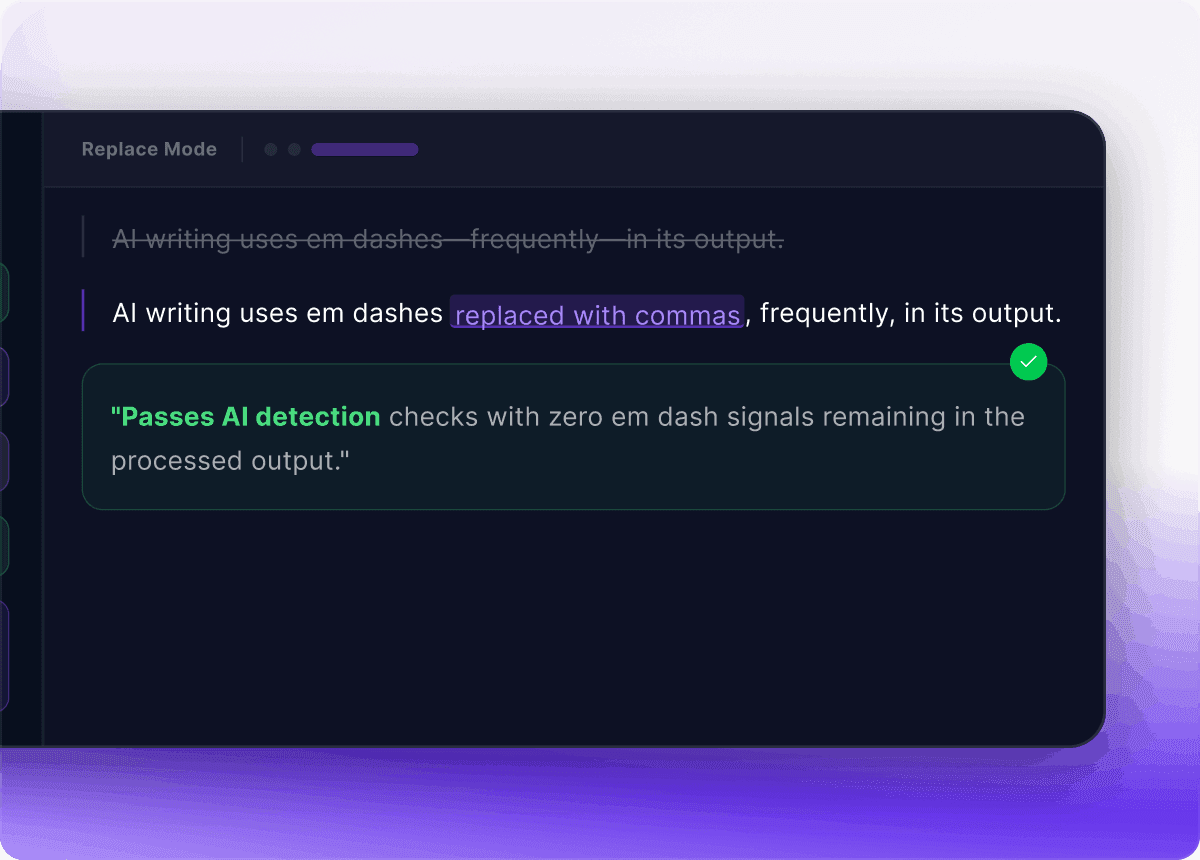
Replace em dashes with a hyphen, swap them for a comma, or delete them entirely. Toggle trim-space-before and trim-space-after to fix the gaps AI leaves behind.
Watch It Clean
Output rewrites itself as you type. Live counters show characters, words, and exactly how many em dashes the tool found and replaced.
Copy and Ship
One tap copies the cleaned text to your clipboard. The original input stays in place so you can A/B every mode before committing.
The AI tell, fixed in one pass
Catch Every Em Dash Before a Reader Does
ChatGPT scatters em dashes like confetti. A typical 1,000-word AI draft has 8–12 of them — enough for any reader (or AI detector) to clock it instantly. This em dash remover highlights every — in your input so you can see the damage before you fix it.
Switch between hyphen, comma, and remove modes to preview the cleanup in real time. The original draft never gets overwritten — flip modes, compare outputs, and copy whichever one reads most human.
Try it now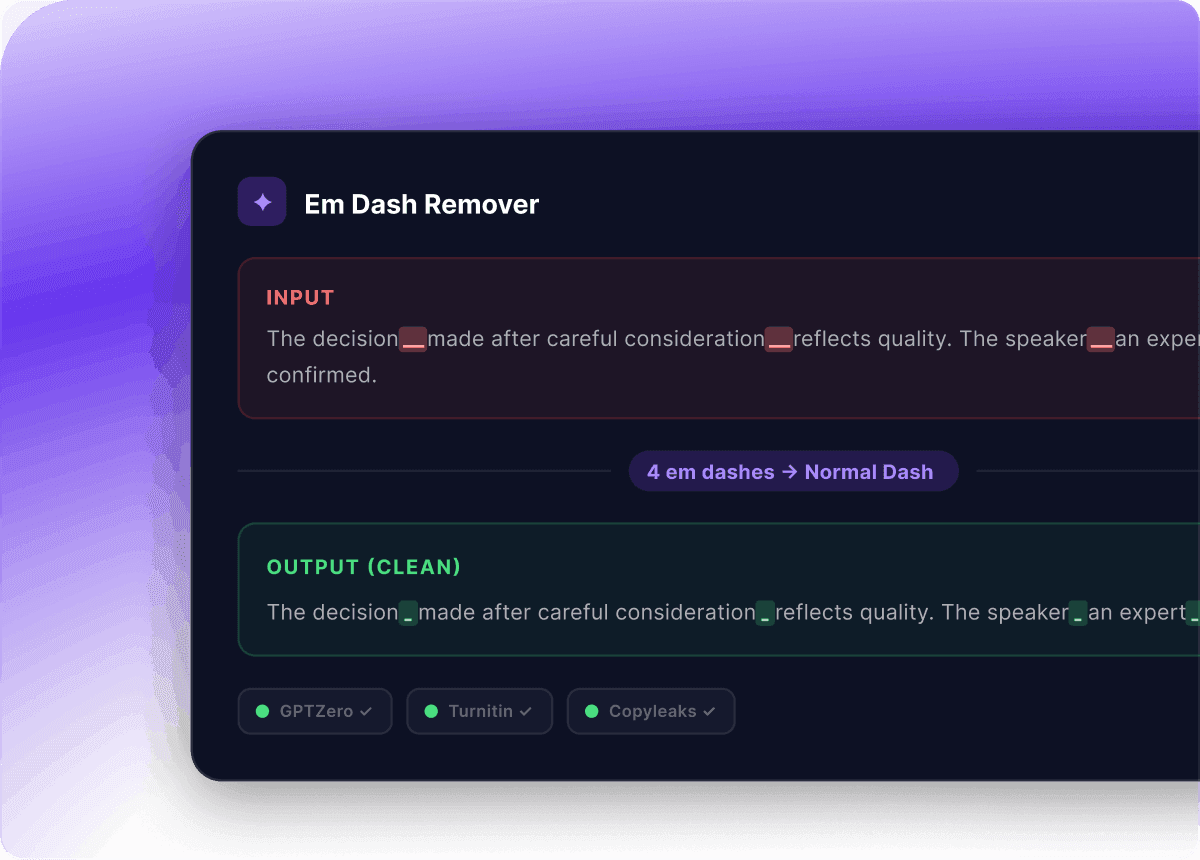
One Unicode bug, four broken channels
Em Dashes Break More Than You Think
The em dash (U+2014) is a Unicode character, and it doesn't survive every channel intact. Outlook replaces it with a ?. SMS gateways drop it on the floor. Markdown parsers print a literal dash. Plagiarism and AI-detection scanners flag the pattern as a machine fingerprint.
Run your draft through the em dash remover once and it converts cleanly to ASCII — email templates, SMS, Substack newsletters, WordPress, GitHub READMEs, and developer docs all render exactly what you wrote.
Clean my textWhy Trust This Em Dash Remover?
Built for writers, developers, and content teams who need a fast, private way to clean AI-generated text before publishing.
Your text never leaves your browser
- All em dash cleanup runs locally in JavaScript
- Nothing is uploaded, logged, or stored on a server
- Works offline once the page loads
- No analytics or tracking on your pasted content
- Safe for confidential drafts and proprietary text
Built for real AI cleanup workflows
- Processes documents of any length instantly
- Three replacement modes for every style guide
- Trim-space options for inconsistent ChatGPT output
- Original input preserved so you can re-process
- No account, no character cap, completely free
Works with every AI writing tool
- ChatGPT (GPT-4, GPT-4o, GPT-5, all versions)
- Claude (Anthropic, all model families)
- Gemini (Google, formerly Bard)
- Grok (xAI), Perplexity, DeepSeek
- Any other AI writing tool or text source
Trusted by 95,000+ writers
Real reviews from people who use the em dash remover every day.
Sarah Chen
@sarahwrites
Em dashes in ChatGPT outputs were killing my AI-detection scores. This tool strips them in one click — saved me hours of manual find-and-replace work every week.
Marcus Wright
@mwright_dev
I run a content agency and ChatGPT loves its em dashes. Before this, my team was manually replacing them in every draft. Now it's a one-second cleanup step before publishing.
Priya Patel
@priya_writes
Used to hand-replace em dashes one by one. This converted a 4,000-word article instantly. The three modes — dash, comma, or remove — cover every style guide I work with.
James O'Connor
@jamesoc
Outlook was mangling em dashes in my Claude-generated emails into question marks. Running drafts through this tool first fixed it completely. Stupidly simple, exactly what I needed.
Linda Becker
@lindabecker
Privacy was the dealbreaker for me — couldn't paste client documents into random online tools. This runs in-browser, so my confidential drafts never leave my machine.
David Kumar
@davidkumar
Found this while debugging why AI detectors kept flagging my edited essays. Em dashes are a dead giveaway. Now I clean every draft through here before submitting.
FAQs
Everything you need to know about removing and replacing em dashes in AI-generated text.
What's the difference between an em dash, en dash, and hyphen?
The hyphen (-) is the shortest, used to join compound words like "self-aware". The en dash (–) is wider, used for ranges like "pages 5–10" or the "Boston–New York flight". The em dash (—) is the longest, used for emphasis or to set off clauses — similar to parentheses or commas. This em dash remover targets only the em dash character (Unicode U+2014) and leaves hyphens and en dashes untouched.
Why does ChatGPT use so many em dashes?
Large language models like ChatGPT, Claude, and Gemini learn from huge corpora of edited prose where em dashes are a common stylistic device. Their training rewards balanced, rhythmic sentences, so they reach for em dashes far more often than human writers do. The result: AI-generated text is often identifiable by its em dash density alone, which is why removing them is a standard first step in any AI cleanup workflow.
How do I remove em dashes from ChatGPT text?
Paste the ChatGPT output into the input pane, pick a replacement mode, and copy the result. Use hyphen for the safest one-to-one replacement that works in plain ASCII contexts. Use comma when the em dash was setting off a parenthetical clause and you want more natural prose. Use remove when the dashes were stylistic filler and the sentence reads fine without them. Try all three side-by-side — the live preview makes comparison instant.
Will removing em dashes help bypass AI detection?
It helps, but it isn't a complete solution. Em dash density is one of several signals AI detectors look at, alongside sentence-length variance, vocabulary repetition, and burstiness. Stripping em dashes removes one of the strongest visual signals, but pair this cleanup with paraphrasing and human editing for the best results.
Does the em dash remover change any other punctuation or formatting?
No. The tool only touches the em dash character (U+2014). Hyphens, en dashes, commas, periods, quotation marks, line breaks, and every other character are left exactly as they were. Your original formatting — paragraph breaks, indentation, lists — is fully preserved.
Can I clean documents of any length?
Yes. The em dash remover handles short paragraphs and full-length books equally fast because all processing runs locally in your browser using a regex pass. There are no server-side rate limits — performance scales with your device, not a server.
Is the em dash remover really free with no limits?
Yes. No account, no usage caps, no paywall, no ads. The em dash remover is completely free and will remain so. You can clean as many AI-generated documents as you want, as often as you want.