If you’ve tried “undetectable AI” tools, you’ve probably hit the same wall: some rewrites still feel robotic, and detectors keep flagging your content. You don’t need more thesaurus swaps — you need tools that produce authentic, human-like writing with clean rhythm, real flow, and credible structure.
This guide gives you the best free and low-cost alternatives to Undetectable AI that actually make your writing sound natural — plus built-in checks to reduce detection risk. Whether you’re polishing essays, blogs, or professional documents, these tools help you write content that reads like you, not a machine.
Best Tools for Natural and Authentic Writing
- AISEO — Best for long-form, SEO-focused content that reads authentically human from start to finish
- Humanize AI Text — Best overall for natural, human-like writing that passes casual scrutiny and preserves meaning
- QuillBot — Best free alternative for quick paraphrasing and smoothing short passages without losing intent
- ProWritingAid — Best for deep editing: clarity, pacing, structure, and style refinement
- Bypass GPT — Best free AI detection check to target and guide rewrites
1. AISEO — Best For SEO-focused Content
When you need articles that rank and still sound natural, AISEO delivers. It blends human-like rewriting with search-ready structure so your drafts read smoothly and perform in SERPs. From outline to publish, it keeps tone, clarity, and credibility consistent.
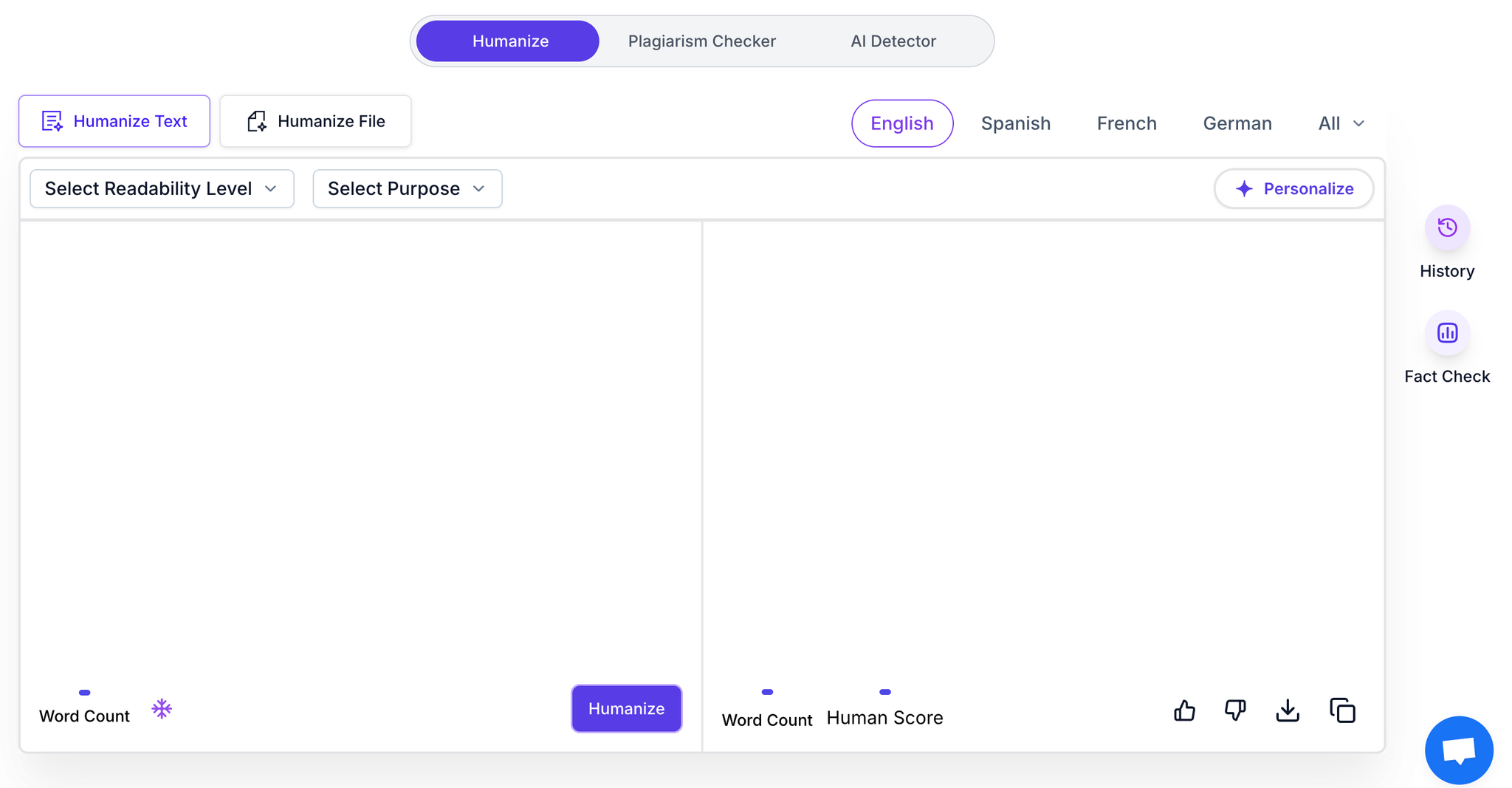
AISEO
Key Features
Fact Check
AISEO verifies claims and data points against reliable sources to reduce inaccuracies in long-form content. It flags weak or outdated references and suggests corrected figures or citations. This ensures your posts stay credible, topical, and trustworthy for readers and search engines.
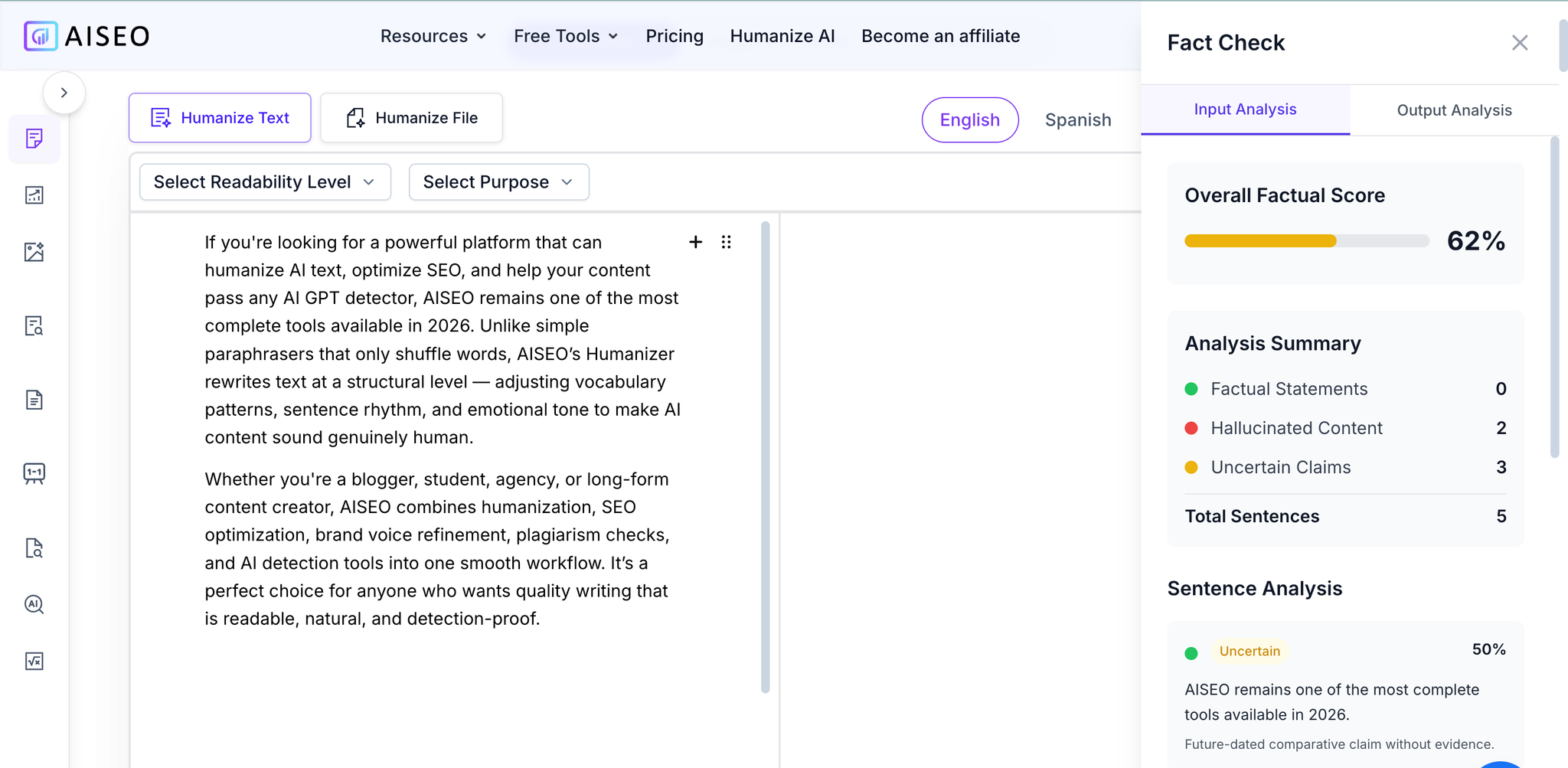
Fact Check
History and Personalization
The platform remembers brand voice, prior choices, and audience preferences to maintain continuity across articles. It adapts tone, terminology, and depth based on your past edits and target persona. Over time, this creates a consistent narrative style that feels distinctly yours.
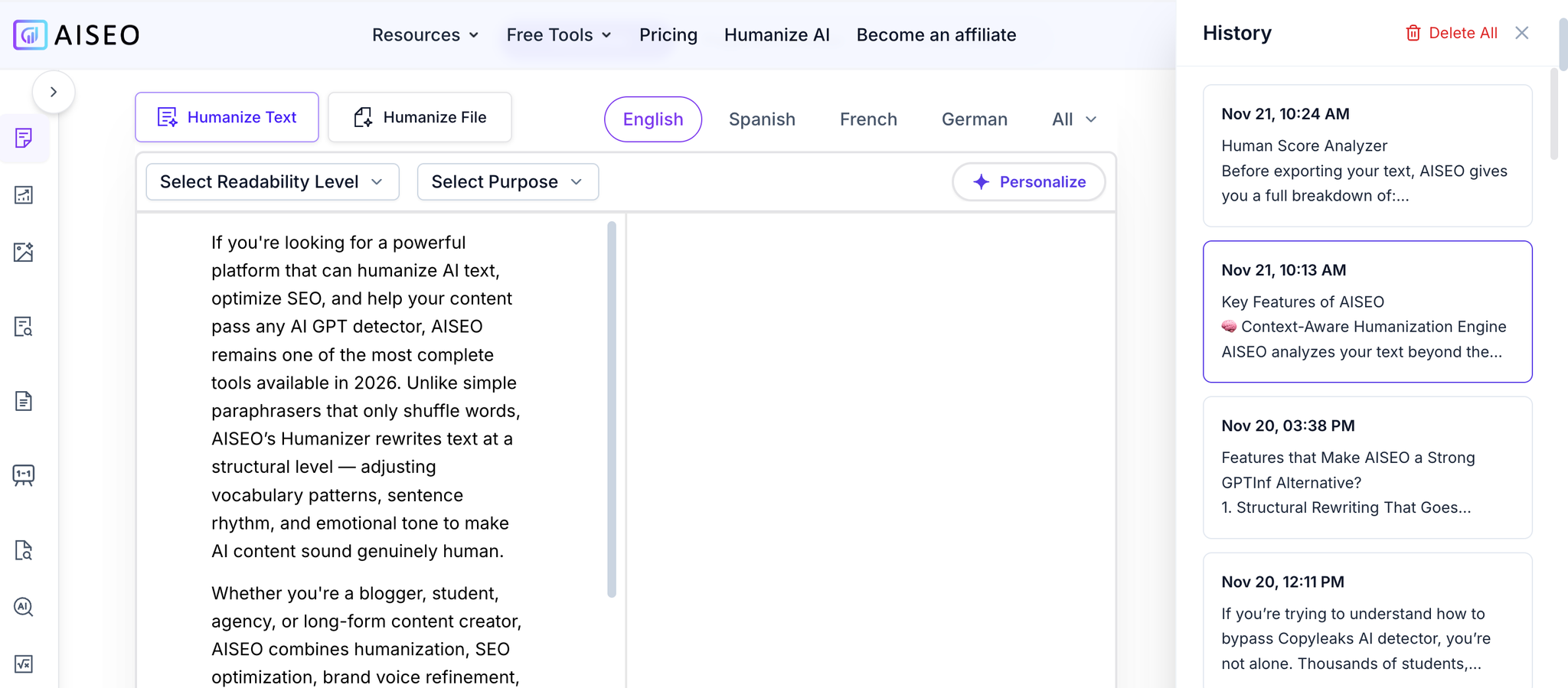
History — View, Compare, and Restore Previous Versions
Integrated Plagiarism Checker
AISEO scans drafts for duplicate or overlapping text and highlights risk areas before you publish. It offers one-click rewrites that preserve meaning while removing similarity issues. This protects your SEO performance and safeguards academic or client-facing credibility.
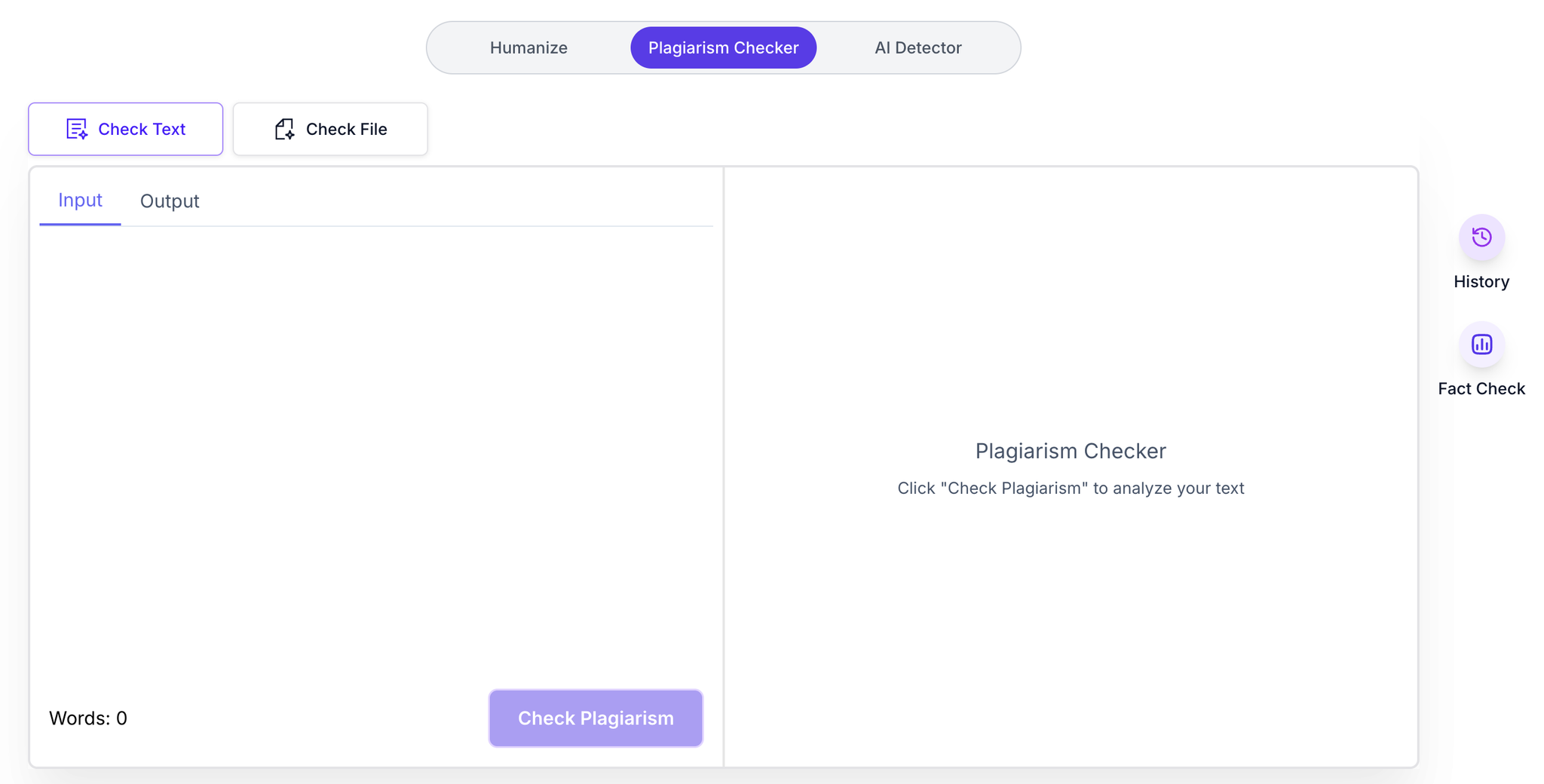
Integrated Plagiarism Checker
Built-in AI Detector
AISEO evaluates how machine-like your content may appear and pinpoints sections likely to trigger detectors. You can humanize targeted passages to improve rhythm, sentence variety, and flow. The result is detection-aware, natural writing that passes casual and automated scrutiny.
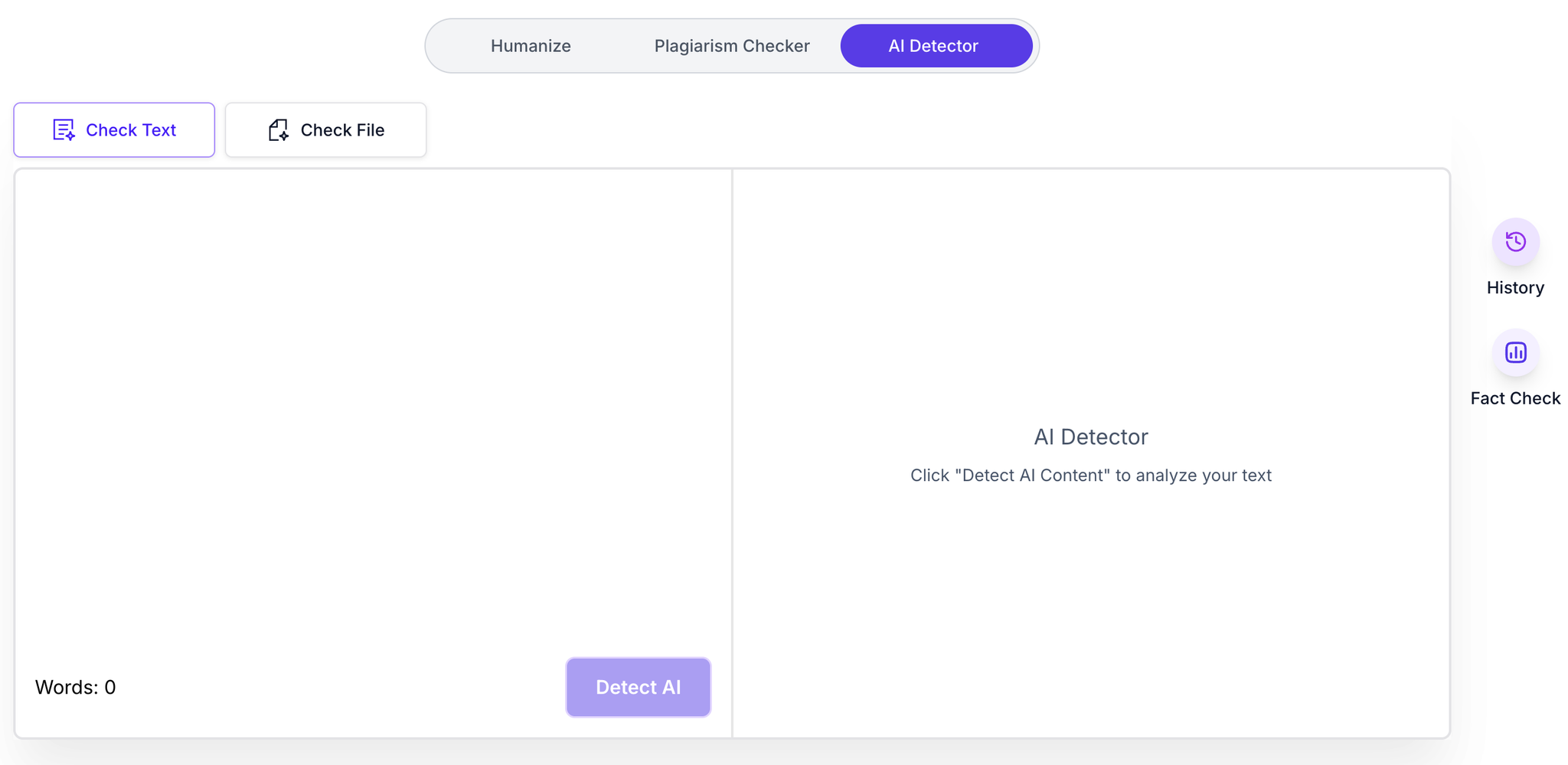
Built-in AI Detector
Pricing
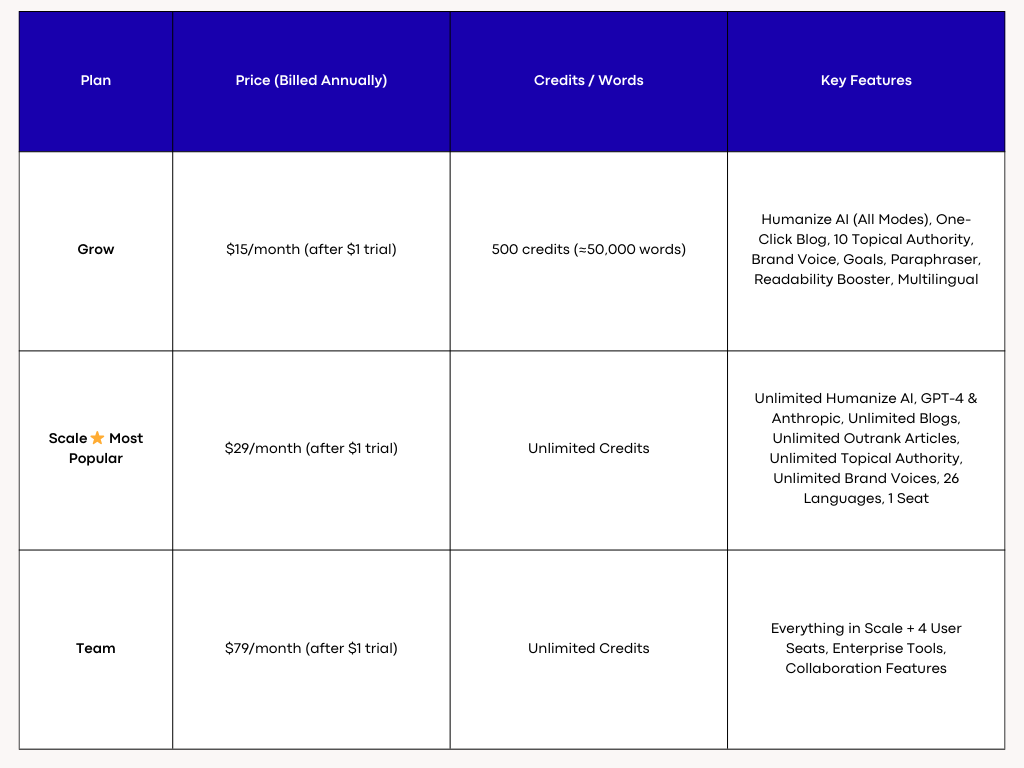
AISEO Pricing

AISEO Pricing
2. Humanize AI Text — Best Overall for Natural, Human-Like Writing
Humanize AI Text makes your drafts read like they were written by a real person, not a machine. It smooths rhythm, fixes robotic phrasing, and keeps your original meaning intact. Ideal for blogs, essays, emails, and professional documents.
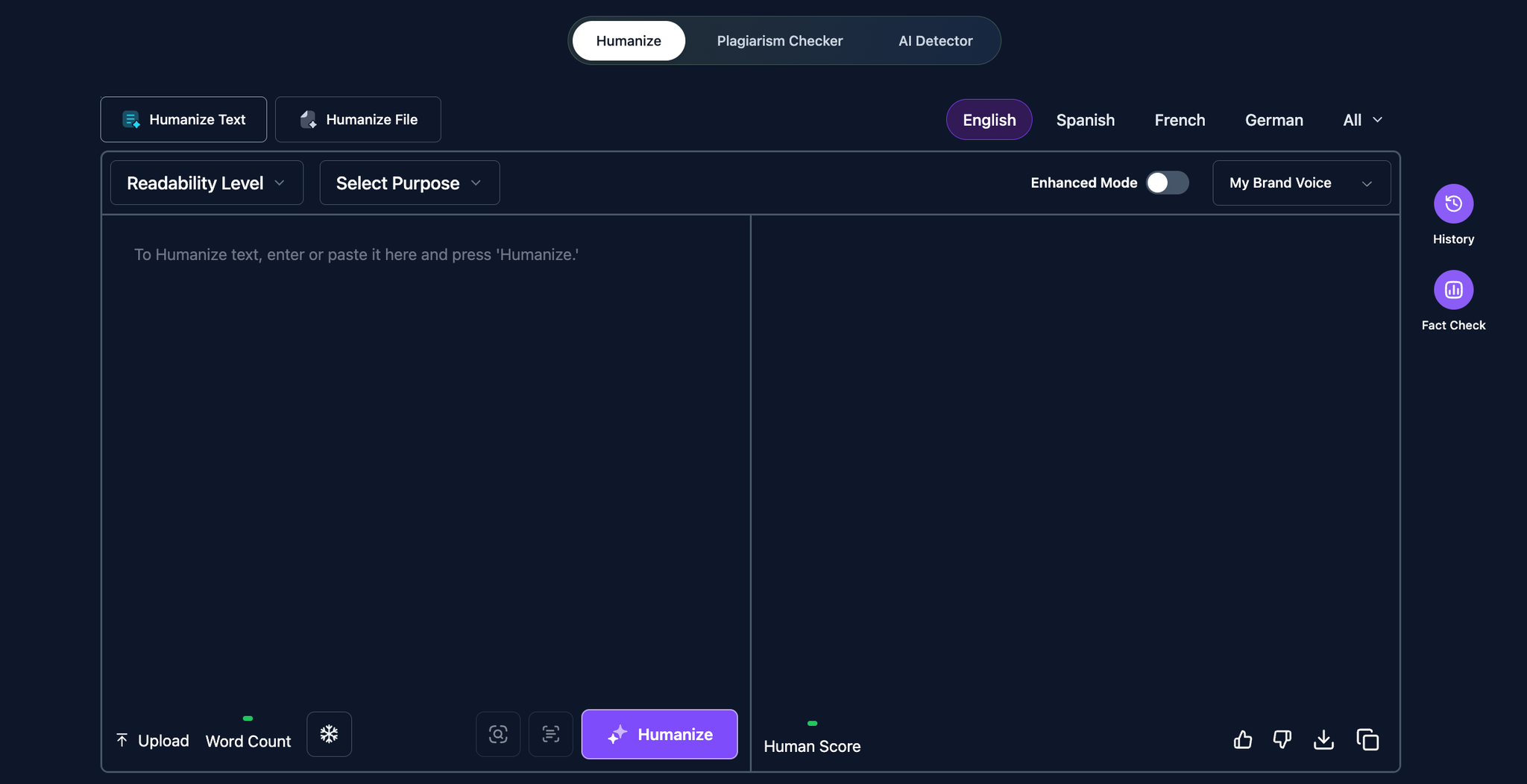
Humanize AI Text
Key Features
Advanced Humanization Engine
It restructures sentences to remove repetitive AI patterns while preserving context and intent. Transitions become smoother, reducing abrupt shifts that trigger “AI-like” flags. The result is natural cadence and conversational clarity without over-editing your voice.
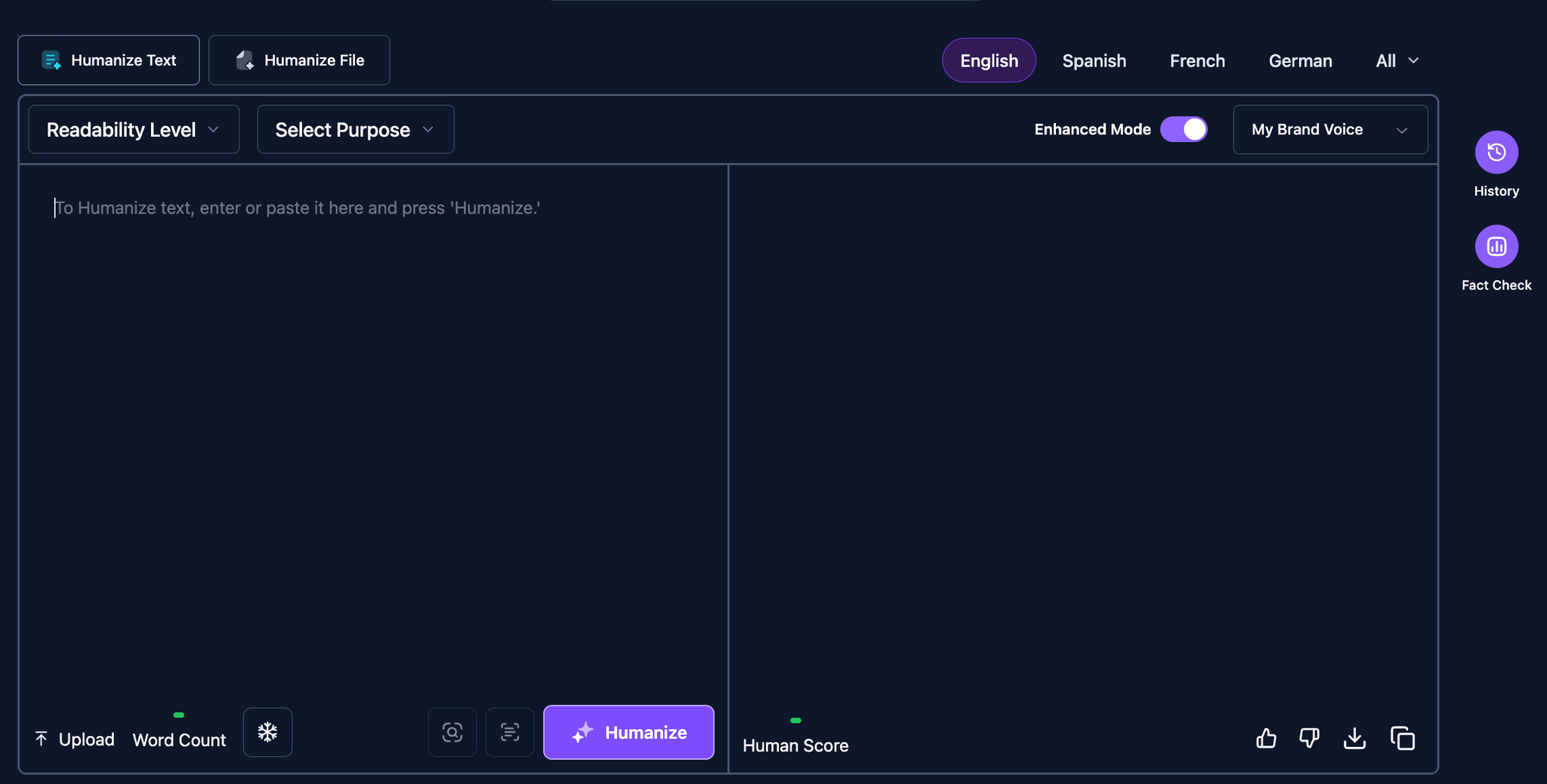
Advanced Humanization Engine
Plagiarism Scan and Automatic Fixes
Built-in scanning identifies overlapping phrases that could cause originality issues. It then rewrites flagged portions to maintain meaning while avoiding duplication. This is especially useful for students, freelancers, and agencies working with source-heavy content.
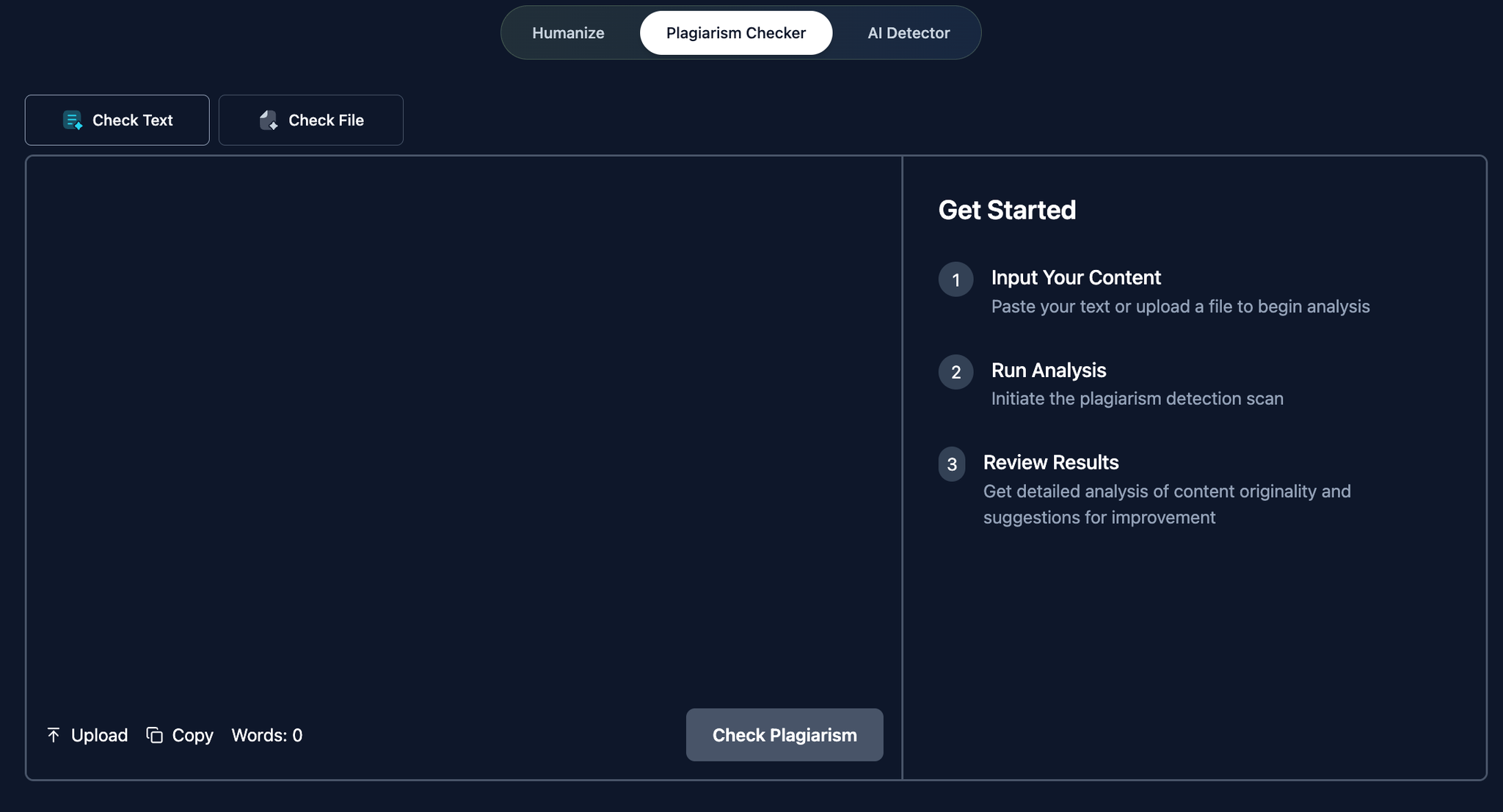
Plagiarism Scan and Automatic Fixes
Multilingual + File Upload Support
Adapt tone and nuance across 26+ languages with context-aware rewriting. Upload DOC, PDF, or PPT files to humanize entire documents in one workflow. This simplifies long-form editing and keeps formatting intact across sections.
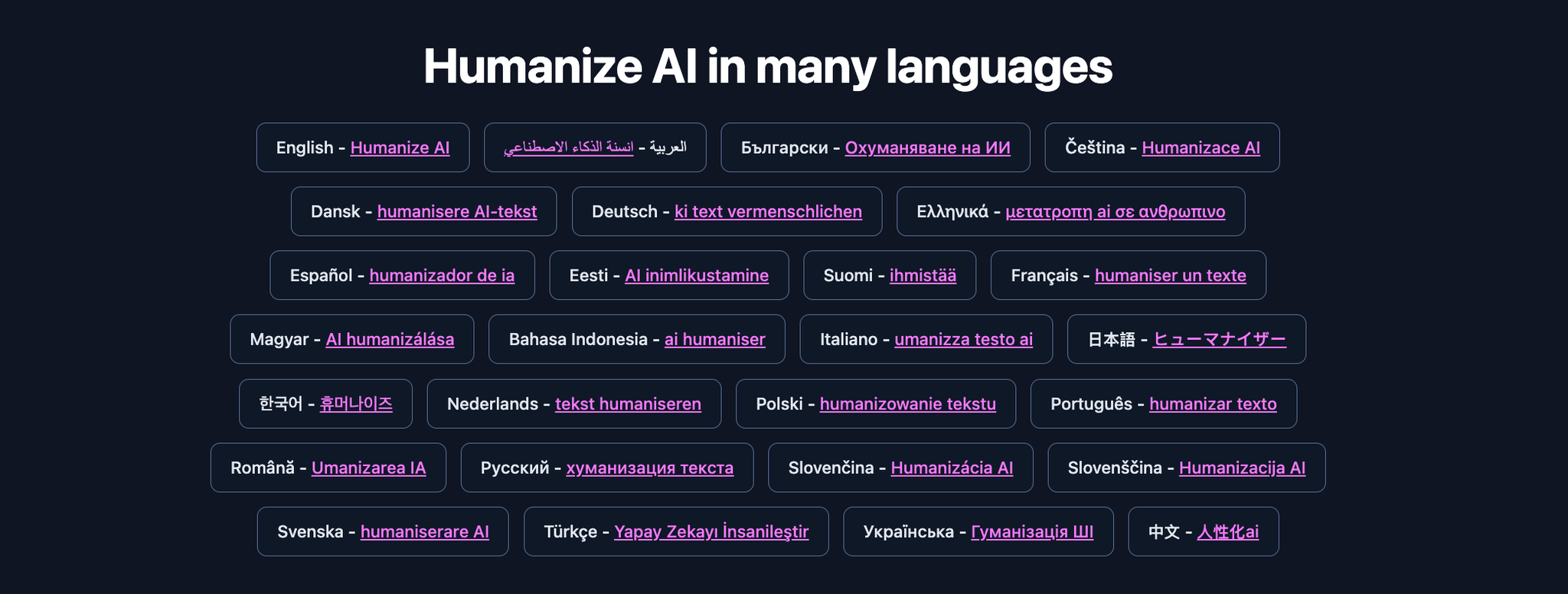
Multilingual + File Upload Support
Pricing
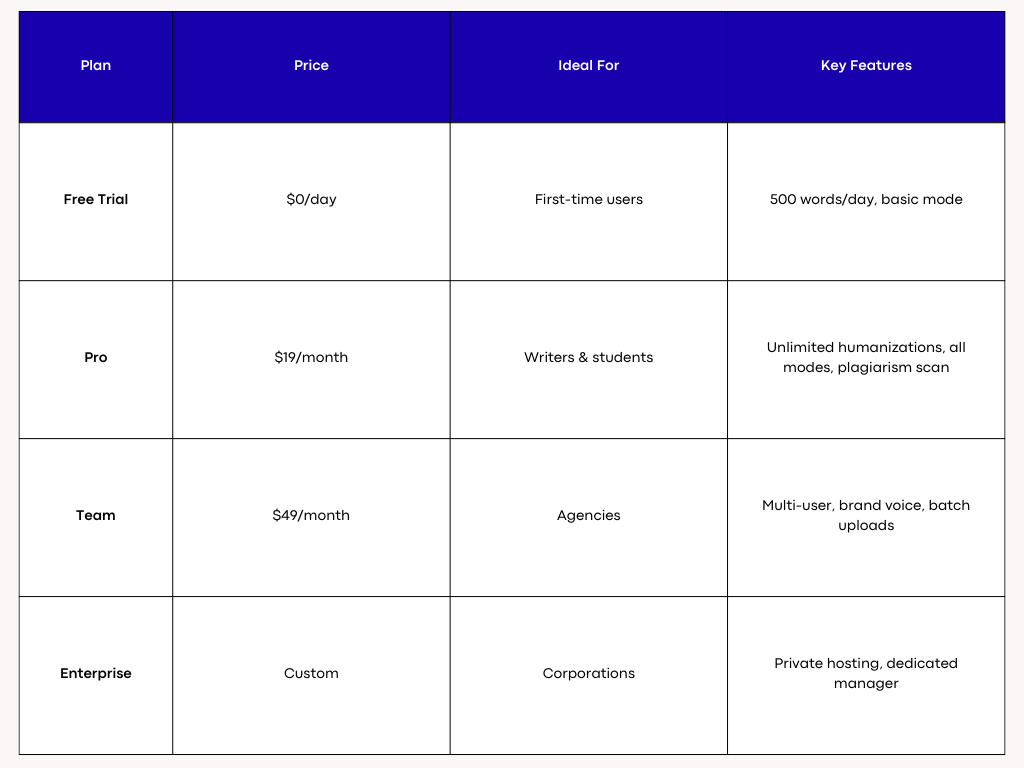
Humanize AI Text Pricing

Humanize AI Text Pricing
3. QuillBot — Best Free alternative for Quick Paraphrasing
Need fast cleanups without changing meaning? QuillBot’s free plan delivers quick, readable paraphrases for sentences and short paragraphs. It’s ideal for polishing AI drafts, emails, and blog snippets on a budget.

QuillBot's Dashboard
Key Features
Precision Paraphrasing
QuillBot focuses on clarity-first rewrites that retain your original intent. It smooths awkward phrasing, fixes cadence, and improves readability without drifting from your message. Great for tightening copy where nuance matters.
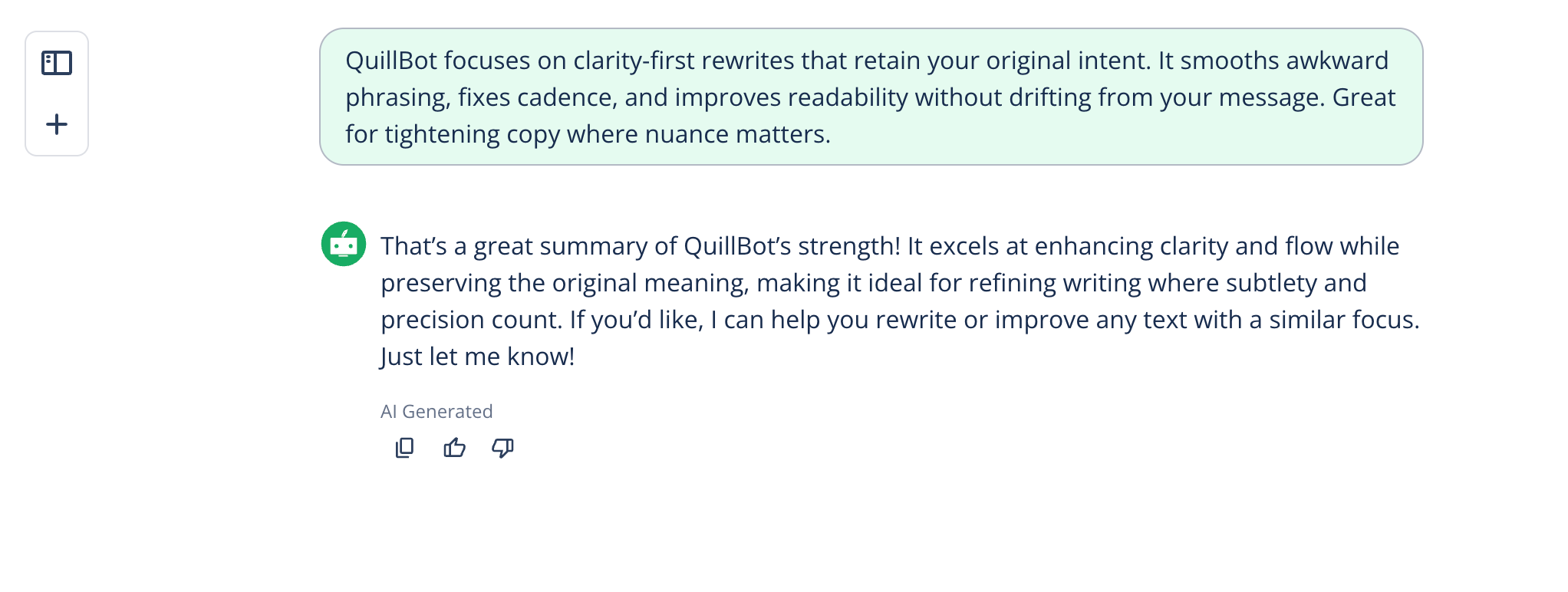
Precision Paraphrasing
Mode Control + Freeze Words
Switch between modes to adjust rewrite strength, then “freeze” key terms like names, keywords, and product phrases. This keeps brand language intact while improving flow. The result is cleaner sentences that still say exactly what you mean.
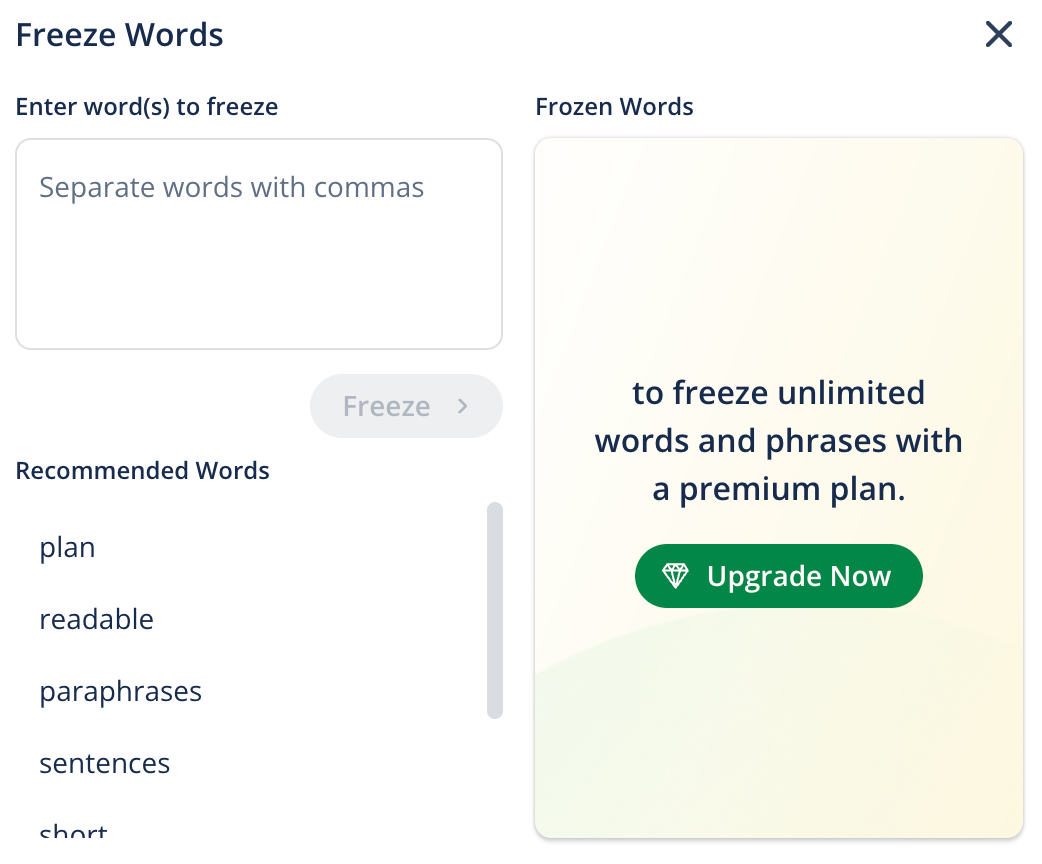
Mode Control + Freeze Words
Browser + Editor Integrations
Use the Chrome extension to paraphrase directly in tools like Google Docs, Gmail, and web editors. This reduces copy/paste friction and speeds up quick fixes. It’s a lightweight workflow for everyday writing.
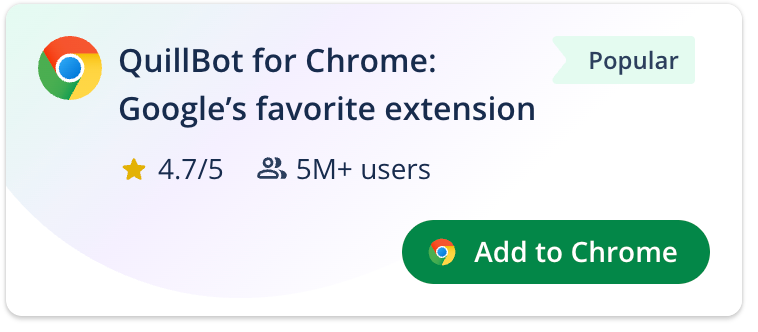
Browser + Editor Integrations
Detection-Aware Smoothing
QuillBot helps reduce common AI “tells” such as repetitive structure and stiff transitions. Pair with a detector to target flagged lines, then refine for a more human cadence. Ideal for short-form edits where time is tight.
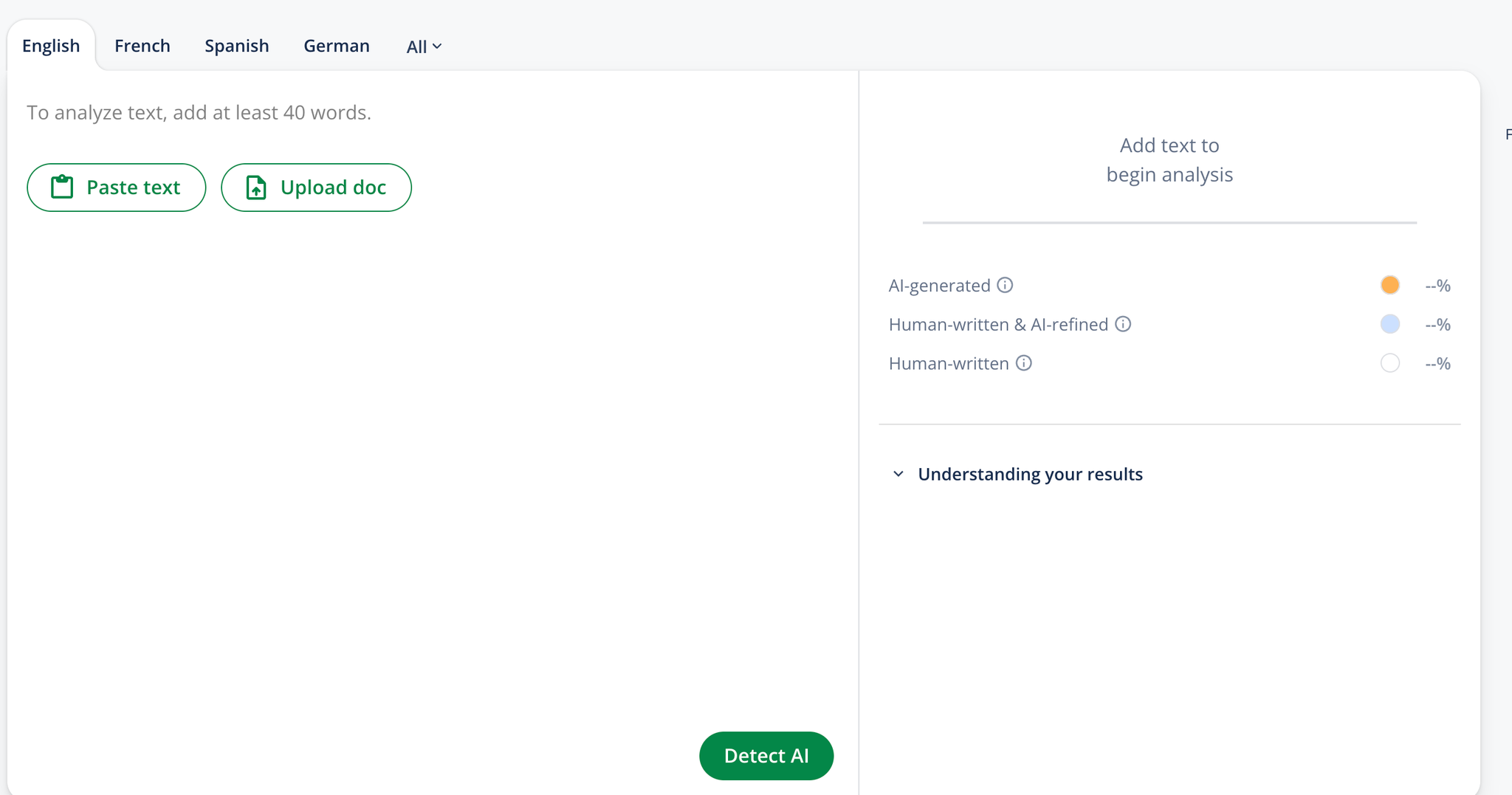
Detection-Aware Smoothing
Pricing
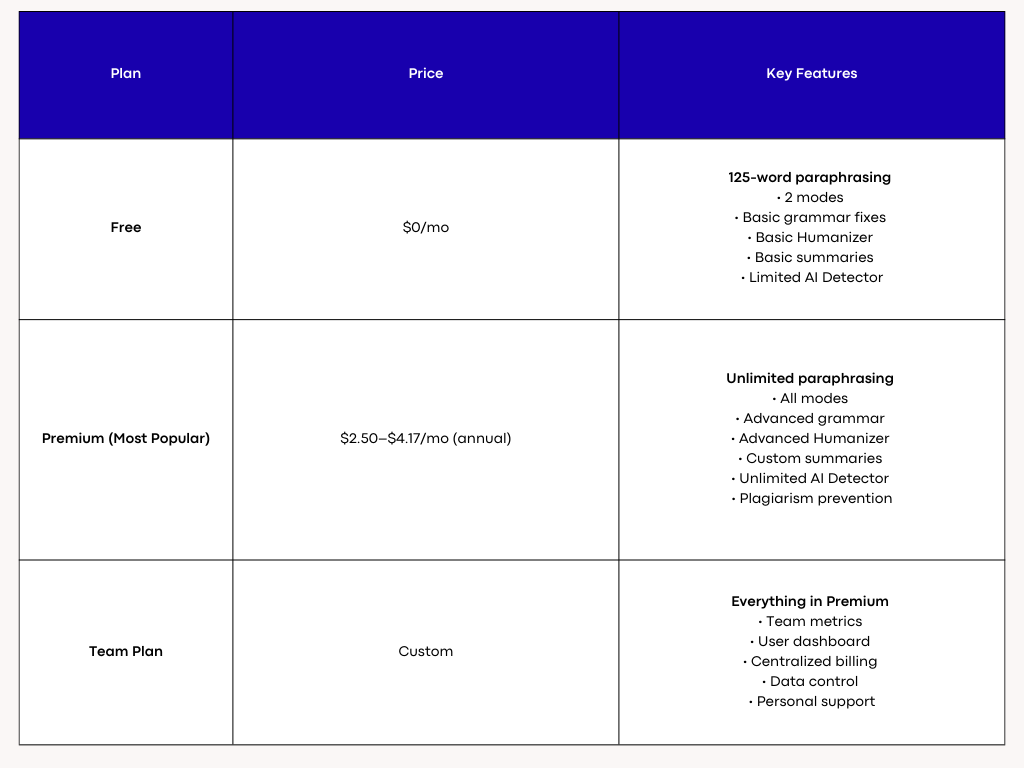
Quillbot Pricing

Quillbot Pricing
4. ProWritingAid — Best for Deep Editing (Clarity, Pacing, Structure, Style)
If you need thorough, human-like refinement without tripping AI detectors, ProWritingAid’s free tier offers robust editing checks that elevate readability and flow.
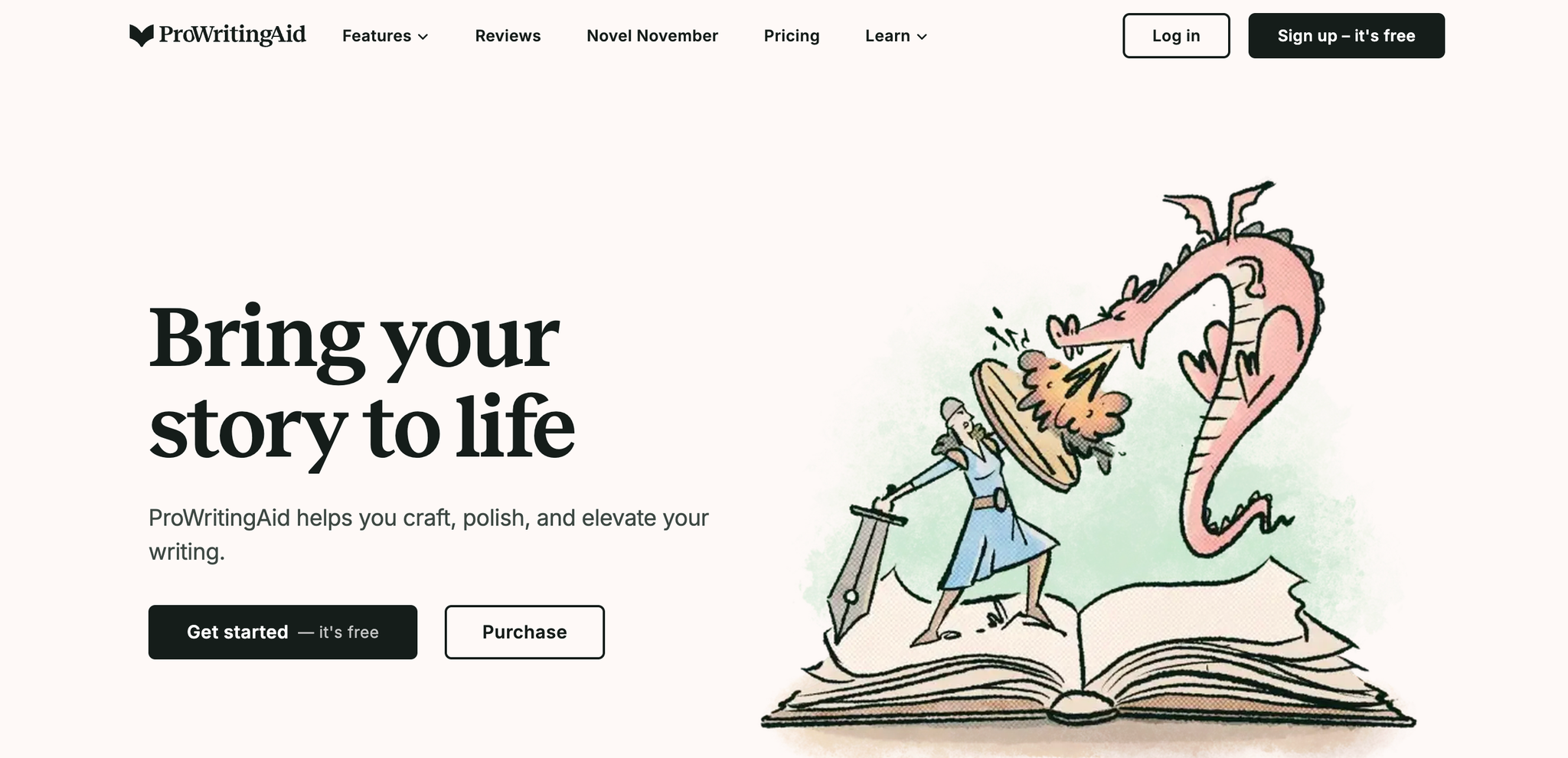
Prowritingaid's Dashboard
Key Features
Clarity & Readability Enhancements
Breaks down complex sentences, flags vague phrasing, and suggests precise wording to make content sound natural and undetectably human.
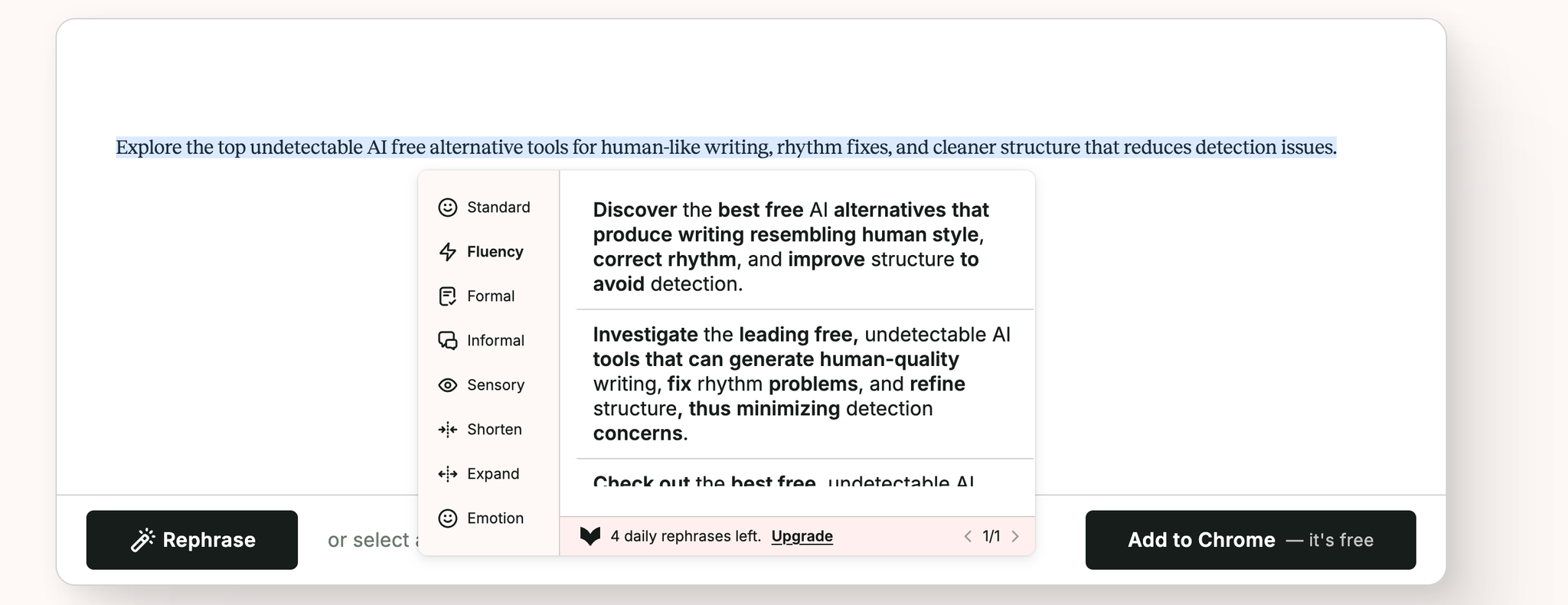
Clarity & Readability Enhancements
Pacing & Structure Analysis
Identifies slow sections, repetition, and weak transitions, offering structural suggestions to improve rhythm and narrative flow—ideal for long-form articles and reports.
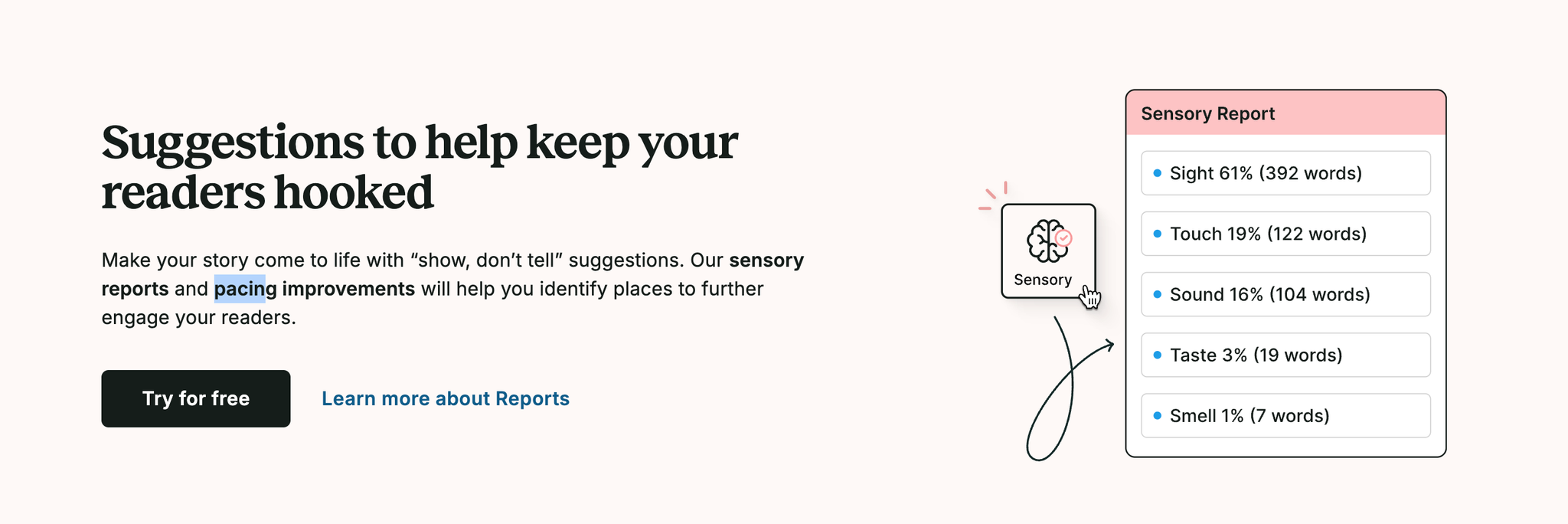
Pacing & Structure Analysis
Style & Consistency Reports
Surface-level grammar fixes plus deeper stylistic feedback: tone consistency, sentence variety, passive voice reduction, glue words, and overused terms for polished, authentic prose.
Style & Consistency Reports
Pricing
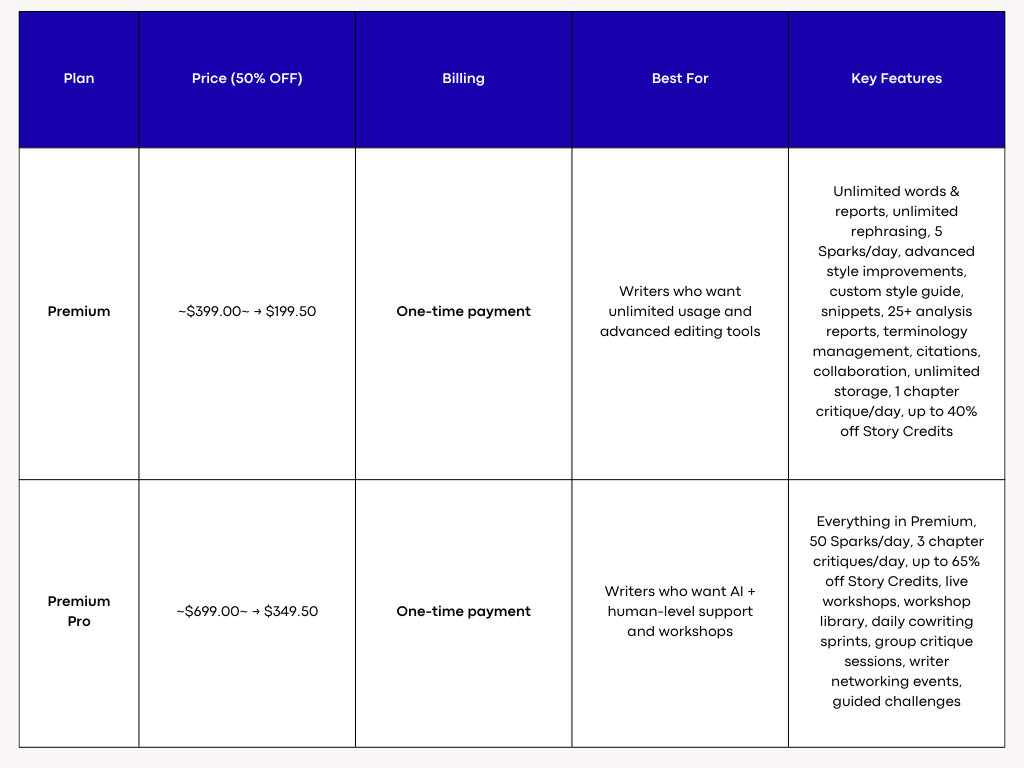
ProWritingAid Pricing
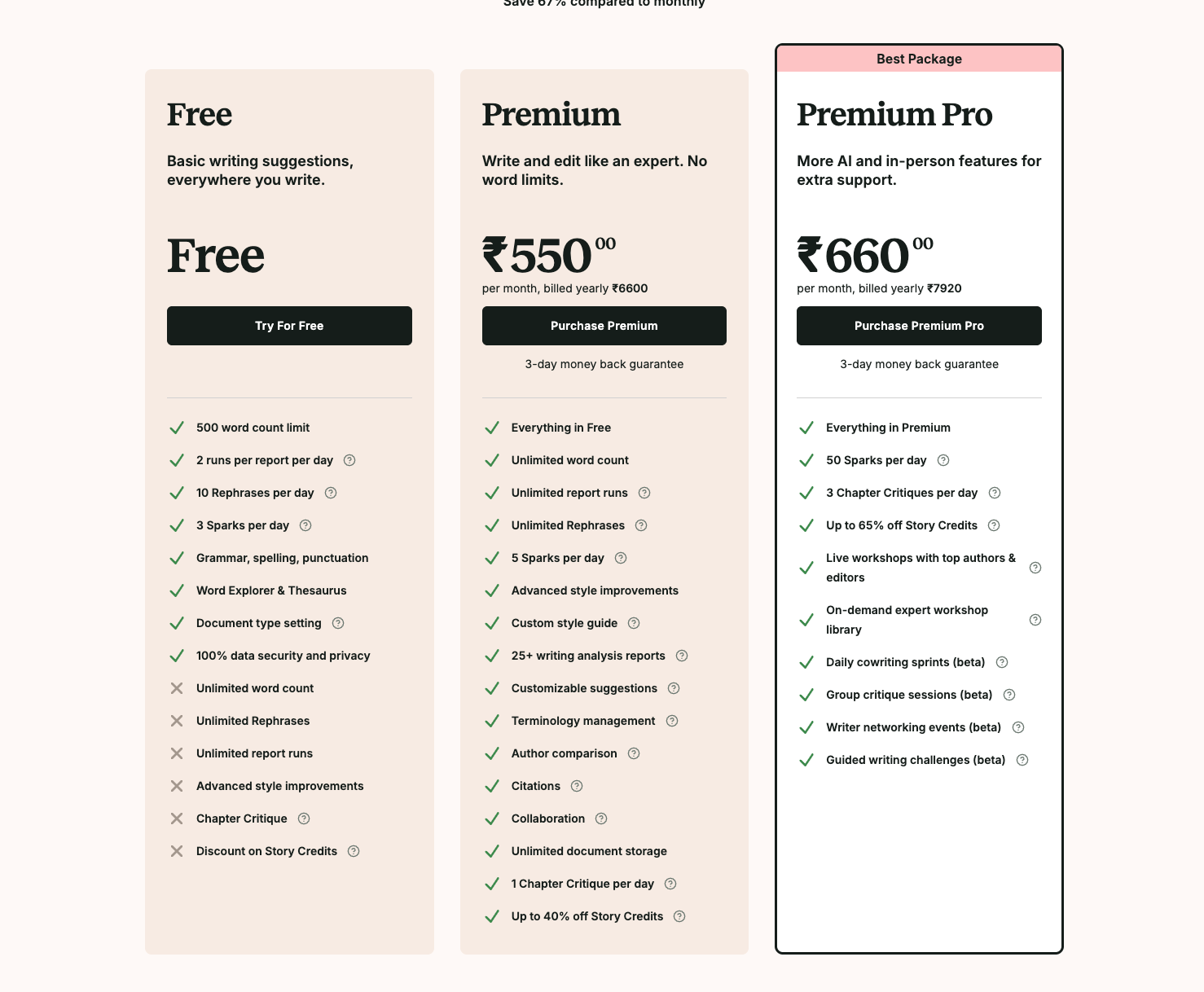
ProWritingAid Pricing
5. Bypass GPT — Best Free AI Detection Check to Target and Guide Rewrites
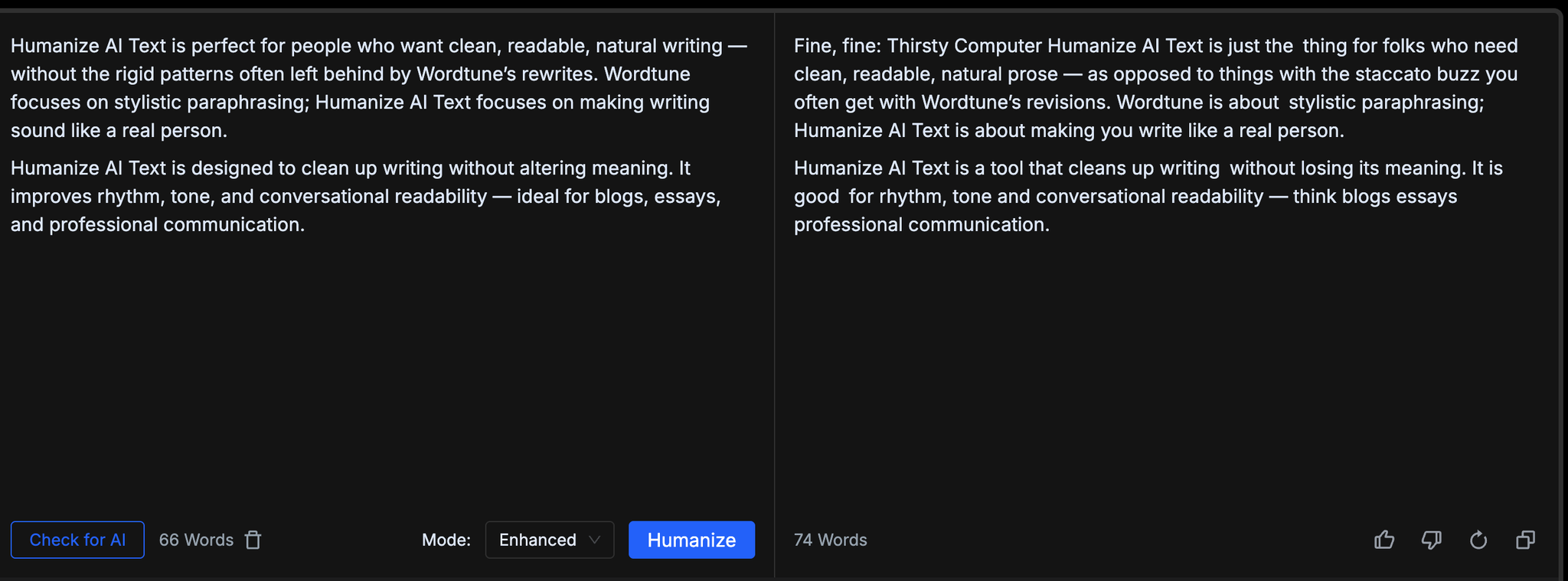
Need to keep content sounding human? Bypass GPT’s free detector highlights AI-like patterns and guides focused rewrites to lower detection risk.
Bypass GPT
Key Features
Targeted Detection Insights
Scans text for AI-like signals (repetition, uniform phrasing, predictability) and pinpoints exact sentences to adjust for a more natural voice.

Targeted Detection Insights
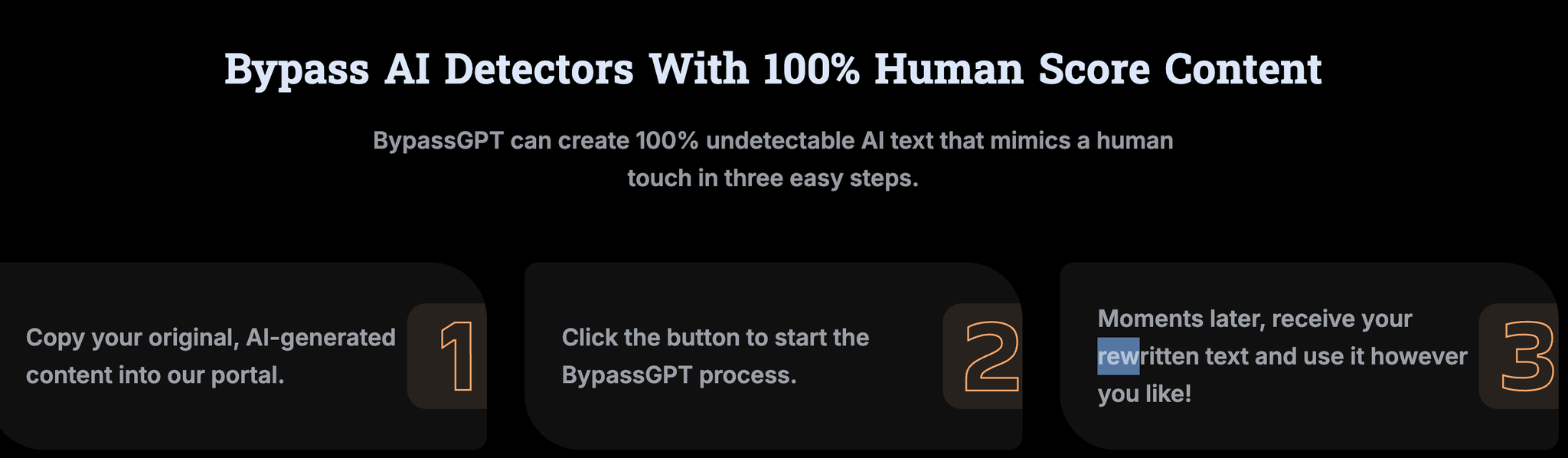
Guided Rewrite Suggestions
Offers human-style alternatives—varying sentence length, injecting specificity, and adjusting tone—so you can quickly reduce AI fingerprints.
Guided Rewrite Suggestions
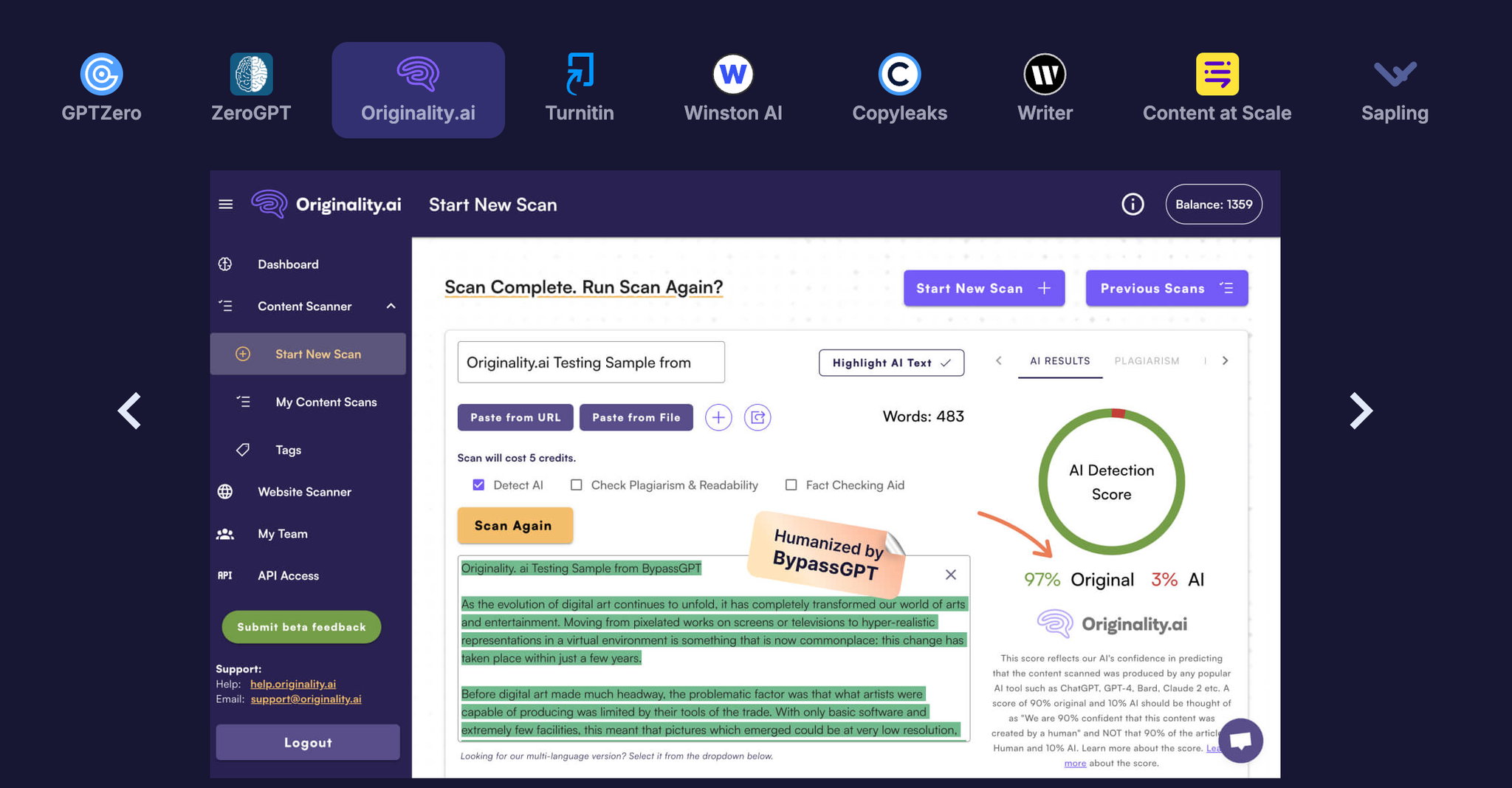
Real-Time Iteration
Paste, check, tweak, and re-check instantly. Get rapid feedback loops to refine content until it reads naturally and passes stricter checks.
Real-Time Iteration
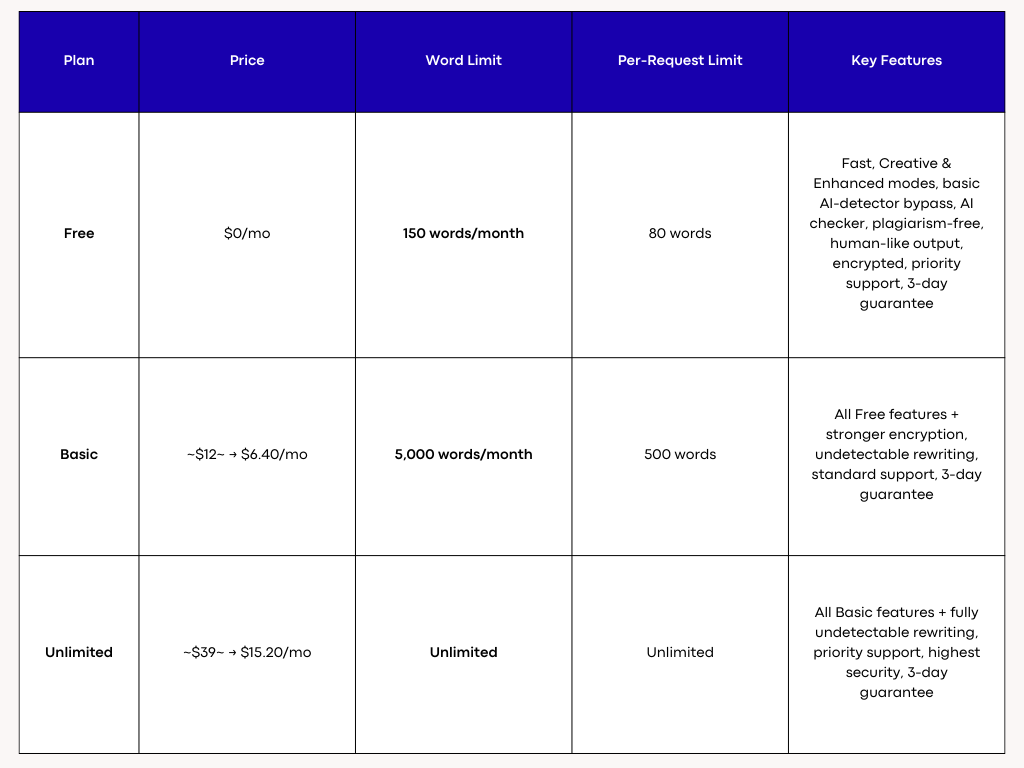
Pricing
BypassGPT Pricing

BypassGPT Pricing
Final Thoughts
Authentic, undetectable writing blends smart tooling with intentional revision. Start by diagnosing AI-like patterns with a free detector such as Bypass GPT; it pinpoints uniform phrasing, repetition, and predictability. Next, refine substance and flow using ProWritingAid’s deep editing reports to improve clarity, pacing, structure, and tone. Finally, add human texture with Humanize AI and AISEO Humanizer—tools that vary sentence length, inject specificity, and adjust voice without distorting meaning.
Adopt a simple loop:
Detect → Rewrite → Refine → Humanize.
Prioritize concrete details, lively verbs, and audience-appropriate tone. Mix short punchy lines with longer, nuanced sentences. Replace vague generalities with examples or data. Read aloud to catch stiffness and rhythm issues. When each pass targets a different layer—signal, structure, style, and voice—you reduce AI fingerprints while elevating credibility and readability. With these free alternatives working together, your content feels genuinely human and consistently passes tougher detection checks.
Frequently Asked Questions About Undetectable AI Free Alternatives
1. What does “undetectable AI” actually mean? Does it guarantee anything?
“Undetectable AI” isn’t a measurable standard—it’s a marketing phrase. What most users really want is writing that sounds natural, follows human rhythm, and passes casual checks from teachers, clients, or editors.
AI detectors look for predictable patterns such as:
- Overly uniform sentence structure
- Repetitive transitions
- Missing emotional nuance
- Generic reasoning patterns
- Evenness in perplexity and burstiness
Tools like Humanize AI Text, AISEO, and QuillBot don’t try to “trick” detectors. Instead, they reshape the writing to break robotic structure, add variety, and improve clarity. This makes writing feel authentically human—which usually leads to lower detection probability. But no tool can guarantee 100% invisibility across every detector.
The goal should be natural human-like writing, not chasing a perfect “undetectable” label.
2. What’s the best free alternative to Undetectable AI?
If you’re looking for a completely free tool, the strongest options are:
- Bypass GPT (free AI detector) — good for spotting AI-like sentences and guiding rewrites.
- QuillBot Free — good for short paraphrasing, smoothing, and small edits.
- ProWritingAid Free — excellent for clarity, structure, pacing, and human-like improvements.
For rewriting short texts and identifying robotic phrasing, these free tools perform extremely well.
If you want long-form humanization that keeps meaning intact, the best low-cost alternatives are:
- Humanize AI Text — best overall for human-like voice
- AISEO Humanizer — best for SEO-friendly, long-form rewrites
These two outperform most “undetectable AI” platforms because they prioritize rhythm, tone, and natural flow—not gimmicks.
3. Which tool produces the most natural human-like writing?
Among all tools listed in the article, Humanize AI Text consistently produces the most natural results. It rebuilds sentence structure, increases tonal variety, and smooths robotic transitions without changing your meaning. The output doesn’t feel “auto-rewritten”—it feels like a polished version of what a real person would write.
AISEO is a close second, especially for long-form articles, blogs, and SEO content. Its fact-checking, plagiarism cleanup, and detector scan add layers that help both credibility and human-readability.
QuillBot is great for short sections but doesn't handle long documents as naturally.
4. How do AI detectors actually work? Why do they sometimes flag human writing?
AI detectors don’t scan for hidden watermarks or tags—they analyze patterns in your writing. Common triggers include:
- Predictable sentence cadence
- Low vocabulary diversity
- Consistent rhythm with no natural variation
- "Safe” transitions that AI often relies on
- Sentence structures lacking nuance
Ironically, human writers can be flagged as AI if their style is too formal, too clean, or too logically structured—especially in academic contexts.
This is why tools like Humanize AI, ProWritingAid, and Bypass GPT matter, they help you introduce human-like variation through:
- Mixed sentence length
- Expressive specificity
- Tighter transitions
- Improved clarity
- Natural emotion and tone shifts
Detectors are unreliable, but improving your writing’s rhythm and structure almost always lowers false positives.
5. Is using these tools considered plagiarism or cheating?
No—using tools to rewrite, edit, or refine your own work is not plagiarism. Tools act like digital editors. They help correct tone, structure, pacing, and clarity.
However:
- Don’t use AI to generate full essays and submit them as your own.
- Don’t rewrite someone else’s copyrighted work with the intent to disguise it.
- Always maintain your own ideas, reasoning, and examples.
Using tools to polish your draft is the same as using Grammarly, Hemingway, or a writing tutor.
6. Which tool is best for students writing essays?
For students, you want tools that improve clarity without changing your argument or intent. Best picks:
- Humanize AI Text — makes writing smoother and more personal
- ProWritingAid — deep analysis on clarity, pacing, and style
- Bypass GPT — highlights AI-like lines so you can manually revise them
Students often benefit from combining:
detector → humanizer → editor
This avoids robotic tone and strengthens originality.
7. Which tool should bloggers or SEO writers use?
Bloggers and SEO professionals need natural tone plus factual accuracy, readability, and structure.
AISEO is the strongest for SEO because it offers:
- Fact-checking
- Plagiarism scan
- Brand voice memory
- Long-form outline + writing tools
- Content scoring
It helps you sound natural and rank better. Pair it with Humanize AI Text for a more conversational voice.
8. How do these tools help pass AI detectors?
They improve the writing at three layers:
- Structure Layer (reduces robotic patterns): Humanize AI and AISEO rebuild the structure — changing pacing, rhythm, and sentence variation.
- Style Layer (adds natural expression): Tools introduce human-like imperfections, active tone, and narrative flow.
- Signal Layer (reduces predictable AI signatures): Detectors look for predictability metrics like perplexity; humanizers increase variation so your writing feels organic.
When paired with Bypass GPT, you can quickly spot and fix the exact lines causing detection spikes.
9. Does using “humanizers” distort meaning?
Cheaper or older tools often distort meaning because they rely on synonym swaps. The tools covered here do not:
- Humanize AI Text: maintains context while improving rhythm.
- AISEO: preserves meaning through targeted rewriting and fact-checking.
- QuillBot: keeps intent intact for short edits.
- ProWritingAid: focuses on clarity and structure rather than rewriting content.
Meaning preservation is a core difference between good humanizers and low-quality paraphrasers.
10. How do I check if my writing still sounds robotic?
Look for these signs:
- Every sentence has similar length
- Tone is overly formal or generic
- Transitions repeat (“additionally,” “moreover,” “in conclusion”)
- Vague generalizations instead of specifics
- No emotional nuance or voice
Run your text through:
- Bypass GPT → Identify robotic sentences
- ProWritingAid → Fix structure and clarity
- Humanize AI → Add human variation
Then read it aloud—robotic phrasing becomes obvious when spoken.
About the Author

Dilyar Buzan is the founder and CEO of AISEO.ai, an AI-native SEO platform. With a background in AI from the University of Amsterdam, Dilyar specializes in Generative Engine Optimization (GEO), Answer Engine Optimization (AEO), and AI-driven content strategy, helping brands earn visibility across ChatGPT, Perplexity, Google AI Overviews, and traditional search. He's also co-founder of Sceneform.ai, an AI content platform for brands and creators.