Scribbr AI detector vs Turnitin—which one actually does a better job catching AI-written text? If you’re a student, educator, or freelancer trying to submit clean, credible work, this comparison cuts through the noise. Turnitin is the institution-grade classic with deep LMS integrations and a massive academic database. Scribbr, meanwhile, feels more approachable for individuals, pairing AI detection with plagiarism checks, grammar help, and citations.
Here’s the gist: Turnitin shines for long-form academic writing and policy-backed reports. Scribbr delivers quick, readable feedback with clear highlights you can act on fast. We’ll break down accuracy across pure AI, lightly edited, and heavily humanized content, plus what to expect with short texts. You’ll also get a look at privacy, data handling, pricing, and workflow fit. By the end, you’ll know exactly when to use each—whether you’re polishing a personal draft or managing integrity at scale.
Turnitin vs. Scribbr: How They Differ on AI Detection, Accuracy, and Workflow for Students and Institutions
Turnitin focuses on academic integrity at scale and is built for institutions. Its AI writing detection complements originality reports and performs best on long-form, academic-style submissions where structure and citations are present.
Scribbr centers on clarity for individual users. It provides a clean AI probability score, highlights likely AI passages, and produces simple, actionable reports that help you revise quickly.
What matters most is accuracy, false positives, transparency, privacy, and workflow. Turnitin is intentionally conservative to avoid false positives and generally requires longer essays for reliable signals. It integrates with LMS platforms and institutional policies, offering audit trails and admin controls.
Scribbr is fast, explains flagged areas clearly, and fits solo writers who want guidance before submitting. It emphasizes readable feedback, privacy controls at the user level, and an iterative editing flow that helps you refine drafts without institutional overhead.
Head-to-Head: Purpose, Accuracy, and Reporting
Scribbr is designed for individuals who need quick checks, readable insights, and a supportive toolkit. Its AI Detector flags likely AI segments with a probability score and highlights, so you know exactly where to revise. The interface is straightforward, and results arrive fast.
Turnitin is built for institutions. It analyzes patterns at scale, provides a percentage likelihood of AI generation, and ties results into originality checks against an extensive academic repository. Reports suit audit trails and instructor decision-making. It’s the standard when policy and documentation matter.
In testing scenarios, both tools flag pure AI essays reliably. Lightly edited AI is often caught by both, though Turnitin’s long-text modeling helps on academic-style assignments. Heavily humanized AI is tough across the board. Scribbr’s highlights guide targeted edits, while Turnitin’s overall score can still surface consistent signals in longer work. For short responses under 200 words, expect lower confidence from either tool.
Features and Workflow Fit
Scribbr
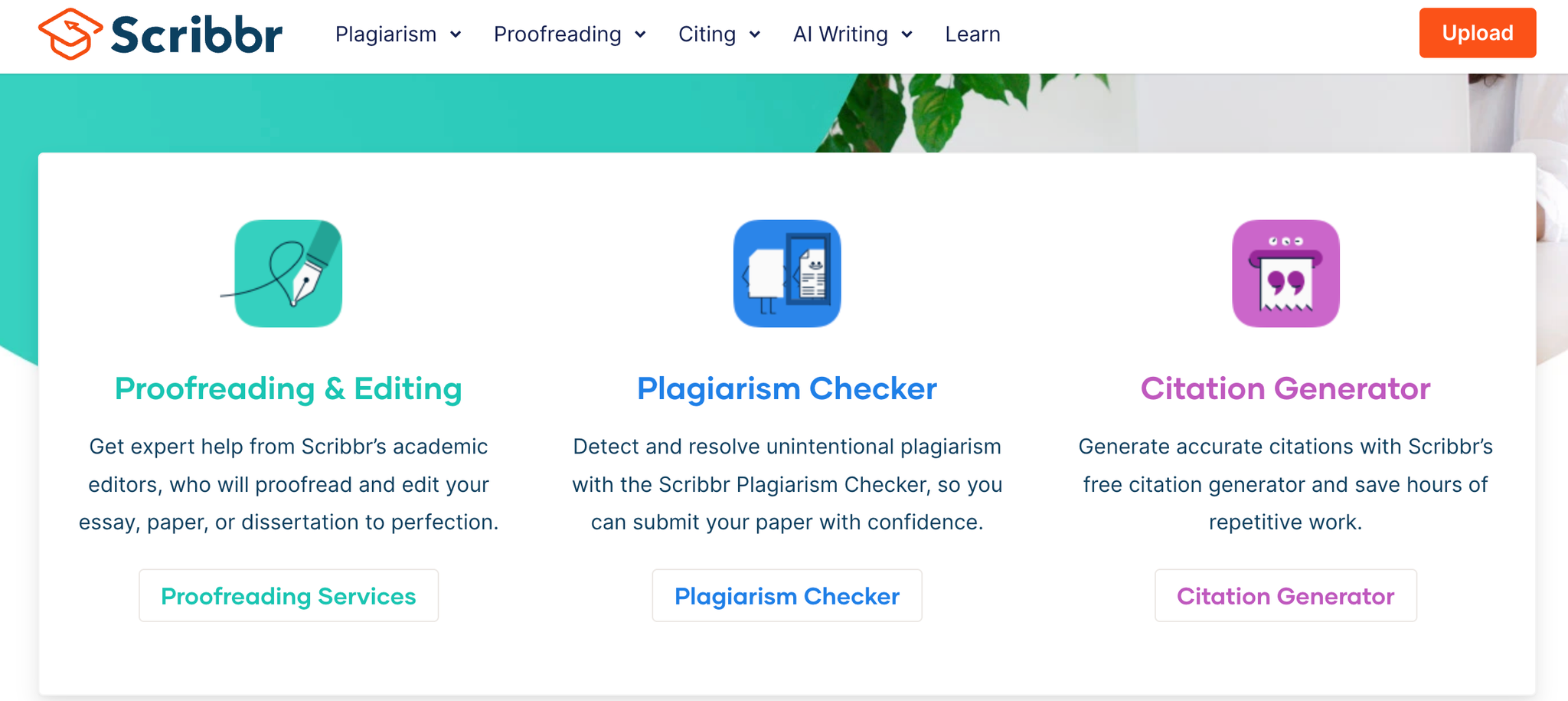
- AI probability with highlights: Shows a clear likelihood score and pinpoints suspected AI passages. You see exactly where to revise instead of guessing. It’s fast, lightweight, and built for quick checks.
- Reports and companion tools: Generates clean, downloadable reports you can share or archive. Works alongside plagiarism scans, grammar fixes, and citation help. You get an end-to-end polish in one place.
- Solo workflow fit: No setup or institutional access required. Ideal for pre-submission passes, freelancers, and independent students. It keeps the focus on speed and actionable edits.
Scribbr
Turnitin
- Originality + AI in one view: Combines similarity matching with AI detection for a single integrity snapshot. Reduces tool hopping and conflicting signals. Helps instructors make faster, defensible decisions.
- LMS integration and scale: Embeds in Canvas, Moodle, Blackboard, and more. Supports assignment workflows, grading, and deadlines at classroom and program scale. Keeps everything traceable within the course.
- Policy and reporting: Offers role-based controls, retention options, and audit trails. Provides class and institution-level dashboards for trends and interventions. Aligns evidence with academic integrity policies.
Turnitin
Best Tools to Bypass Scribbr AI detector vs Turnitin
- Humanize AI — structural humanization, cadence fixes, keyword freeze, version history
- AISEO — SEO-safe humanization, freeze words, fact check, intent-based tone
1. AISEO: Clean Rewrites With SEO-Savvy Structure
AISEO focuses on readability and structure while keeping keywords natural. It’s great for blogs and reports where you want clean transitions, tighter sentences, and multiple variant drafts to choose from. It can humanize phrasing without breaking your search strategy.
AISEO
Key Features
Fact Check
Ensure every claim is trustworthy before you publish. Fact Check automatically scans your draft for verifiable details—statistics, dates, names, quotes, and factual assertions—and cross-references them against credible sources such as academic databases, reputable news outlets, and official reports. When discrepancies appear, it proposes precise corrections and provides citations you can review in context.
You can enable inline annotations to see what changed and why, or switch to a clean mode that applies fixes silently while preserving your original intent. The result is content that reads confidently, withstands scrutiny, and elevates your authority across academic, business, and SEO-driven work.
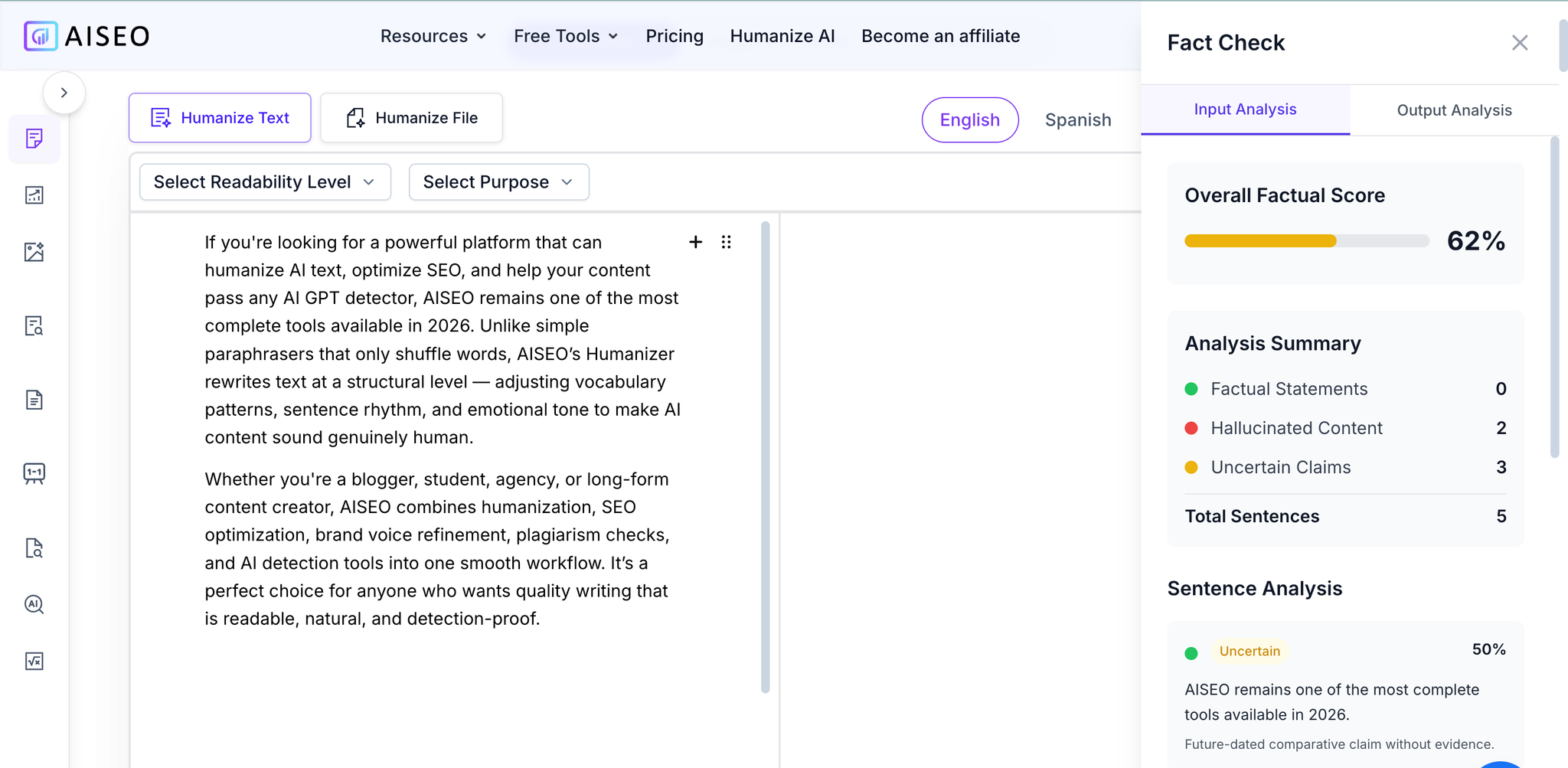
Fact Check
Personalization
Make every piece sound unmistakably like your brand while resonating with your audience. Personalization learns from your style samples and brand guidelines, then adapts tone, vocabulary, and cadence to match your voice—whether you need polished enterprise prose, warm and conversational copy, or concise technical documentation.
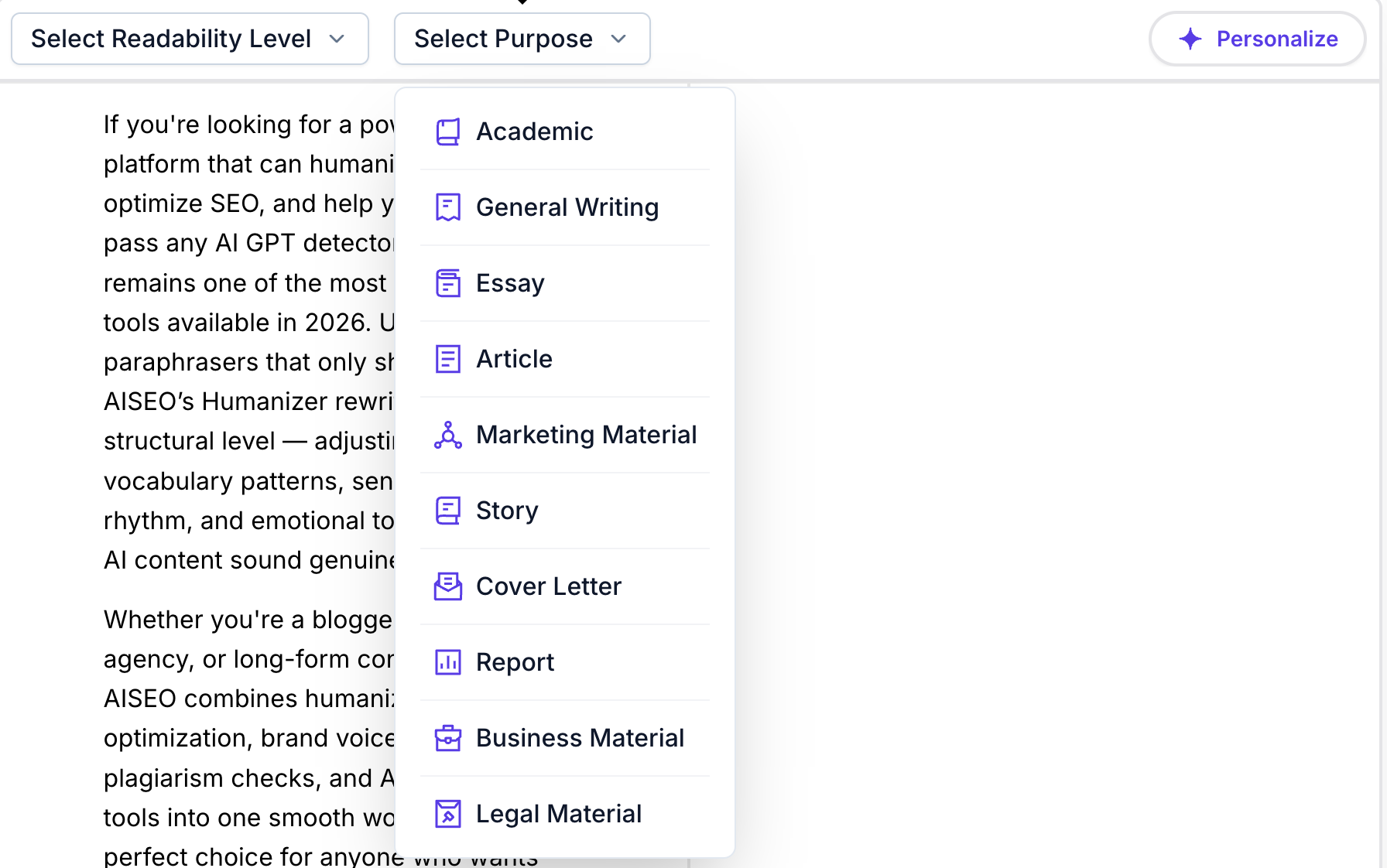
Personalization
History
Work with confidence knowing every version is saved and recoverable. History maintains a complete timeline of your document, capturing key snapshots as you edit. You can search past versions, compare changes side by side, and restore any prior state in a single click.
Detailed change logs show what was modified, when it happened, and—when collaborating—who made the edit. This transparent record simplifies review cycles, enables safe experimentation with different angles or tones, and lets you reuse proven variants for new campaigns, ensuring progress never gets lost.
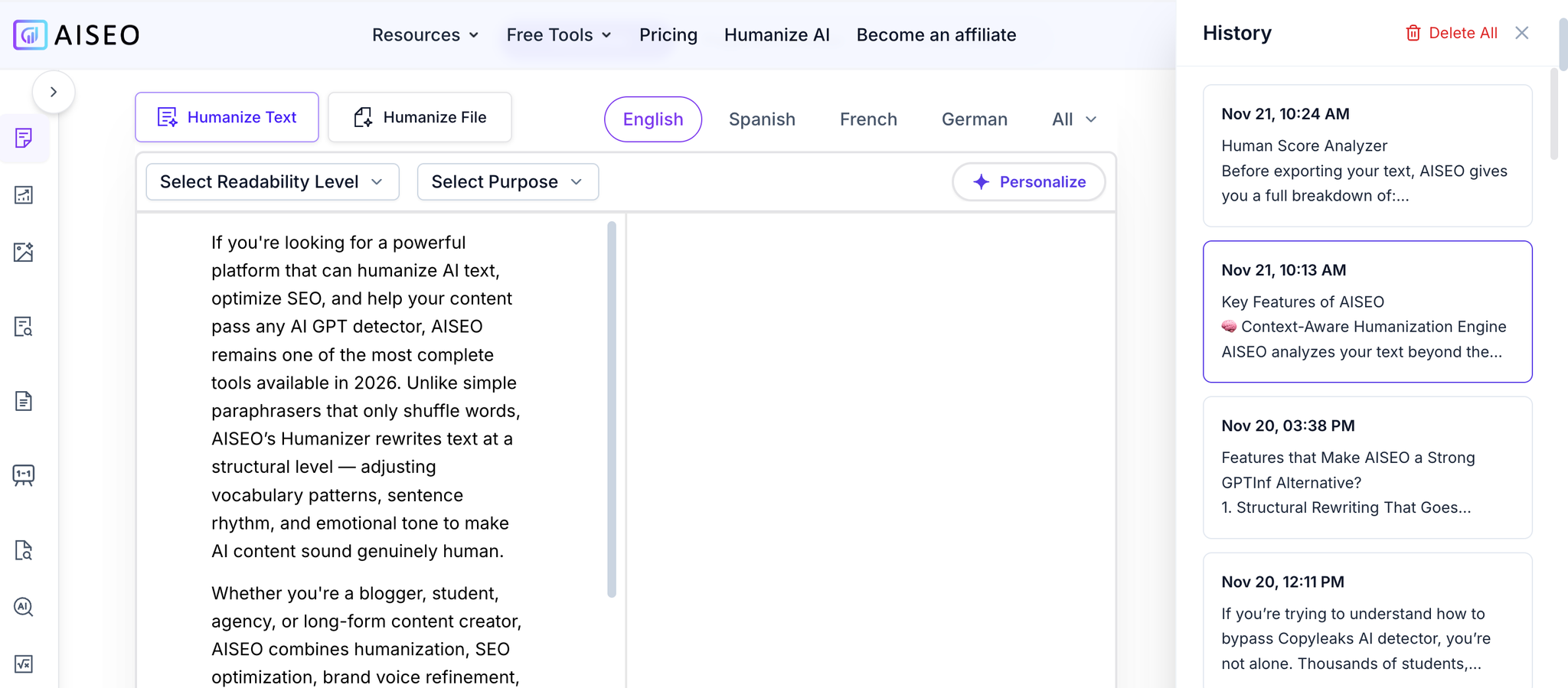
History — View, Compare, and Restore Previous Versions
Pricing and plans
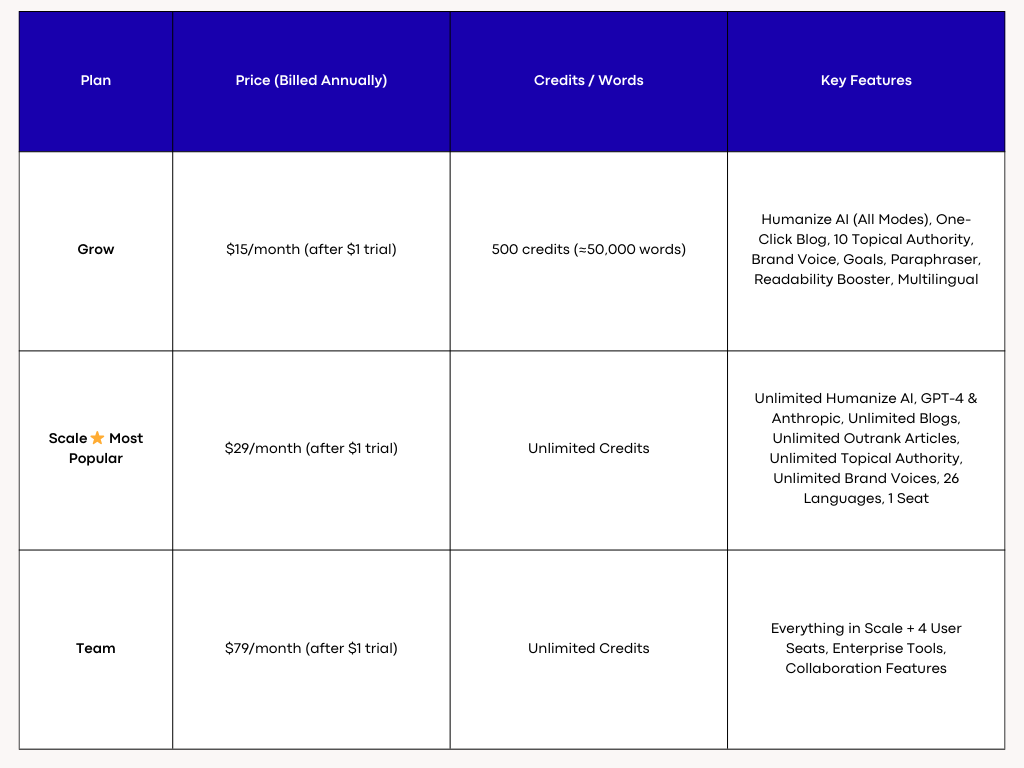
AISEO Pricing
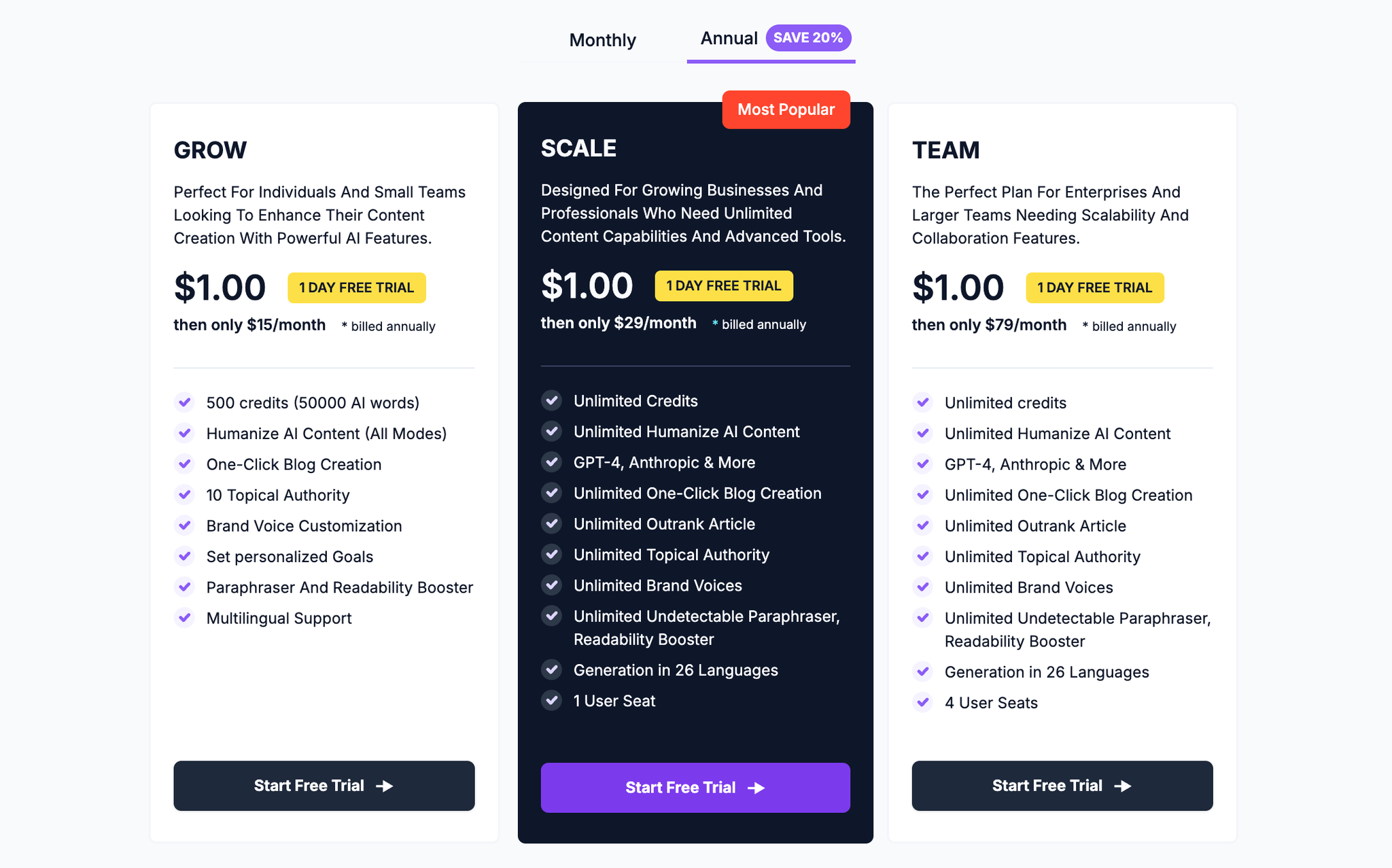
AISEO Pricing
Humanize AI: Natural Flow Without Losing Meaning
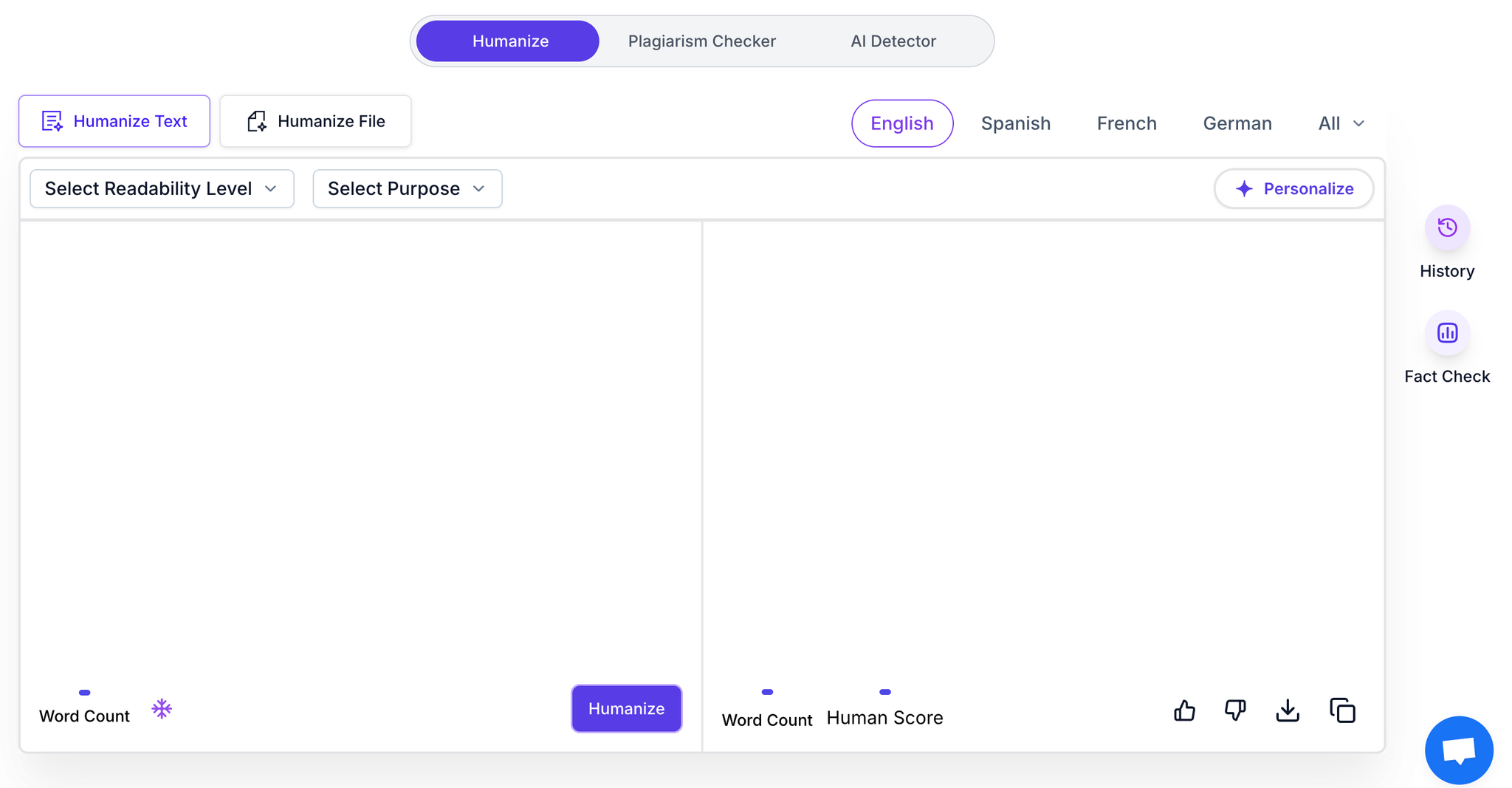
Humanize AI rewrites text to sound more like a person wrote it. It tweaks cadence, introduces variety, and removes robotic repetition while preserving your message. You can set tone preferences and keep the content aligned with your voice. It’s useful for smoothing awkward phrasing, adding rhythm, and reducing uniform patterns that detectors often notice.
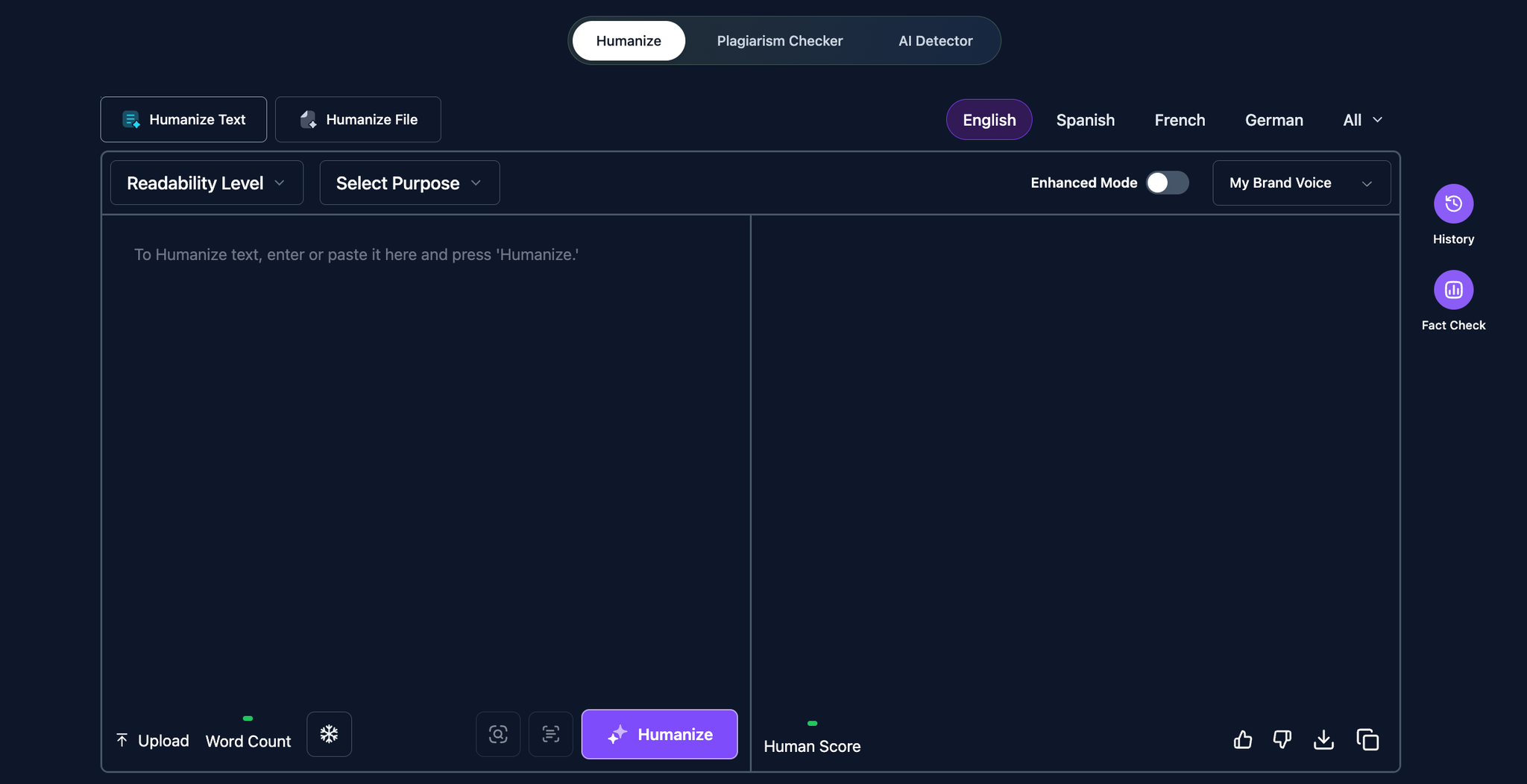
Humanize AI Text
Key Features
Natural Language Humanization with Tone Control
Our engine rewrites AI-generated drafts into fluid, conversational prose that mirrors real human writing—varied sentence structures, natural rhythm, and authentic word choice. Choose from tones like professional, casual, academic, or creative, and lock critical terms with Freeze to preserve brand names, keywords, citations, and SEO phrases. The result: content that sounds like you, stays on-message, and reads smoothly across blogs, emails, papers, and proposals.
- What it solves: Robotic phrasing, repetitive patterns, “AI voice,” and tone mismatch.
- Why it’s better: Deep structure reshaping (not just synonym swaps), context-aware phrasing, and audience-specific style adaptation.
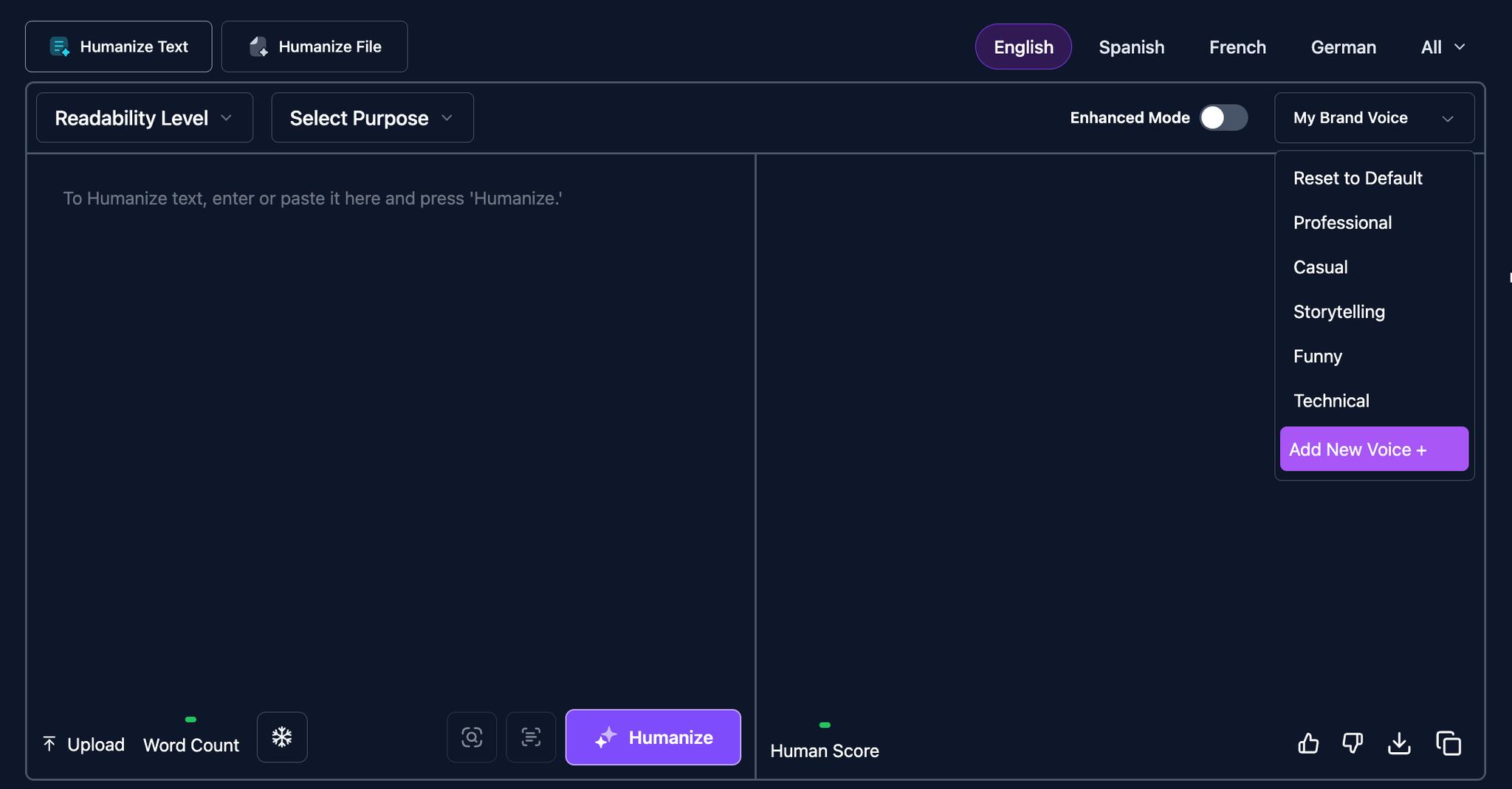
Tone Control
Format-Preserving Document Humanization
Upload PDFs or Word files and receive humanized text with layout perfectly intact—fonts, headings, tables, footnotes, links, multi-column pages, images, and charts remain exactly where they belong. Academic references, internal links, and accessibility tags are preserved, so teams can publish instantly without manual reformatting.
- What it solves: Broken layouts, lost citations, reflowed tables, and time-consuming cleanup.
- Why it’s better: Layout-safe processing and element-aware rewriting that respects structure while improving clarity and flow.
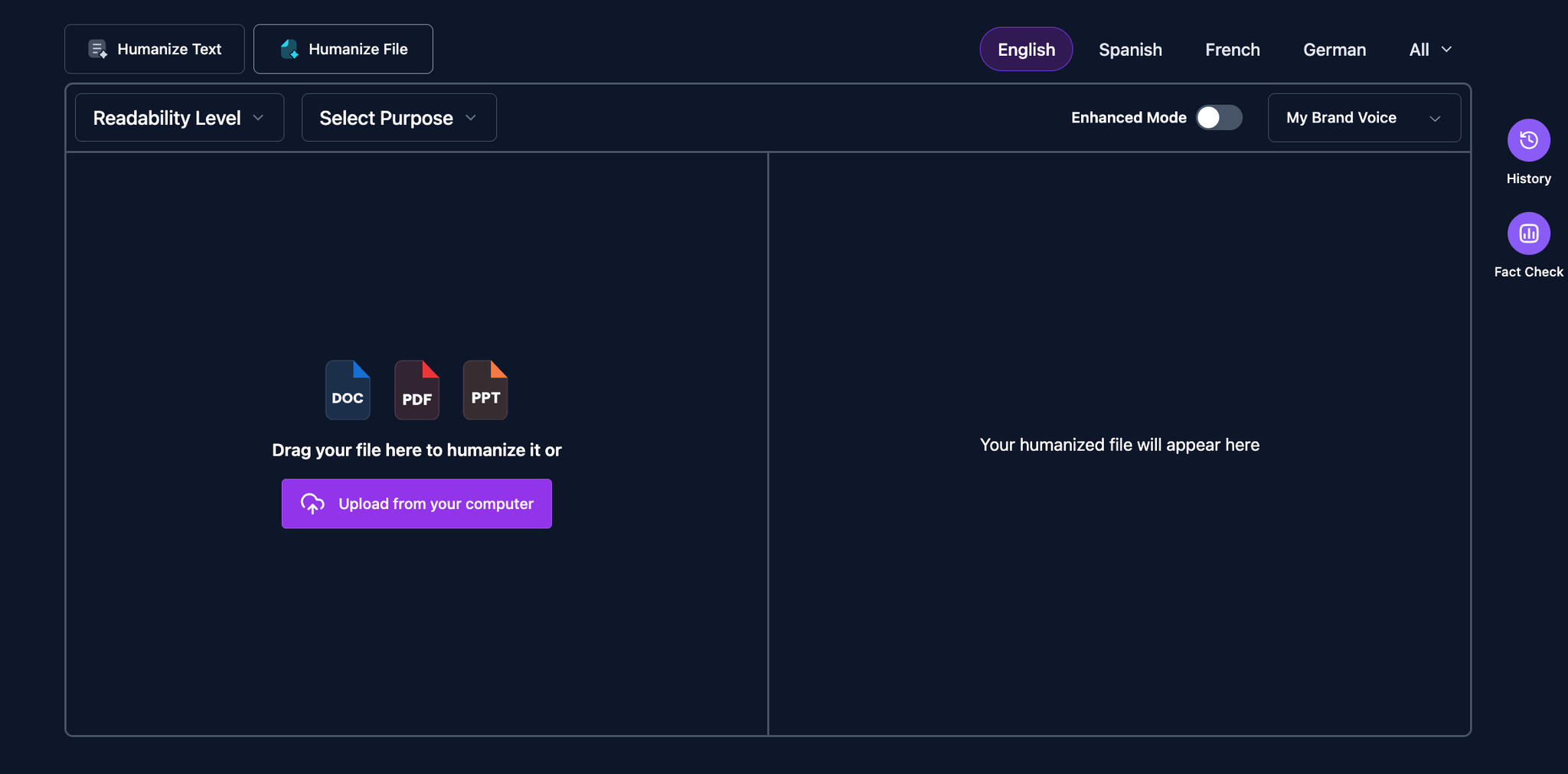
Document Humanization
Quality Assurance Suite (Plagiarism, Readability, and Detection Checks)
Built-in checks ensure your content is original, polished, and ready to rank. Run plagiarism scans, readability tuning, grammar and style fixes, and multi-detector analysis (e.g., GPTZero, Originality.ai, Turnitin sensitivity compatibility) in one place. Set a readability target and Purpose (academic, SEO, business), and the Enhanced Mode optimizes sentence variety, coherence, and keyword placement without distorting meaning.
- What it solves: Flagged originality, clunky grammar, low engagement, and SEO underperformance.
- Why it’s better: Unified workflow that balances humanlike style, accuracy, and search performance—no juggling multiple tools.
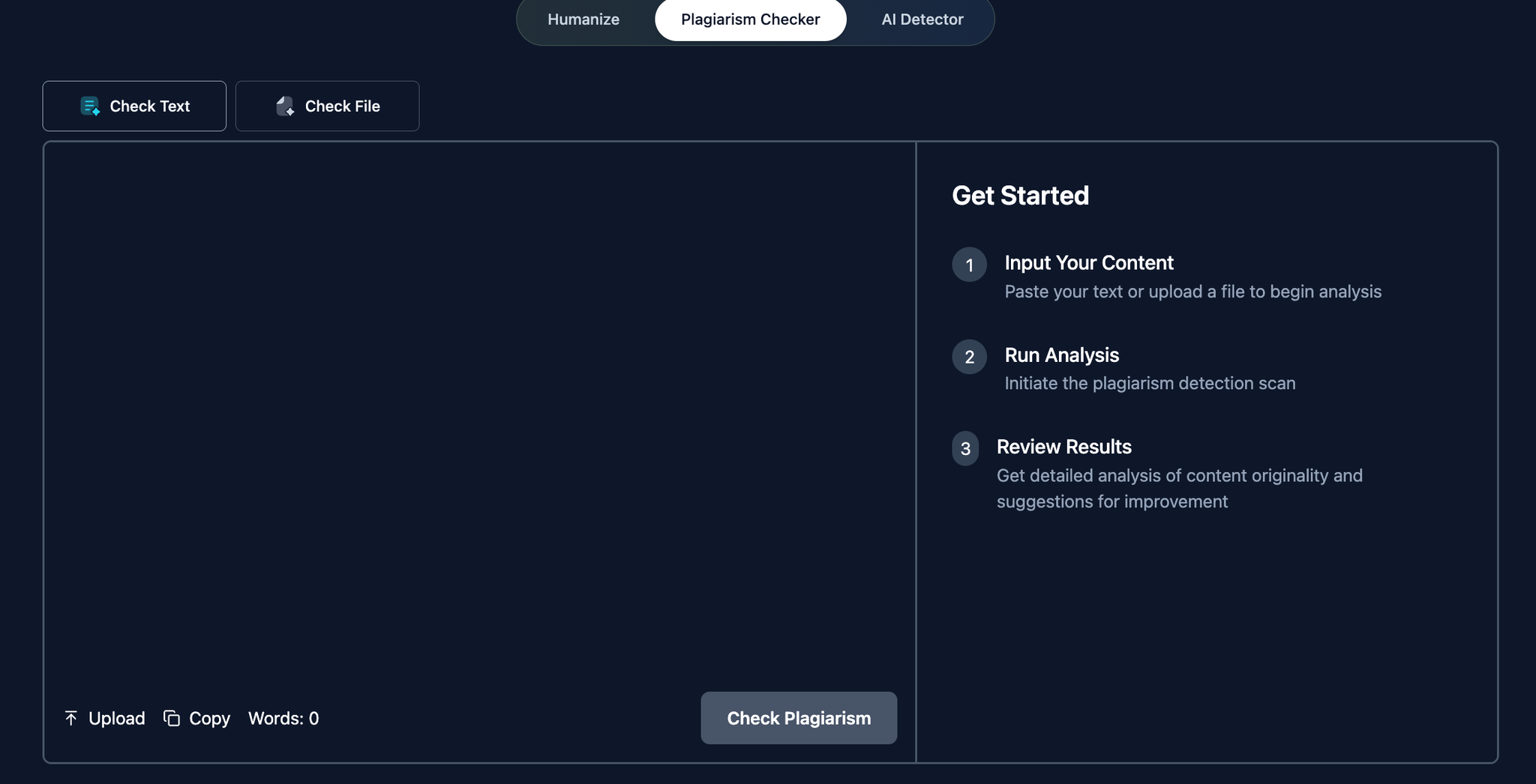
Plagiarism Checker
Pricing and plans
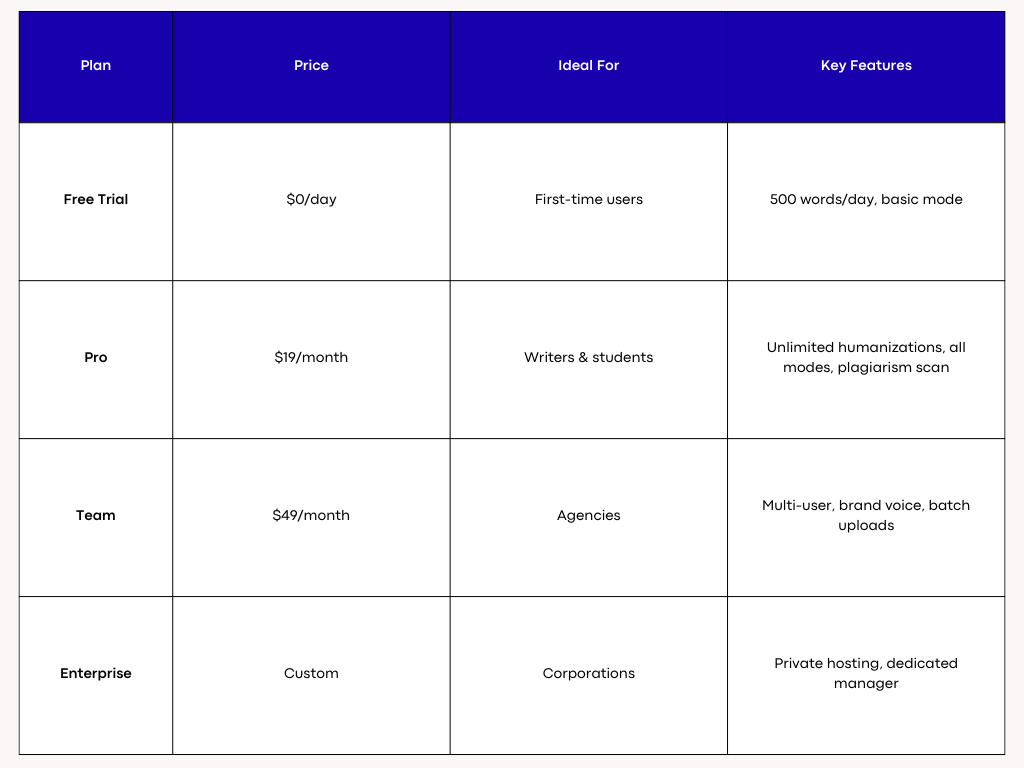
Humanize AI Text Pricing
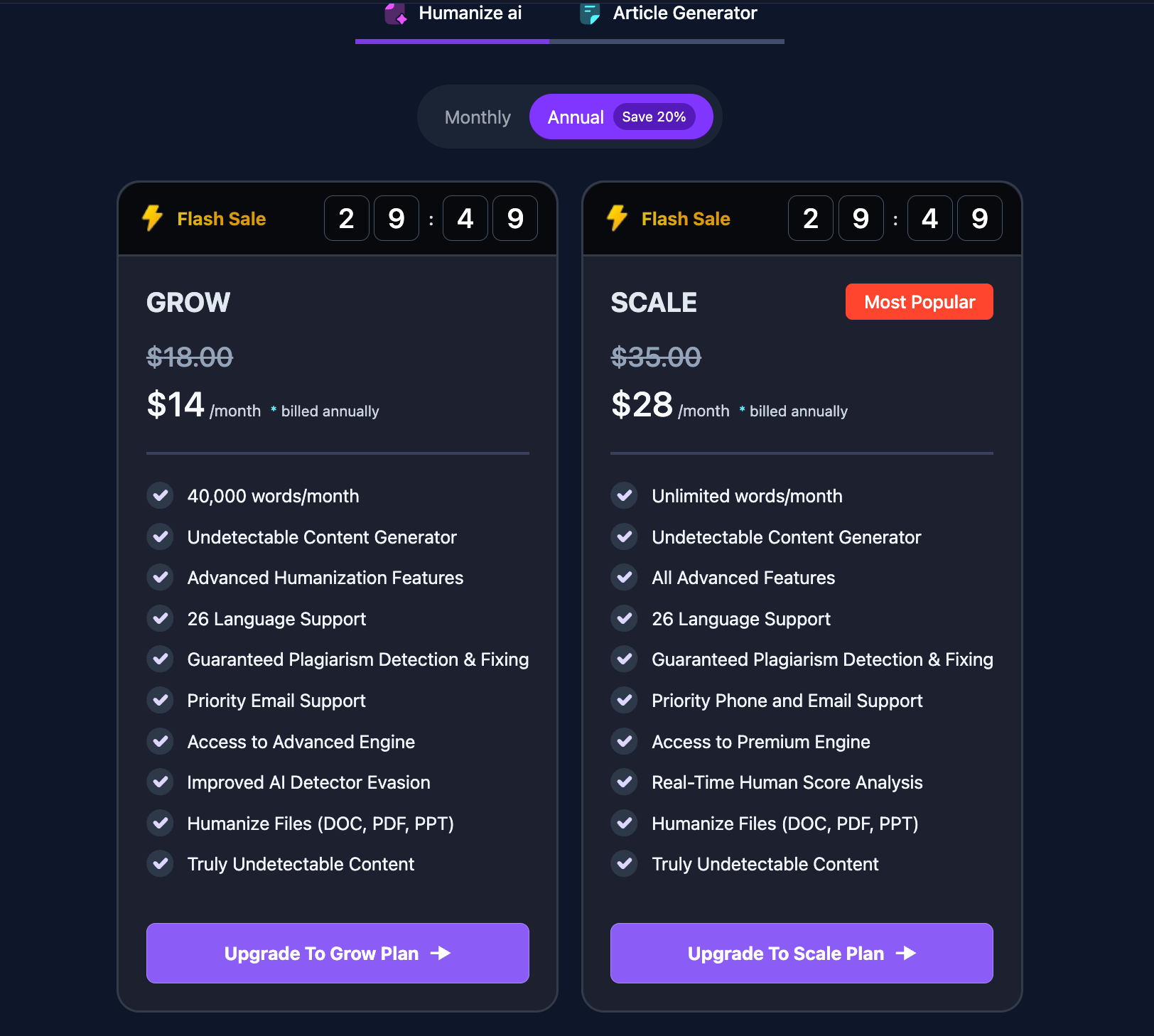
Humanize AI Text Pricing
Final Thoughts
When it comes to detecting AI-generated writing, Scribbr and Turnitin serve very different needs, and that’s exactly what makes the comparison useful. Turnitin remains the gold-standard for schools and universities because it links AI detection with originality checking, long-form pattern analysis, and policy-ready reporting. It’s built for instructors, academic workflows, and integrity management at scale. Scribbr, on the other hand, is ideal for individuals who need quick clarity, fast feedback, and readable highlights that show exactly where text may appear AI-generated.
If you’re polishing a personal draft, Scribbr’s speed and transparency make revision easy. If you’re submitting coursework or managing academic integrity, Turnitin’s structured reports and institutional integration offer stronger oversight. Both tools can flag pure AI effectively, both struggle with heavily humanized text, and both continue improving. The right choice simply depends on your workflow and accountability needs.
Frequently Asked Questions About Scribbr AI Detector vs Turnitin
What’s the biggest difference between Scribbr AI Detector vs Turnitin?
The core difference between Scribbr and Turnitin is the audience they are built for. Scribbr is designed for individuals—students, writers, and researchers who want a quick, clear analysis with highlighted sections that may look AI-generated. Turnitin, on the other hand, is built for institutions. It integrates deeply with universities, uses policy-ready reporting, and checks against massive academic databases. Scribbr focuses on usability and transparency. Turnitin focuses on enforcement, documentation, and academic integrity.
Which tool is more accurate?
Accuracy depends heavily on the type of text. Turnitin tends to perform better on long academic essays because its AI writing indicator is trained on extensive student-writing datasets. Scribbr performs reliably on shorter work and personal writing, especially when clarity and specific highlights matter more than a strict AI percentage. Neither tool claims 100% accuracy because AI writing models change constantly.
Can they detect heavily humanized AI text?
Both tools can detect some forms of humanized AI text, but not all. Deep human editing—varying rhythm, adding domain-specific detail, incorporating emotion, and restructuring ideas—makes AI-generated content harder to identify. Turnitin benefits from long-context modeling, which means the more text you give it, the better it analyzes writing patterns. Scribbr offers highlights that help users revise suspicious areas before submission.
Do they produce false positives?
Yes. Every AI detector has false positives because they evaluate probability, not certainty. Turnitin uses conservative thresholds to avoid penalizing students unfairly, but false flags still occur, especially with naturally formal or structured writing. Scribbr reduces overconfidence by showing a likelihood score and highlighting reasons for that score, helping writers understand what triggered the flag.
Does Turnitin store my paper?
Turnitin often stores student papers in institutional repositories so future submissions can be compared against earlier work. Whether your paper is added to this repository depends on your school’s settings. Many institutions automatically enable this to strengthen academic integrity systems.
Does Scribbr store my text?
Scribbr is more privacy-focused and generally offers options that limit storage, depending on the feature being used. Their policy is transparent, but users should always review the specific privacy settings before submitting sensitive work.
Can individuals buy Turnitin directly?
Typically no. Turnitin is not available for personal purchase. Access is provided through a university, college, or school’s learning management system. Some institutions also provide instructor-level access for classroom submissions.
Is Scribbr free?
Scribbr’s AI detector and proofreading tools are mostly paid, although some features—such as citation generators—may be free or partially free. Their pricing is straightforward at checkout, with no hidden charges.
How do the reports differ between Scribbr and Turnitin?
Scribbr provides a clean, user-friendly report that includes a probability score and color-highlighted areas that may resemble AI-generated writing. Turnitin’s reporting is more formal and usually includes two key metrics: originality (plagiarism) and AI probability. Because it’s tied to institutional policy, the report is structured for academic decision-making.
Which tool handles short texts better?
Short texts are challenging for all detectors because they lack enough linguistic variety for pattern modeling. Scribbr performs reasonably well with shorter inputs due to its highlight-based feedback. Turnitin generally prefers longer submissions because its algorithm improves with more context.
How do they handle paraphrased AI content?
Basic paraphrasing is usually detectable, especially if the underlying sentence structure remains predictable. More complex rewrites with altered pacing, personal insight, and non-AI phrasing are harder to catch. Turnitin sometimes captures deeper patterns in longer essays, while Scribbr offers rapid feedback for individual edits.
Do they detect content from all AI models?
Both tools detect generative patterns rather than specific model fingerprints. They are not designed to detect “ChatGPT vs Claude vs Gemini” specifically. Instead, they detect stylistic qualities common in machine-generated text.
Will using a humanizer guarantee passing detection?
No. Humanizers can improve readability, tone, and diversity in writing, but no tool can guarantee complete evasion. Good writing habits—drafting, editing, adding personal perspective, and using specific examples—are more reliable than depending on a tool.
Is bypassing detection ethical?
No. AI detectors exist to preserve originality and honesty in academic and professional writing. Using a humanizer to misrepresent authorship is unethical. Tools should be used to improve clarity, structure, and flow—not to conceal cheating.
How do I reduce false positives?
You can reduce false positives by adding personal experience, incorporating citations, varying sentence structure, using domain-specific knowledge, avoiding repetitive phrasing, and ensuring the writing reflects your own thinking. Drafting in stages also produces a more natural writing pattern.
Do these tools work offline?
No. Both Scribbr and Turnitin require internet access because the detection models run on external servers.
How fast are results?
Scribbr’s results often appear within 30–60 seconds. Turnitin’s timing varies depending on institutional load, class size, and submission queue, but results typically appear shortly after the assignment is processed.
Should instructors rely on a single AI percentage?
Absolutely not. Responsible instructors use AI percentages alongside drafts, writing history, interviews, and contextual analysis. A percentage alone cannot determine authorship.
Do these tools identify the exact AI model used?
No. They only estimate whether writing resembles machine-generated patterns. They do not specify which model produced the text.
Will AI detection improve over time?
Yes. Both companies update their algorithms frequently to adapt to evolving writing trends and new large language models. Detection will continue to improve as patterns shift.
Can Scribbr help with citations and references?
Yes. Scribbr offers citation tools, proofreading, and style correction features, making it a helpful companion for academic writing beyond AI detection.
Does Turnitin handle code or math?
Turnitin mainly evaluates prose. Mathematical notation, equations, and code blocks are not its main focus and may not be analyzed accurately.
What file formats do they accept?
Both tools typically support DOCX and PDF. Turnitin may accept additional formats based on instructor settings. Scribbr’s submission tools are optimized for common academic file types.
Can I download reports?
Scribbr usually provides downloadable reports. Turnitin reports depend on your institution’s settings—some allow exports, while others restrict downloads for academic integrity reasons.
Which tool should I use for journal submissions?
Independent writers submitting articles or manuscripts often use Scribbr for a pre-check. Many academic journals later run the final version through Turnitin or a similar system.
How do they handle multilingual text?
Detection accuracy drops when the text contains multiple languages or heavy code-switching. Scribbr works best in English. Turnitin supports more languages for originality checking, but its AI detection is strongest in English-language submissions.
What if I’m falsely flagged at school?
Save all drafts, outlines, notes, and sources so you can demonstrate your writing process. Ask for a review, provide context, and communicate clearly. In most institutions, instructors do not take disciplinary action based on one AI score.
Can I use both tools?
Yes. Many students do a quick Scribbr check to fix any questionable phrasing before officially submitting to a course platform where Turnitin performs the final screening.
About the Author

Dilyar Buzan is the founder and CEO of AISEO.ai, an AI-native SEO platform. With a background in AI from the University of Amsterdam, Dilyar specializes in Generative Engine Optimization (GEO), Answer Engine Optimization (AEO), and AI-driven content strategy, helping brands earn visibility across ChatGPT, Perplexity, Google AI Overviews, and traditional search. He's also co-founder of Sceneform.ai, an AI content platform for brands and creators.