If you’ve ever copied a paragraph into an “AI detector” and watched the needle swing wildly between human and AI across different sites, you already know the problem: most free AI content detector tools are inconsistent. Some flag your original writing as AI with 99% confidence. Others pass obviously machine-written text as human. And the free versions? They often come with short character limits, vague scores, or upsells that show you just enough to worry, but not enough to fix anything.
Still, these tools can help—if you understand how to use them and what their limits are. In this guide, we compare the top free AI content detector tools for everyday users: how accurate they really are, what their free tiers include, how they score text, and when to trust (or ignore) their verdicts.
We’ll start with Humanize AI and AISEO because they combine detection with practical “make it sound human” rewriting. Then we’ll cover three widely used, free-access detectors you’ll see everywhere in 2025: GPTZero, Originality.ai’s free checker, and Copyleaks AI Content Detector. Together, these five give you a realistic picture of what “AI detection” can and cannot do—and how to get safer, more human-readable text without guesswork.
Let’s dig into the free AI content detector tools that actually help you make better decisions.
The Best Free AI Content Detector Tools
- AISEO — Best for combined SEO, detection checks, and human-level rewriting
- Humanize AI — Best for detection + instant humanization fixes
- GPTZero — Best-known free detector for quick checks and education use
- Originality.ai Free Checker — Best for conservative, author-focused risk scoring
- Copyleaks AI Content Detector — Best for multi-model, multi-language detection snapshots
1. AISEO — Best for Combined SEO, Detection Checks, and Human-Level Rewriting
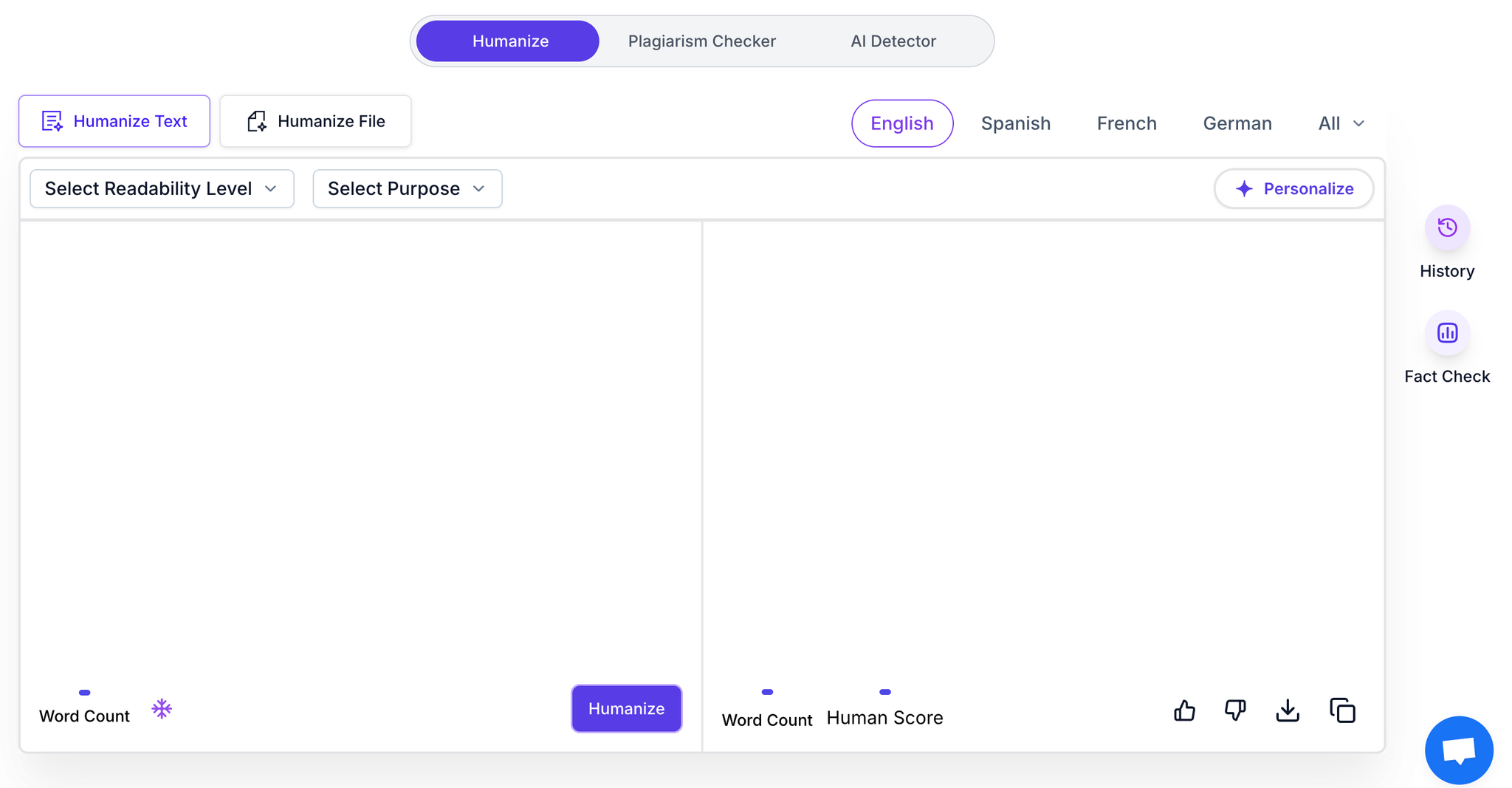
AISEO pairs a humanization engine with a full SEO suite. You can detect AI patterns, rewrite for natural flow, and structure articles to compete in search—all inside one tool. For creators publishing online, this is a rare combo: you improve detection safety and ranking potential at the same time.
AISEO
Why It’s Useful
Humanize Engine
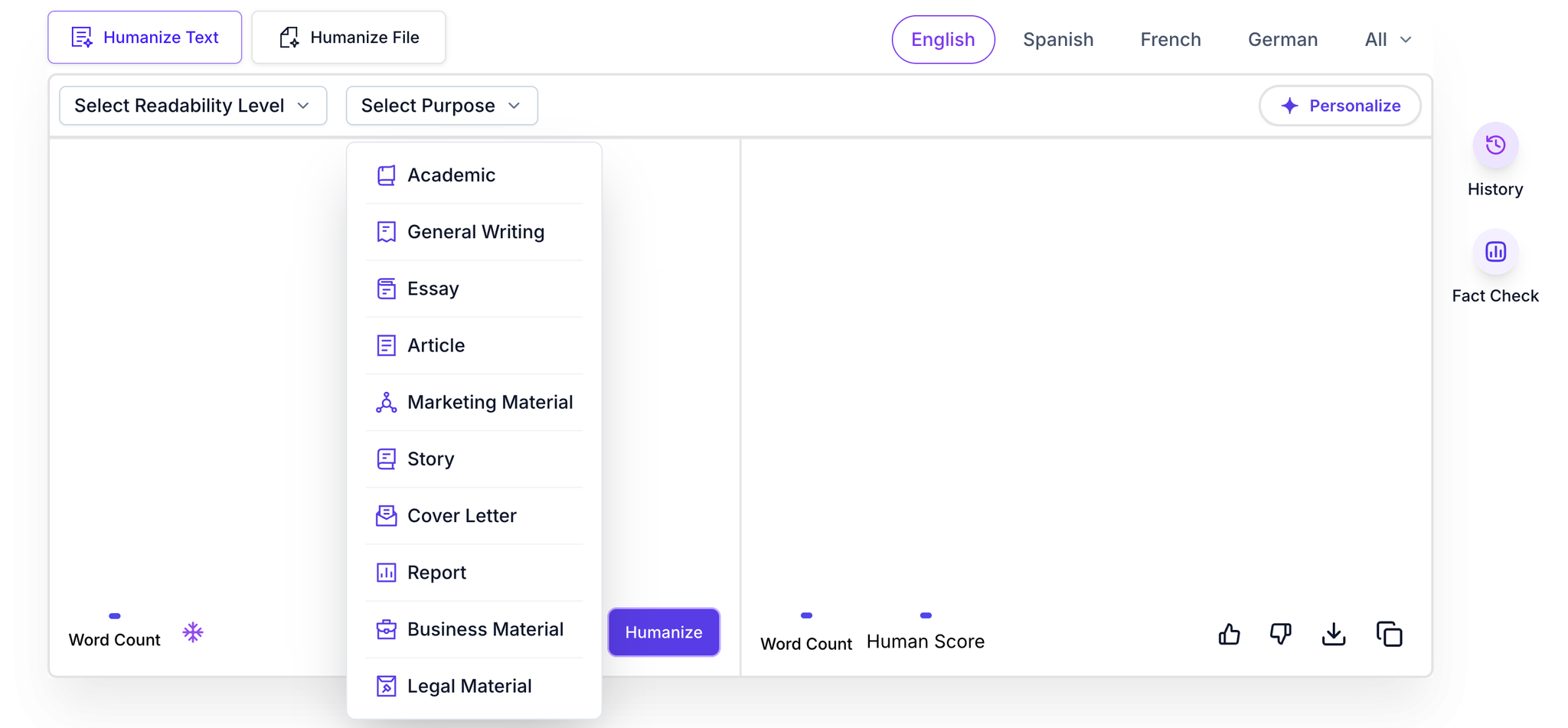
AISEO includes a built-in Humanize Engine that evaluates how “human” your text appears and removes the signature patterns AI detectors look for. Unlike tools that separate detection and rewriting, AISEO places both features in the same interface so you can scan, analyze, and humanize your text without switching screens or tools.
Humanize Engine
Outrank workflows
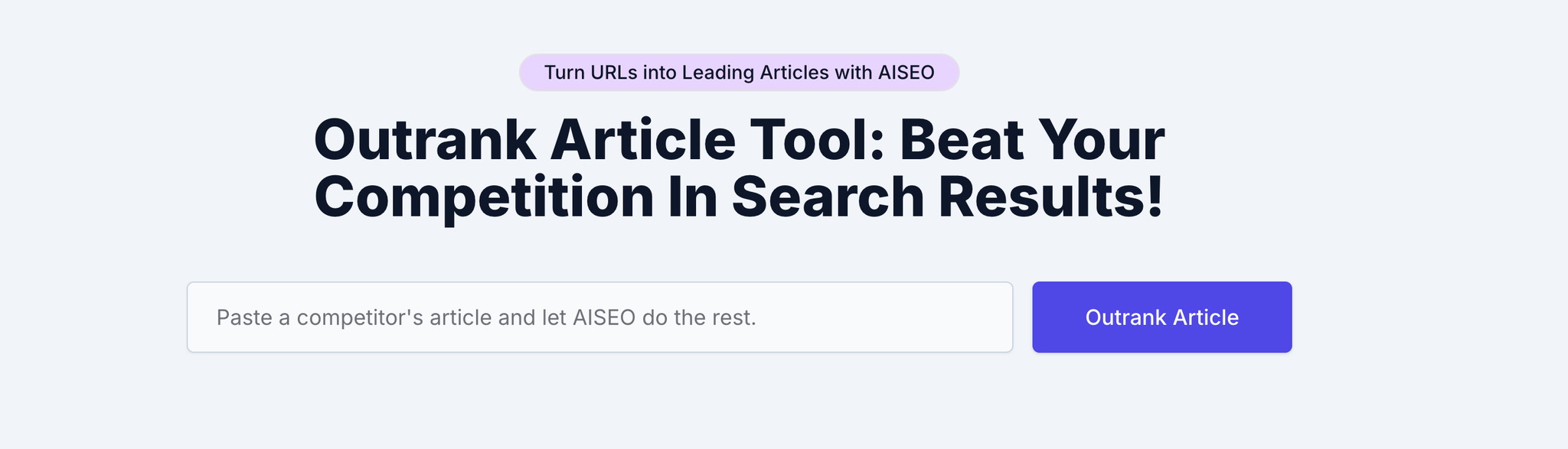
AISEO’s Outrank Workflows analyze the top-ranking pages for your target keyword and transform that research into SEO-ready outlines built around search intent. Instead of guessing what Google expects, the system examines competitors’ structure, subtopics, depth, and semantic patterns, then generates a clear, optimized outline you can use immediately. It identifies content gaps, intent mismatches, and opportunities to create more comprehensive pages.
With this workflow, you can plan and produce articles designed to outperform existing results. It’s a fast, data-driven way to create authoritative content that aligns with what search engines reward and what readers expect.
Outrank Tool
Plagiarism Scan + Instant Fixing
AISEO includes an integrated plagiarism scanner that identifies duplicate, risky, or overly similar phrasing before you publish or submit your content. Instead of leaving you to manually repair flagged sections, the system automatically rewrites problem areas with fresh, natural wording that preserves your meaning while removing similarity.
This happens within the same interface, allowing you to scan, review, and fix plagiarism in a single workflow. Whether you’re writing essays, blogs, or client deliverables, the tool ensures your text remains original, safe, and compliant without relying on external checkers or manual editing.
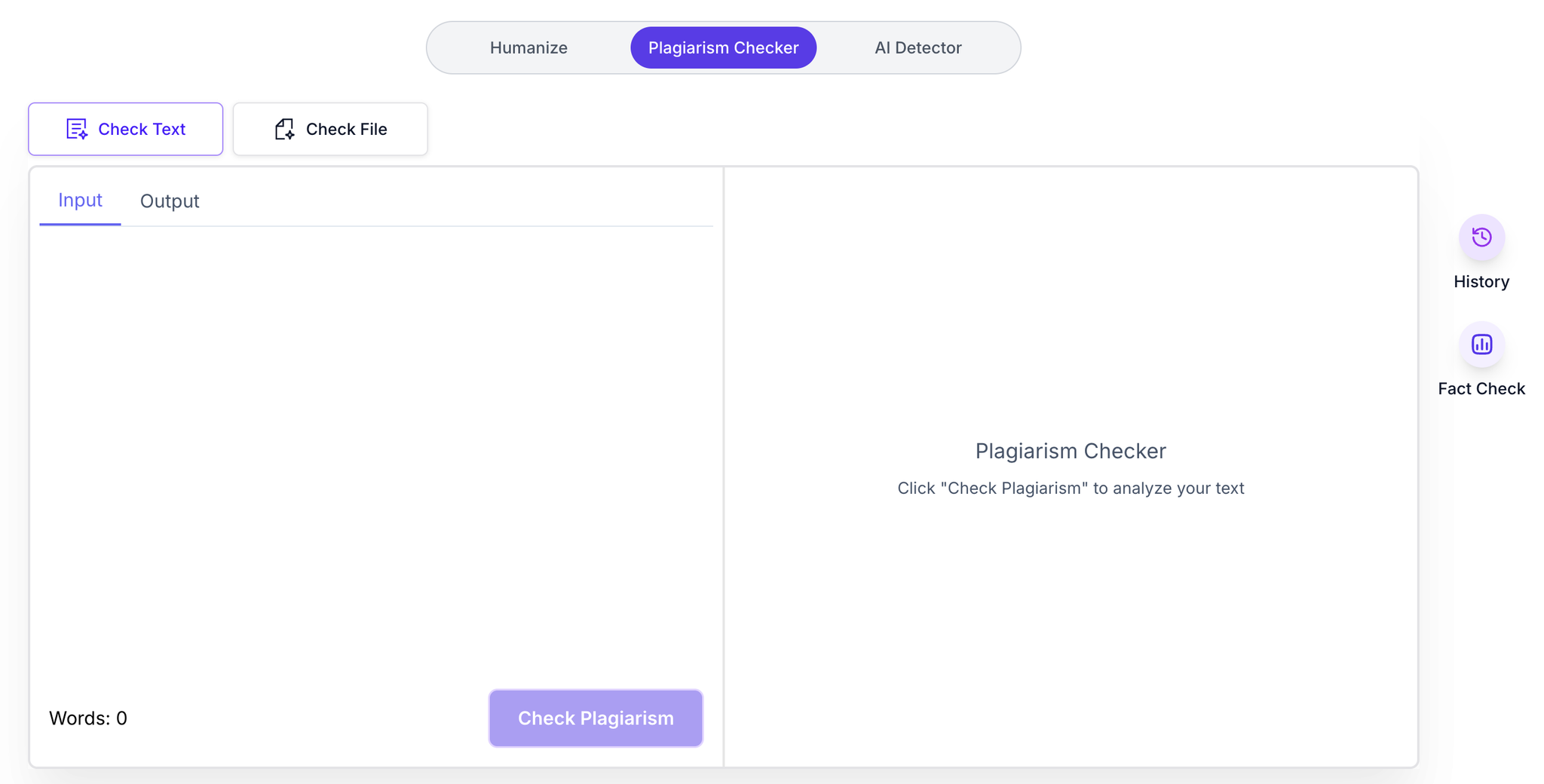
Integrated Plagiarism Checker
Full-Document Rewriting
AISEO’s full-document rewriting feature allows you to transform entire essays, articles, reports, or long-form drafts while keeping tone, structure, and coherence consistent from beginning to end. Instead of rewriting text in small chunks that create tone shifts or broken transitions, the system processes the entire document at once, maintaining a unified voice throughout every paragraph.
This ensures that arguments stay aligned, narrative flow remains intact, and the final output reads as if it were written by a single human author. It’s ideal for long essays, research papers, SEO articles, and professional documents where consistency matters just as much as clarity and originality.
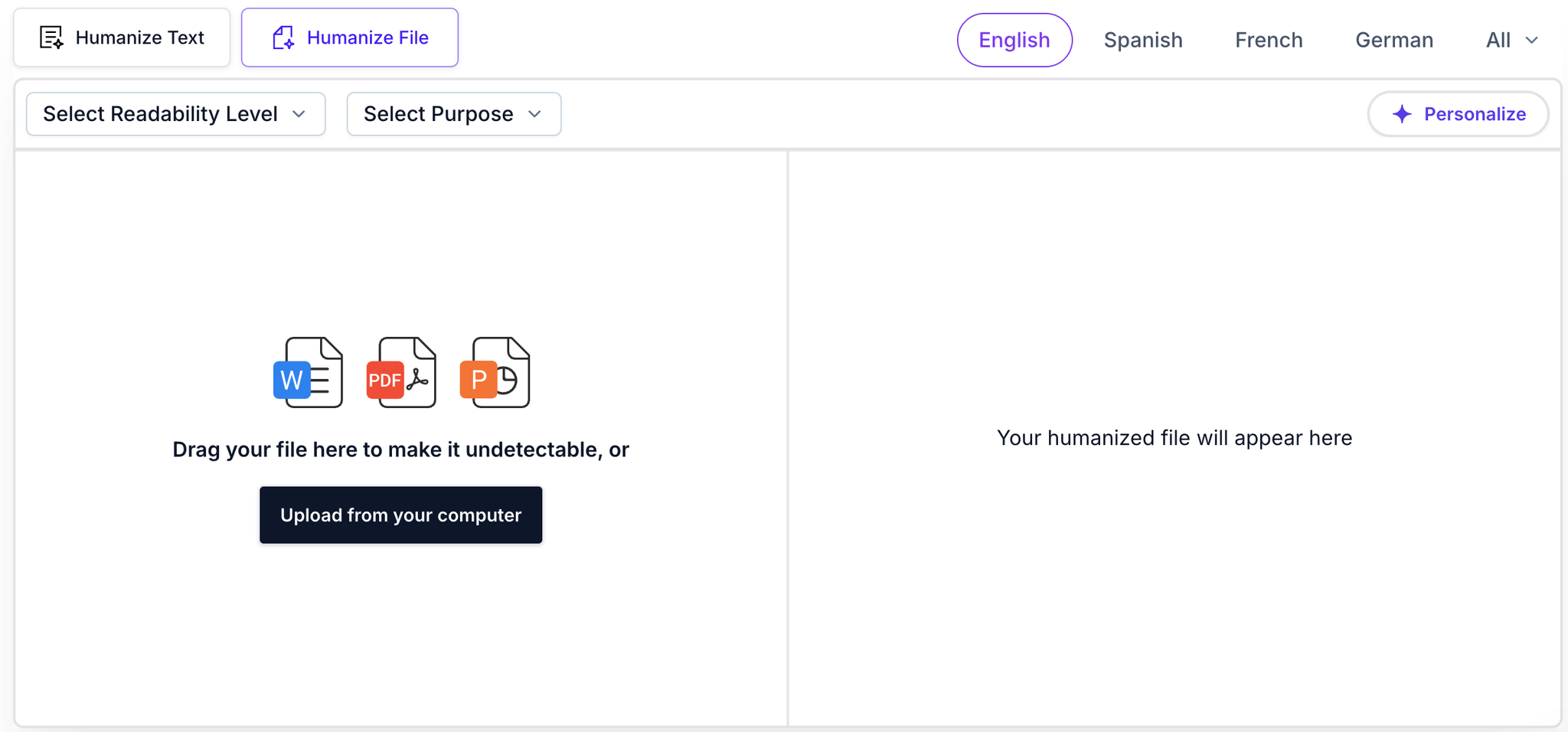
Full-Document Rewriting
Pricing and Plans
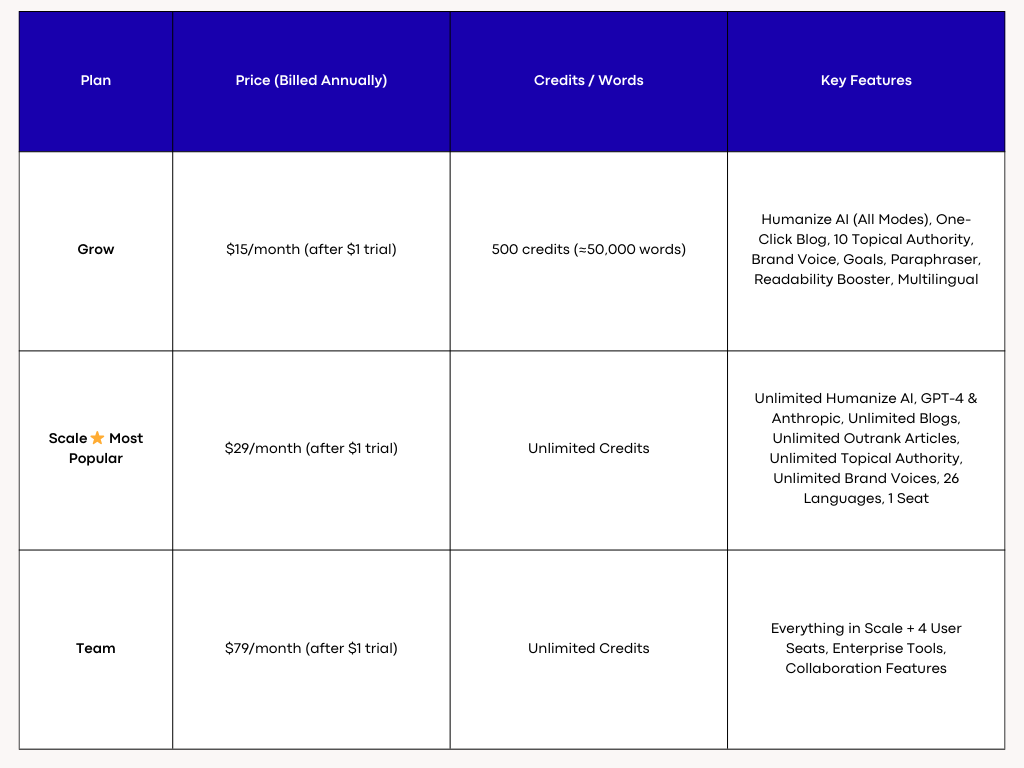
AISEO Pricing Table
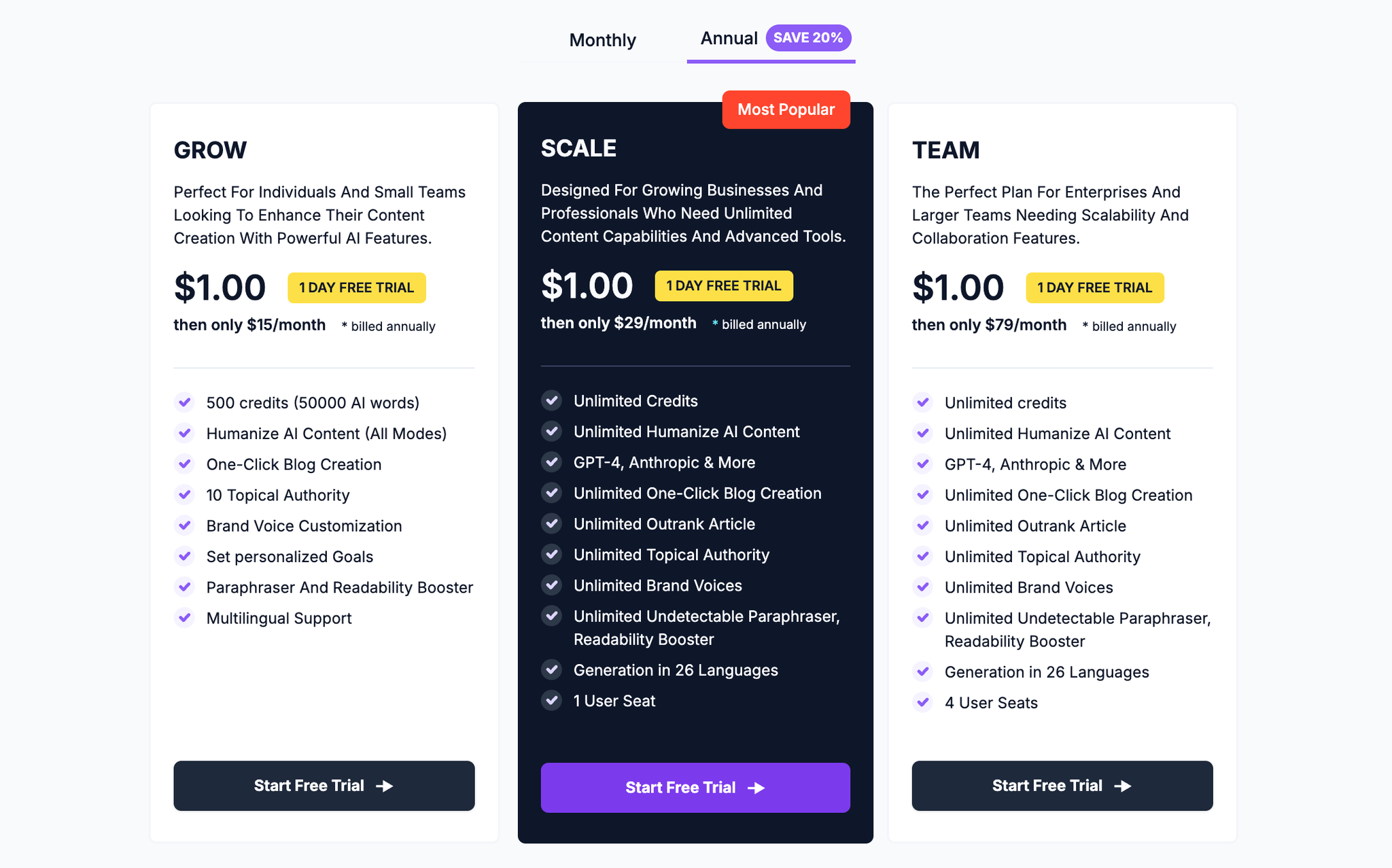
AISEO Pricing
2. Humanize AI — Best for Detection + Instant Humanization Fixes
Humanize AI helps you do the one thing most detectors won’t: fix the problem immediately. Instead of only flagging “AI-like” patterns, it highlights risky sections, shows a human-likeness score, and then rewrites precisely where the signals appear—so your output reads naturally without overhauling your voice.
Where many free tools just stamp a probability label, Humanize AI gives practical, line-level guidance. It focuses on rhythm, transitions, and lexical variation—the subtle patterns detectors score—so you can move from “flagged” to “reader-friendly” in one pass.
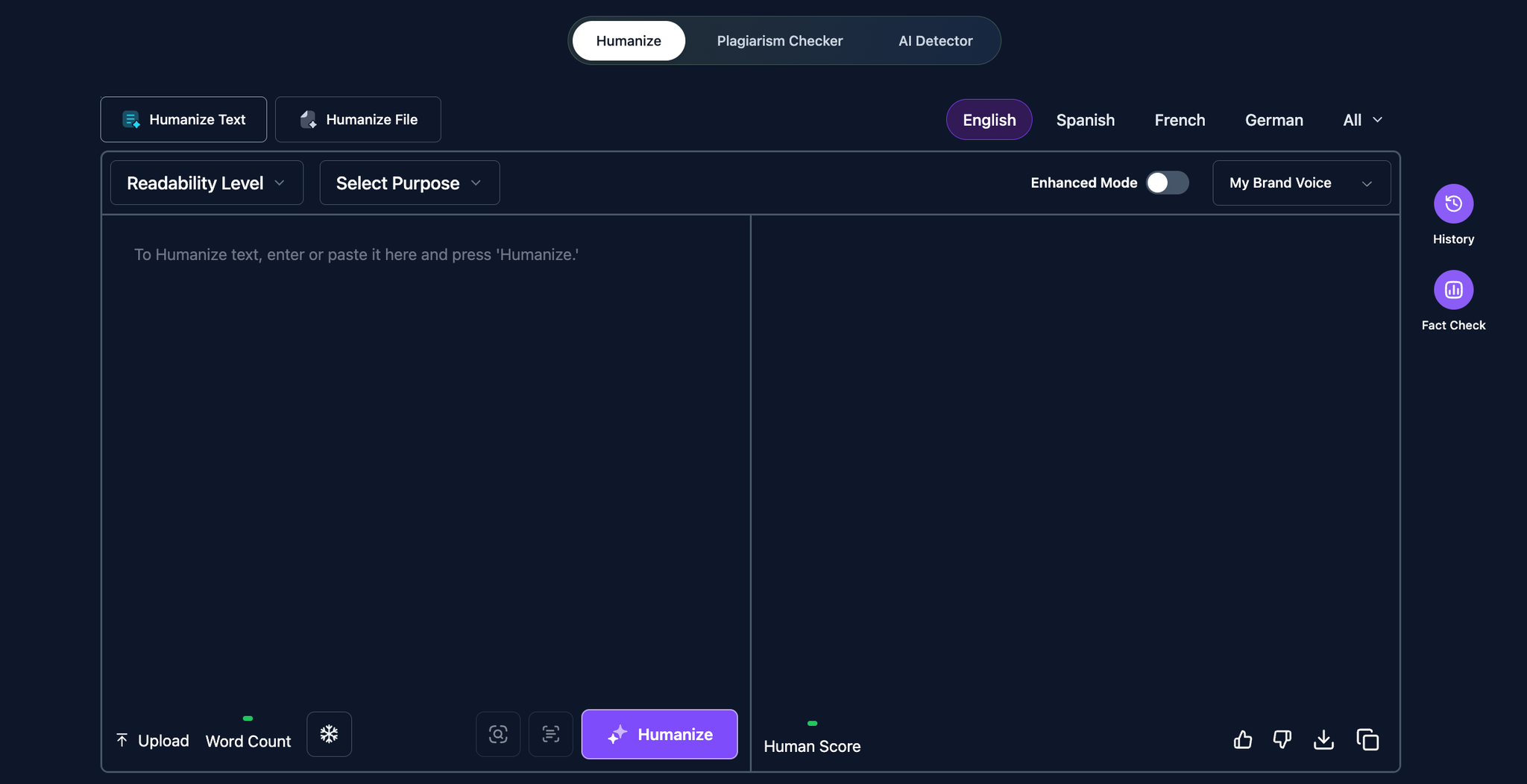
Humanize AI Text
Key Features
Real-Time “Human Score” Preview
Get a live, instant snapshot of how human your writing appears before you finalize it. The real-time Human Score preview analyzes your text for the exact patterns AI detectors flag—such as structural predictability, repetitive rhythm, and machine-like transitions—and gives you a clear rating showing how natural your content reads.
Unlike simple paraphrasers, this scoring system mirrors the evaluation logic used by leading detectors including GPTZero, Originality.ai, and Turnitin-style AI classifiers, helping you understand detection risks before submitting or publishing.
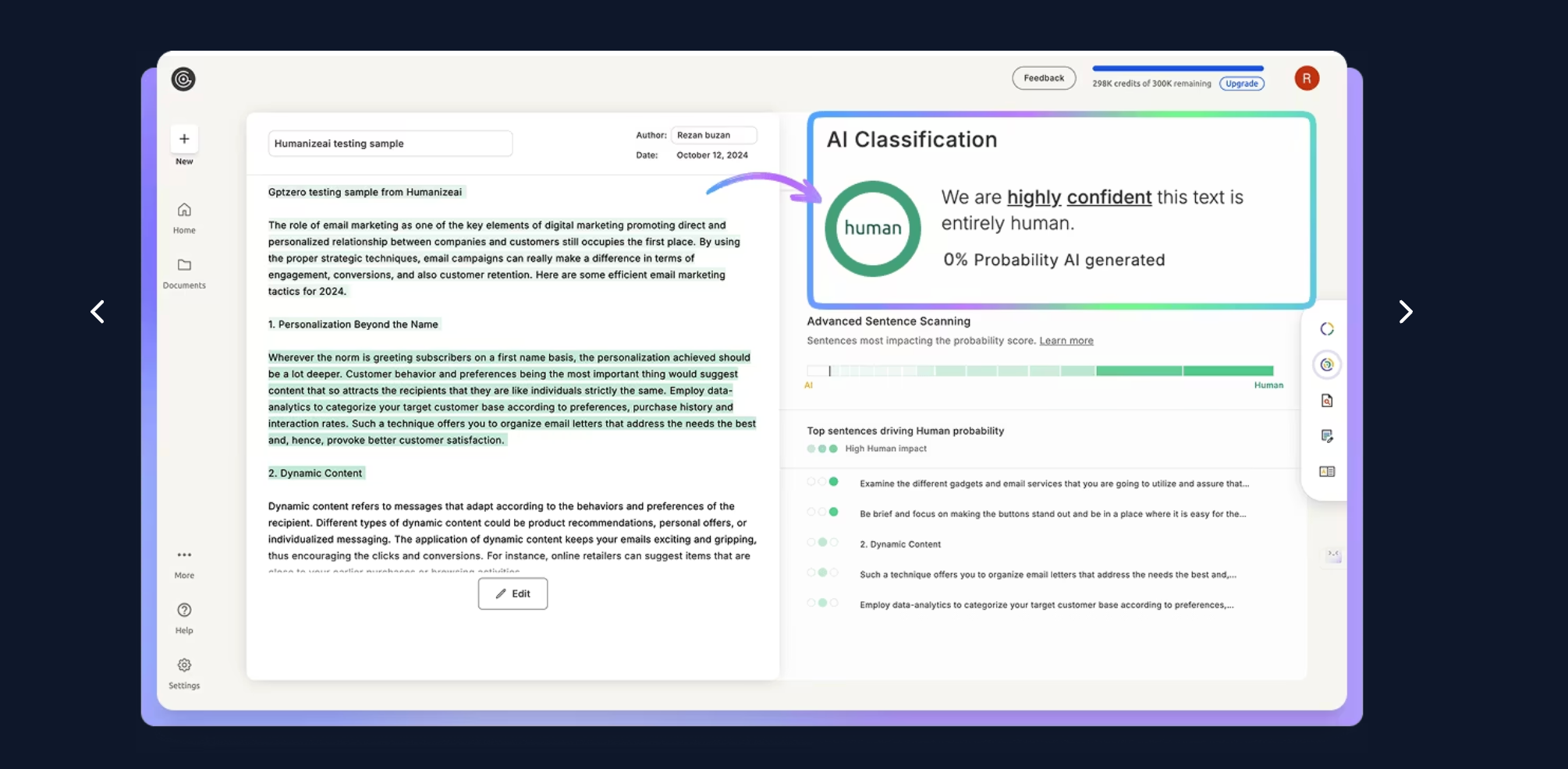
Real-time Score Analysis
Long-form support
Long-form support: Built for real-world documents, not tiny snippets. Paste full essays, multi-section blog posts, and multi-page reports without hitting frustrating character limits or chopping paragraphs into pieces. You get consistent tone, smoother transitions, and coherent structure across the entire draft—no copy‑paste juggling, no broken flow.
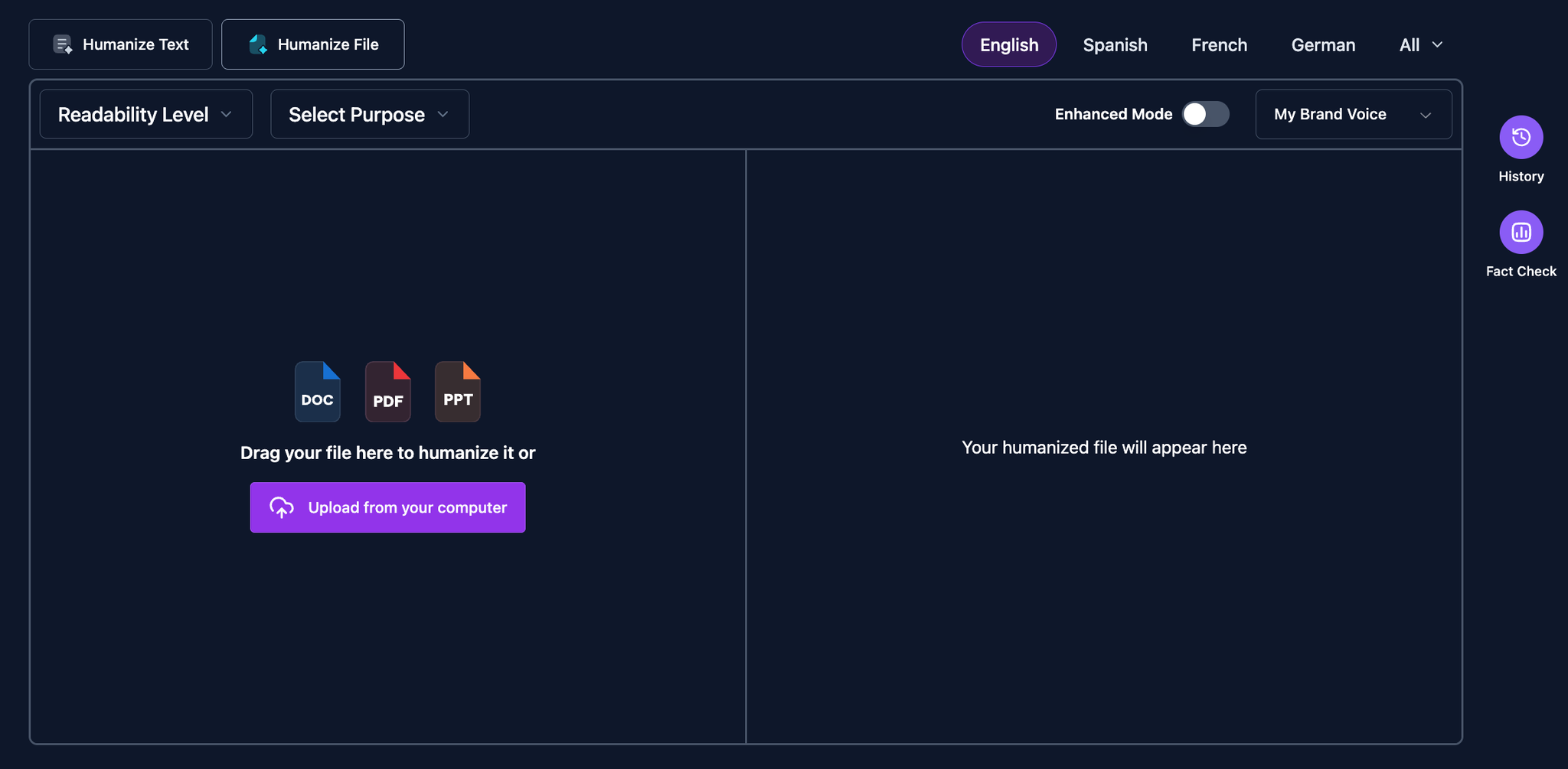
Long-form support
Multilingual Support
Multilingual: Not just translation, but true tonal adaptation across 26+ languages. The detector recognizes idioms, regional phrasing, and sentence rhythm, then humanizes accordingly—so Spanish reads conversational, German feels precise, and Arabic flows naturally. It adjusts clause structure, formality, and transition words for each language to avoid AI-like uniformity. Mixed-language documents are supported too, preserving names, citations, and code snippets. You can switch locales mid-draft, compare outputs side-by-side, and re-scan to confirm improved human-likeness. Result: credible, native-sounding content for essays, blogs, and reports—without robotic cadence or literal, dictionary-level rewrites.
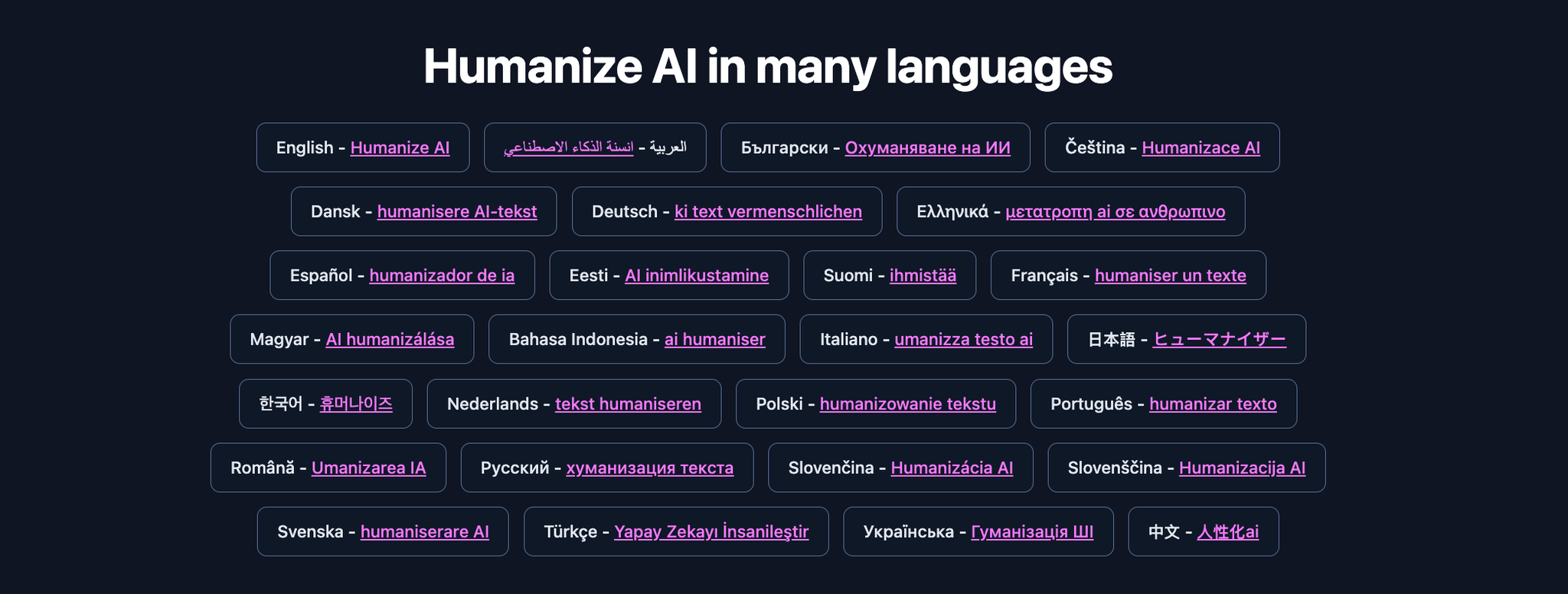
Multilingual + File Upload Support
Pricing and Plans
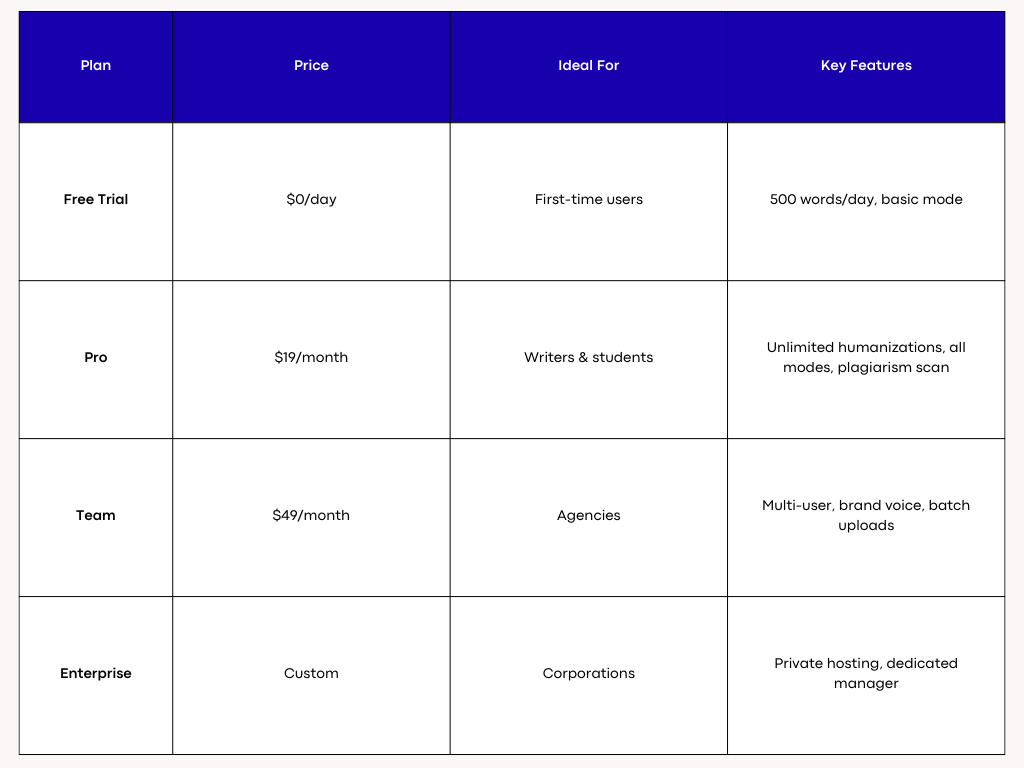
Humanize AI Text Pricing

Humanize AI Text Pricing
3. GPTZero — Best-Known Free Detector for Quick Checks
GPTZero is one of the most recognizable free AI detectors, widely used by educators and institutions. It provides a simple verdict (“likely AI” vs. “likely human”) with per-sentence highlights, making it approachable for quick, high-level screening.
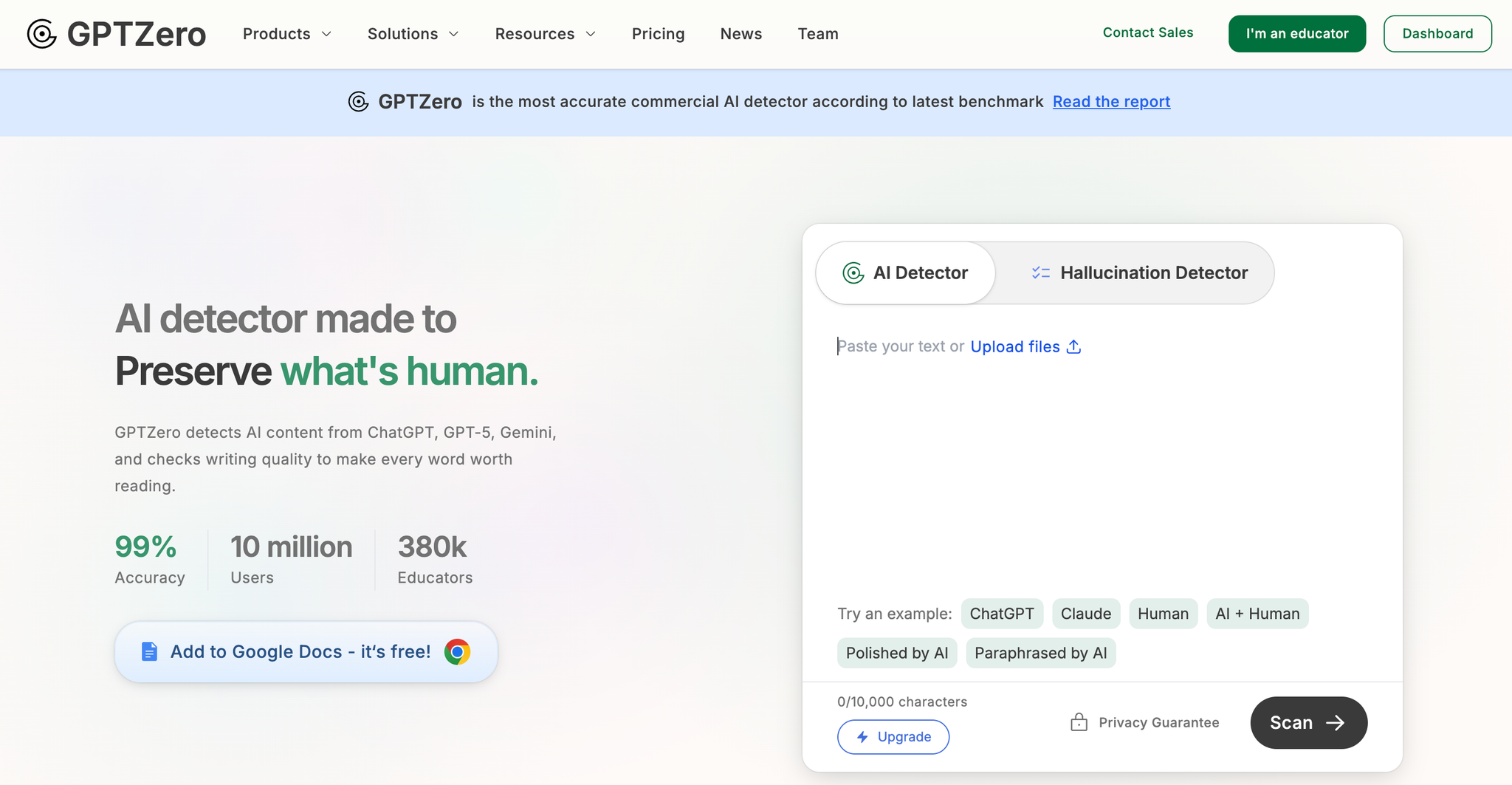
GPTZero
Why It’s Useful
Advanced AI Detection
GPTZero analyzes writing using multiple indicators—burstiness, perplexity, sentence structure, and consistency—to determine whether text was written by a human or generated by AI. Instead of relying on simple keyword or pattern matching, it evaluates how predictable each sentence is and how varied the writing style feels.
Human writing typically shows more irregular rhythm and spontaneous choices, while AI text tends to be smoother and more uniform. GPTZero combines these signals to provide a reliable assessment, making it useful for teachers, editors, and professionals who need a deeper look at writing authenticity.
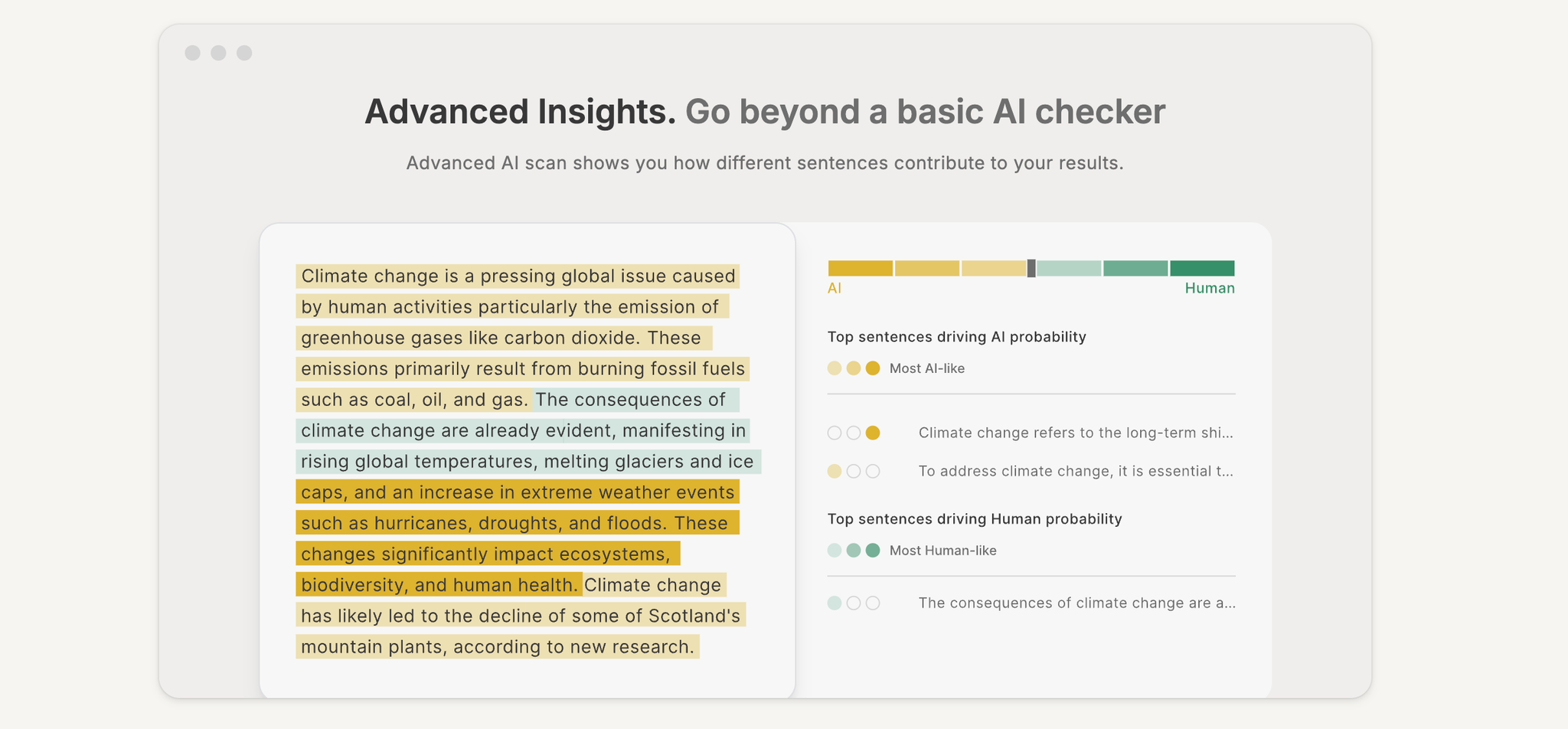
Advanced AI Detection
Document & Batch Scanning for Large Texts
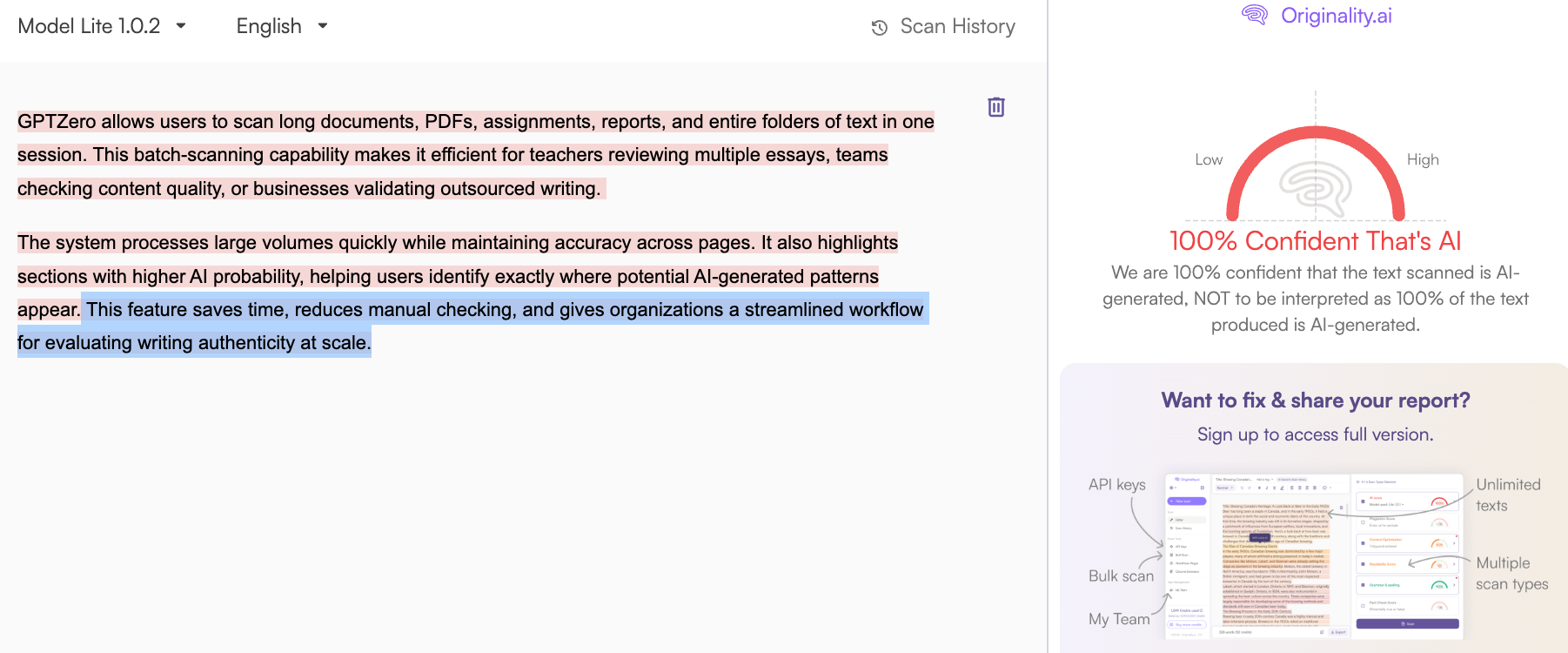
GPTZero allows users to scan long documents, PDFs, assignments, reports, and entire folders of text in one session. This batch-scanning capability makes it efficient for teachers reviewing multiple essays, teams checking content quality, or businesses validating outsourced writing.
The system processes large volumes quickly while maintaining accuracy across pages. It also highlights sections with higher AI probability, helping users identify exactly where potential AI-generated patterns appear. This feature saves time, reduces manual checking, and gives organizations a streamlined workflow for evaluating writing authenticity at scale.
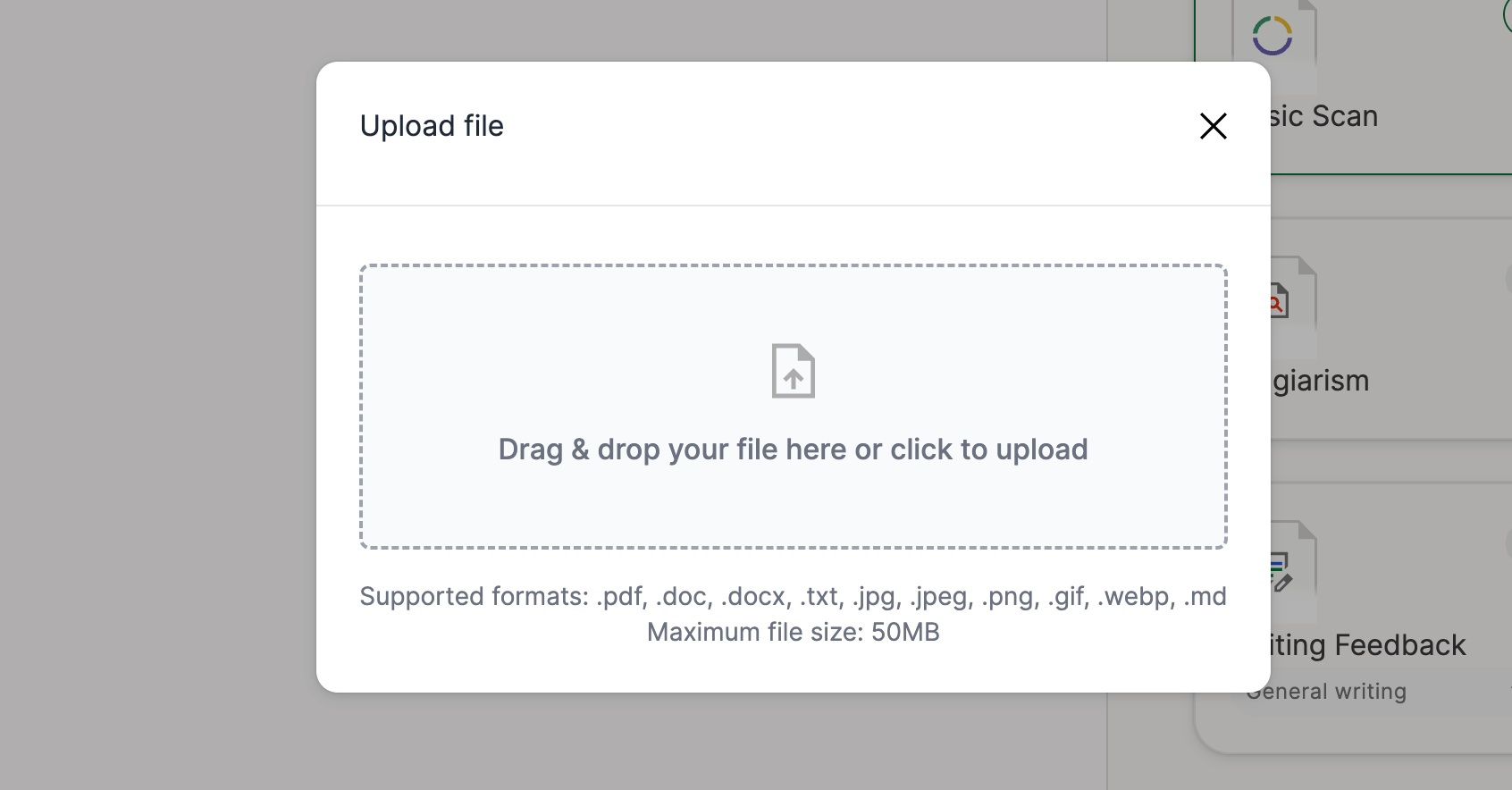
Document & Batch Scanning for Large Texts
Google Docs Integration for Real-Time Checks
With its Google Docs extension, GPTZero lets users run real-time AI detection and writing feedback directly inside their documents. This makes the editing process smoother, since you can scan text, highlight flagged sections, and apply fixes without leaving the page.
It’s especially helpful for students writing assignments, teams collaborating on shared documents, and writers who prefer working in Google’s ecosystem. The integration also supports plagiarism checks, citation analysis, and grammar improvement—all accessible with one click. This creates an efficient workflow where writing, reviewing, and verifying authenticity happen in the same workspace.
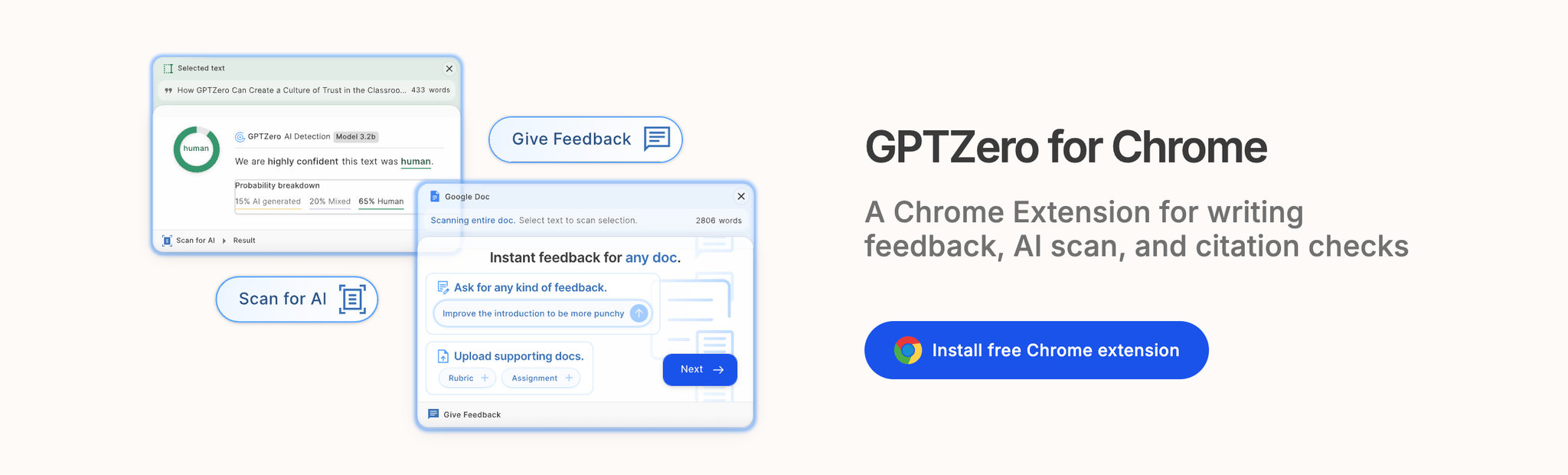
Chrome Extension + Quick Scanning
Pricing
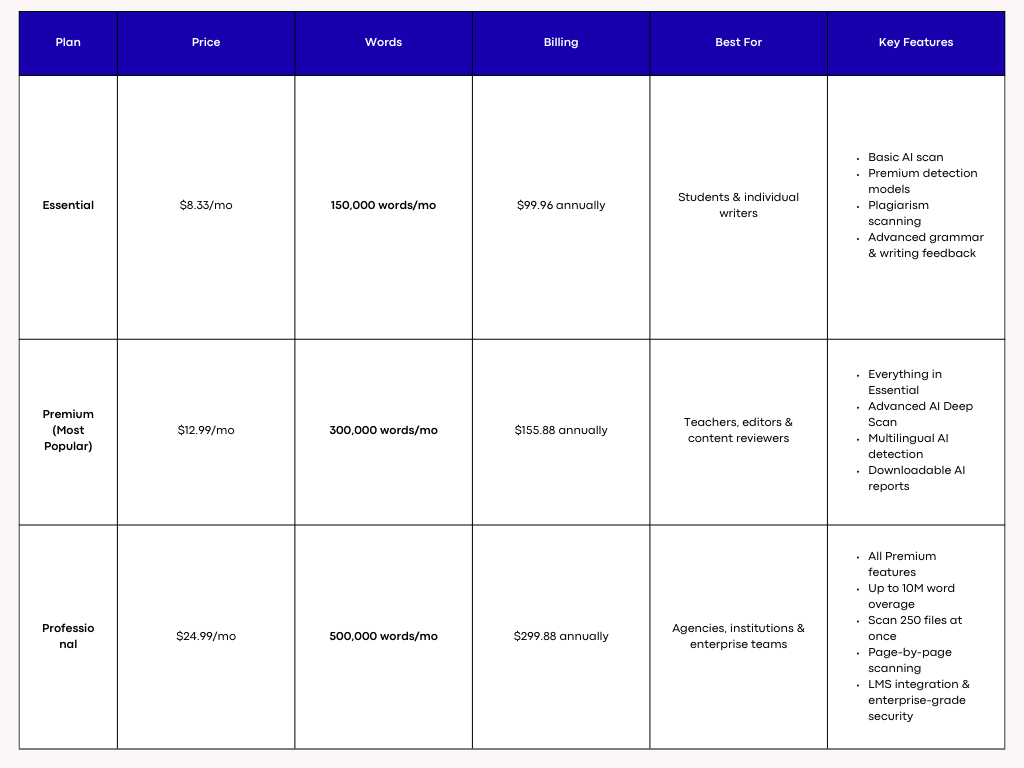
GPTZero — Pricing
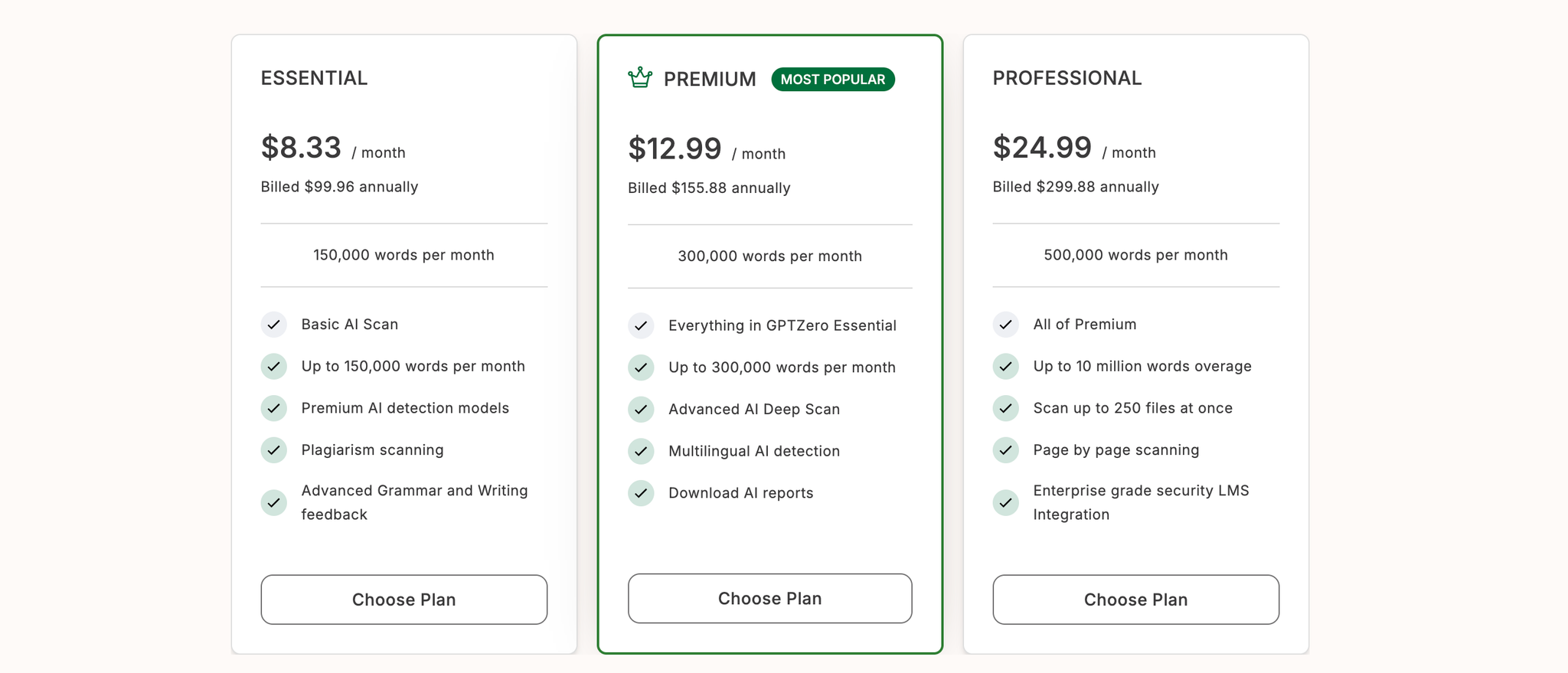
GPTZero — Pricing
4. Originality.ai — Most Accurate AI Detector for Professional & Academic Verification
Originality.ai is one of the most trusted premium AI detectors used by universities, publishers, agencies, and content teams that require high-precision AI identification. Unlike lightweight detectors that provide simple yes/no verdicts, Originality.ai offers deep-scanning, per-sentence scoring, highlight analysis, and shareable reports. It is built for situations where you must prove your writing is human — whether for academic validation, client transparency, or compliance. The platform also includes plagiarism scanning, readability checks, grammar evaluation, and a rich text editor for making revisions directly inside the app.
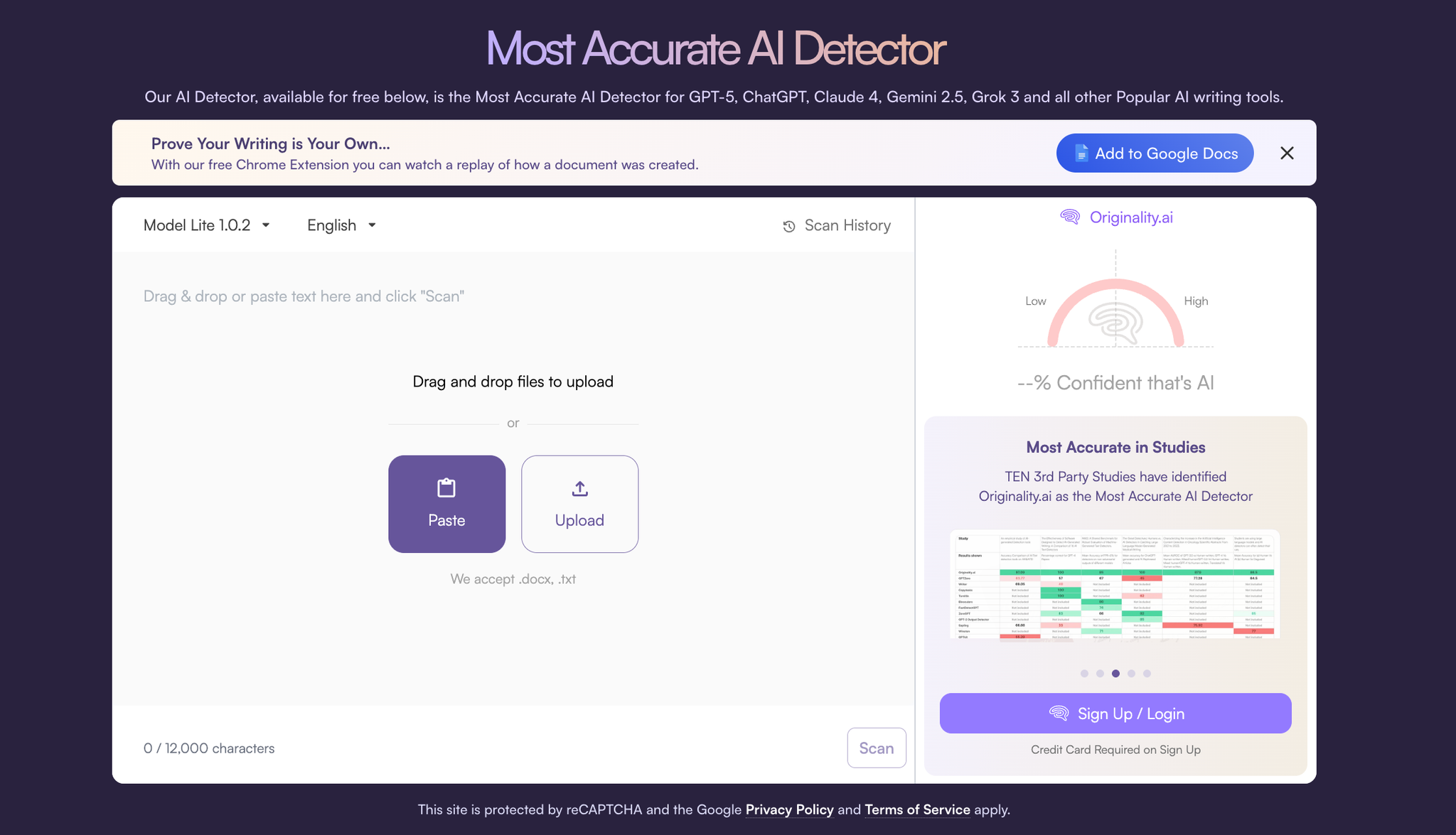
originality.ai
Why It’s Useful
Industry-Leading AI Detection With Highlighted Evidence
Originality.ai is known for delivering some of the most accurate AI detection results on the market. Instead of a basic “Likely AI” verdict, it produces a detailed breakdown showing exactly which sentences or paragraphs appear AI-generated. The highlighting system helps writers understand what triggered detection, making revisions easier and more targeted.
This level of transparency is especially valuable for students who must demonstrate originality, agencies delivering client work, and publishers who require human-written text. Because the detector uses multiple linguistic signals — structure, predictability, semantic flow, and burstiness — its accuracy makes it one of the most reliable tools available for verifying authenticity.
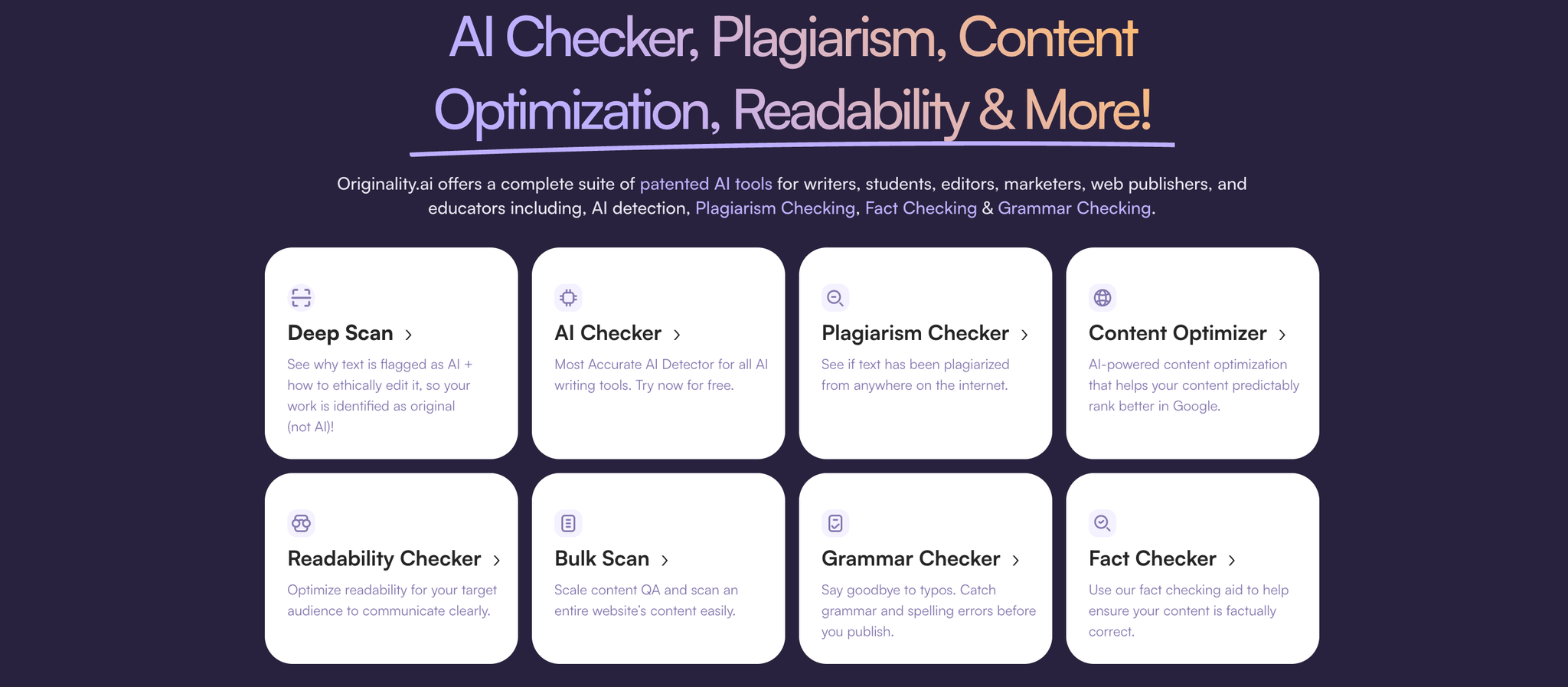
Industry-Leading AI Detection
Shareable Reports, PDF Exports & Scan History Tracking
One of Originality.ai’s strongest features is its reporting system. Every scan comes with a shareable report link that allows teachers, clients, or teammates to verify the results instantly. You can also download a PDF version of the report for formal submission or documentation.
Users get access to a complete scan history, letting them reference past scans and track improvements across revisions. This makes it ideal for academic workflows, content audits, and multi-stage writing projects. The platform also supports quick exporting back into Google Docs or Microsoft Word, making the entire review-and-edit process seamless.
PDF Exports & Scan History Tracking
Edit, Rescan & Optimize Inside the Text Editor
Originality.ai isn’t just a detector — it includes a built-in text editor where you can revise flagged sections, fix grammar, improve clarity, check readability, and then rescan the content immediately. This eliminates the copy-paste cycle common in other tools.
The editor includes spelling and grammar corrections, readability scores, tagging tools for organizational workflows, and SEO optimization checks. Users can run plagiarism detection, verify facts, and rescan the same document on the spot. The ability to edit and recheck within one interface makes it ideal for professional writers, content teams, and students who need clean, completely original final drafts.
Edit, Rescan & Optimize Inside the Text Editor
Pricing
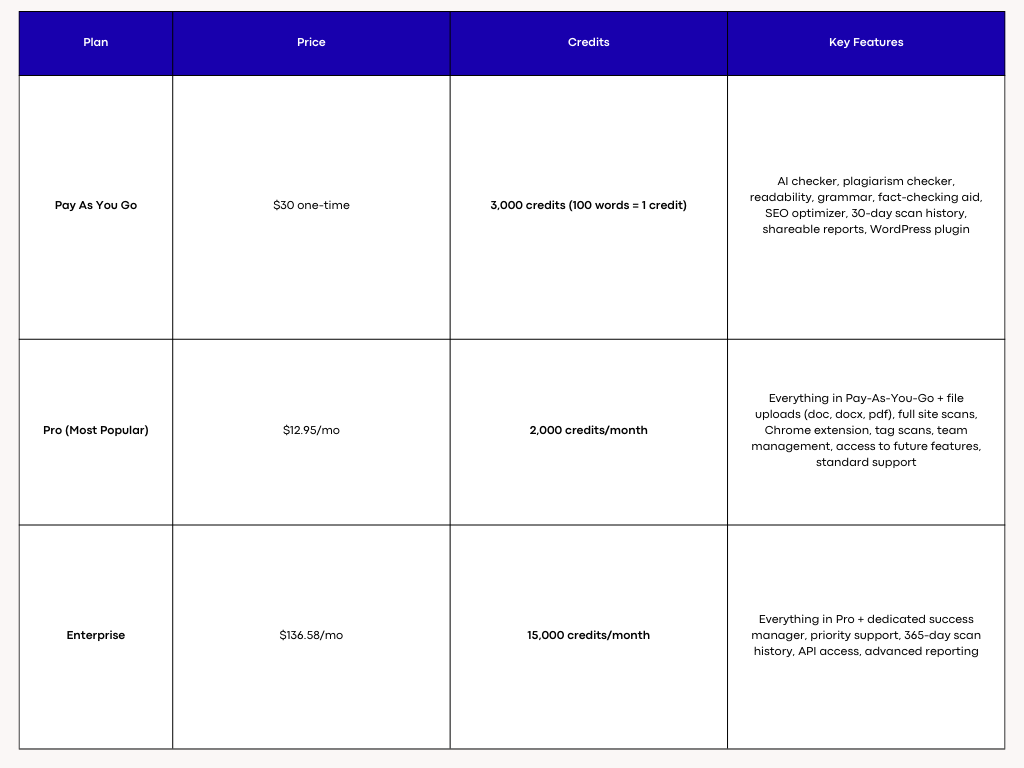
originality.ai — Pricing
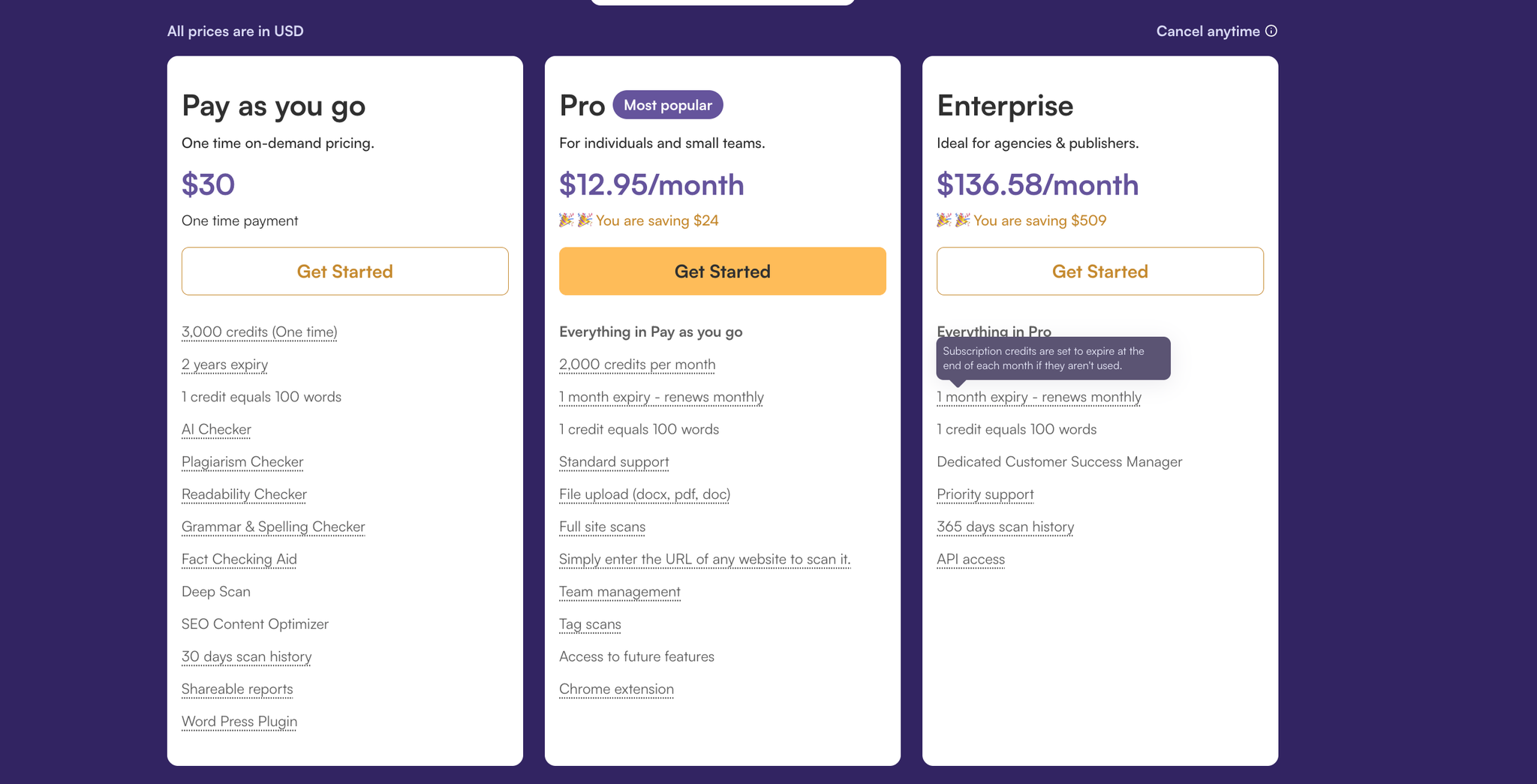
originality.ai — Pricing
5. Copyleaks — Enterprise-Grade AI Detector for Text, Images & Deepfakes
Copyleaks is one of the most advanced AI detection platforms, trusted by universities, governments, publishers, and Fortune 500 companies. Unlike detectors that focus only on written text, Copyleaks provides multi-layer detection across AI text, AI images, and deepfakes, making it a powerful all-in-one authenticity suite.
Its AI models are engineered to detect content from GPT-4/4o, Claude, Gemini, LLaMA, and fine-tuned models, while also flagging manipulated media — a capability most detectors don’t include. Combined with plagiarism scanning, LMS integrations, and real-time analysis, Copyleaks stands out as one of the most complete professional solutions.
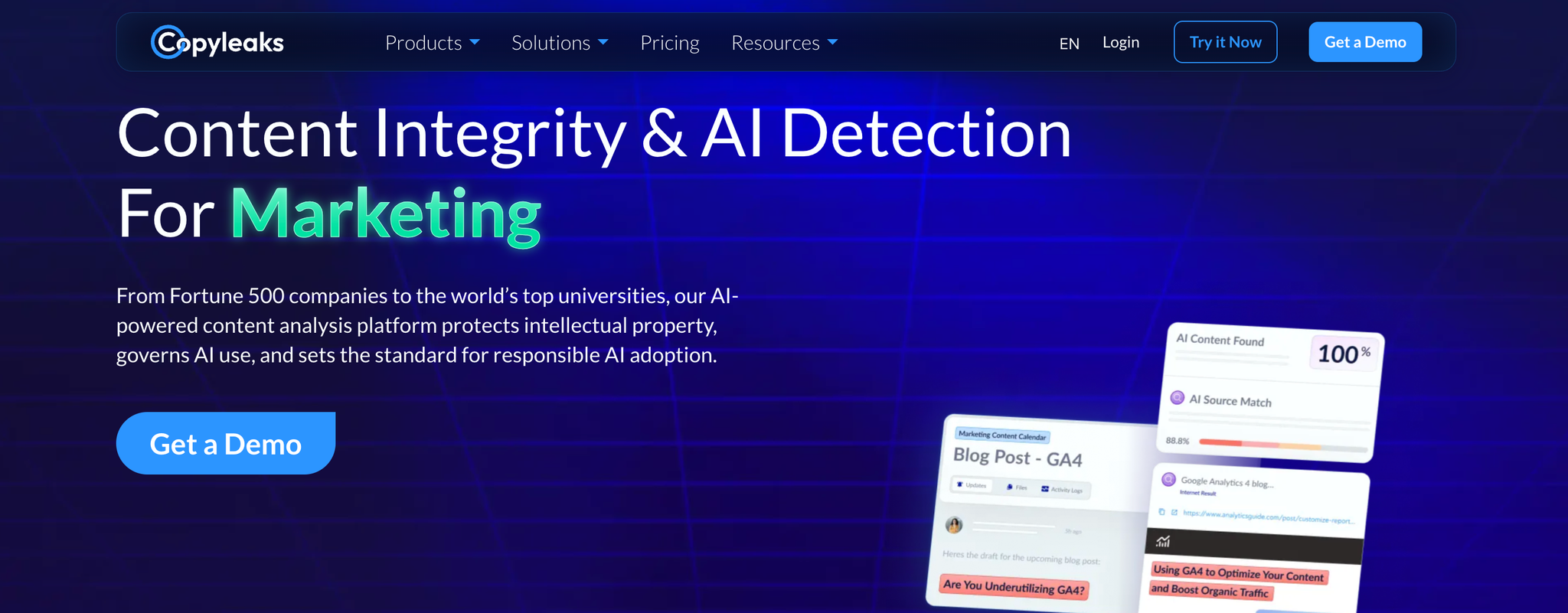
Copyleaks
Why It’s Useful
AI Text Detection With Sentence-Level Precision
Copyleaks’ AI Text Detector uses multi-model analysis to evaluate perplexity, semantic coherence, sentence rhythm, and token-level probability. It doesn’t just offer a simple “AI or human” label. Instead, it highlights suspicious segments, assigns probability scores, and shows a transparent breakdown of how the text was classified.
This makes Copyleaks exceptionally useful for teachers verifying essays, companies screening outsourced content, and publishers ensuring originality. Its advanced model identifies AI-generated patterns even in heavily edited or partially humanized text, making it one of the hardest detectors to bypass.
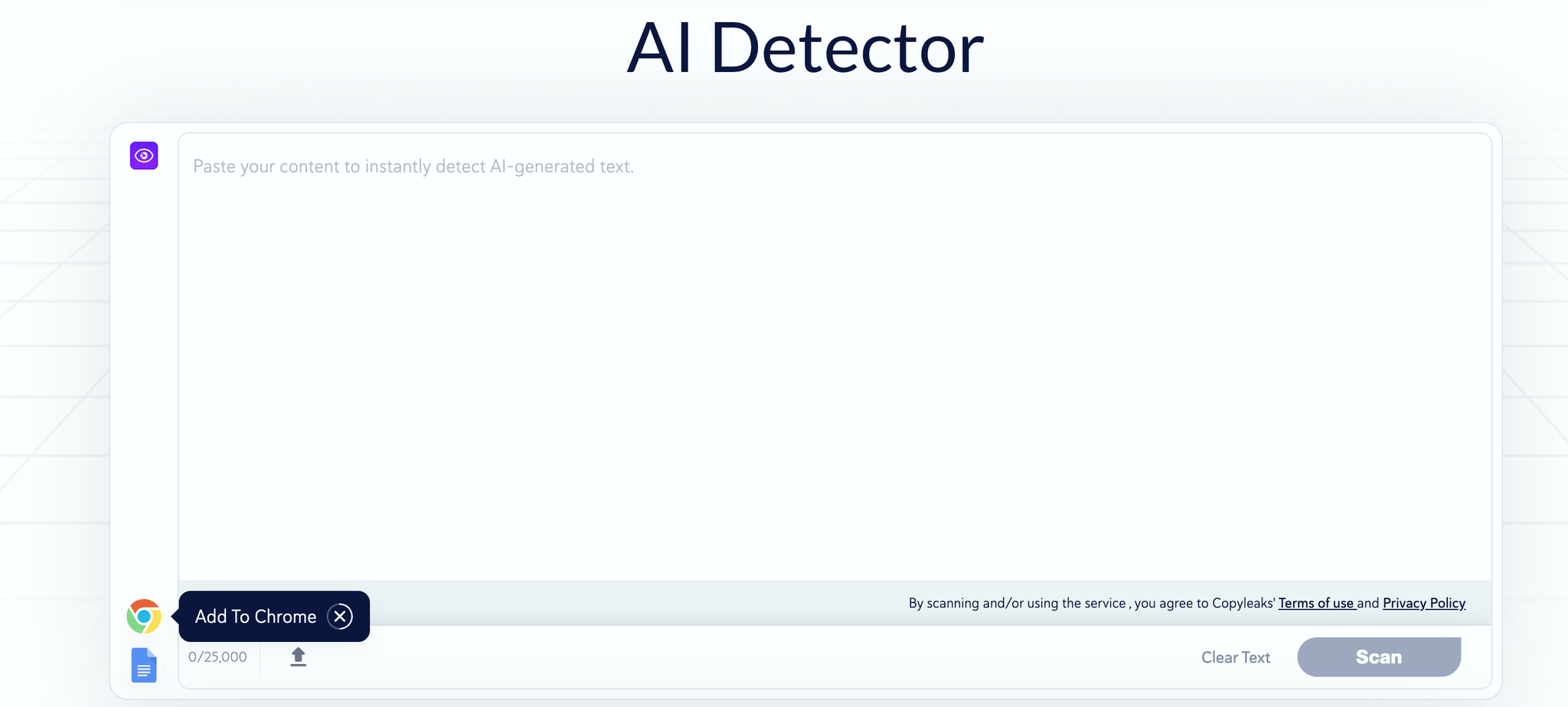
AI Text Detection
AI Image Detector & Deepfake Detector (Rare Feature)
One of Copyleaks’ standout abilities is detecting AI-generated images and deepfake content — something almost no other AI detector supports. The AI Image Detector can identify synthetic visuals created using tools like Midjourney, DALL·E, Stable Diffusion, Ideogram, and others.
The Deepfake Detector analyzes facial patterns, pixel noise, and manipulation signatures to flag altered or artificially generated videos/images. This makes Copyleaks invaluable for newsrooms, HR teams, academic institutions, and organizations fighting misinformation.
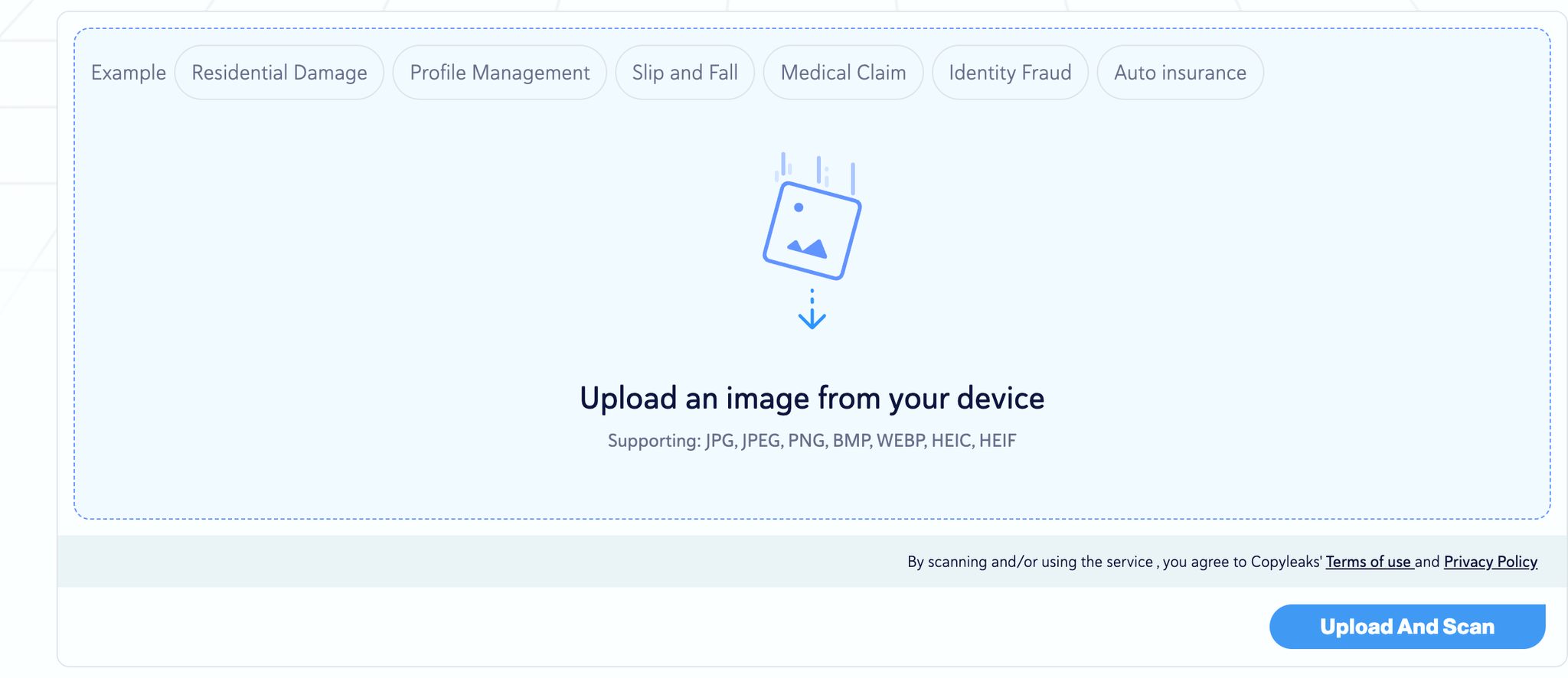
AI Image Detector
Integrations: LMS, API, Google Docs & Browser Extensions
Copyleaks integrates directly into everyday workflows. The Google Docs add-on allows instant AI detection inside documents, while browser extensions make it easy to scan web content on the fly.
For schools and universities, the LMS integration (Canvas, Moodle, Blackboard) brings AI detection into assignment submissions automatically. Developers and content platforms also use the Copyleaks API to run large-scale automated scans with high accuracy and compliance. The multi-environment support makes Copyleaks ideal for enterprise and institutional use where automated workflows matter.
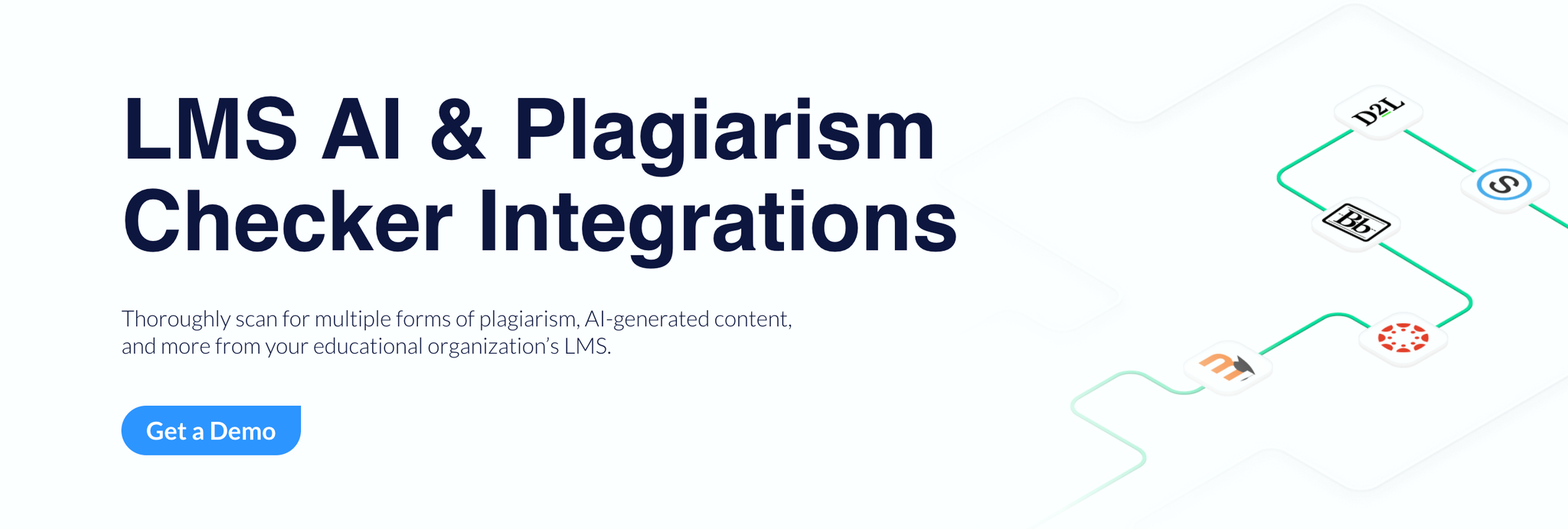
LMS Integration
Pricing
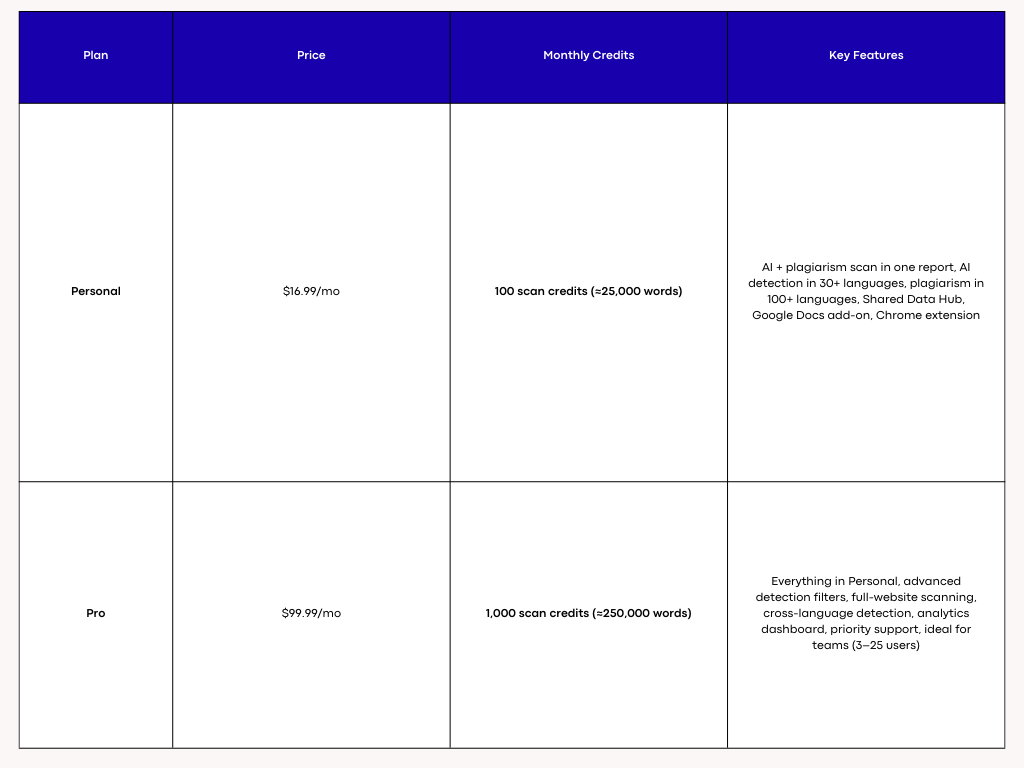
Copyleaks — Pricing
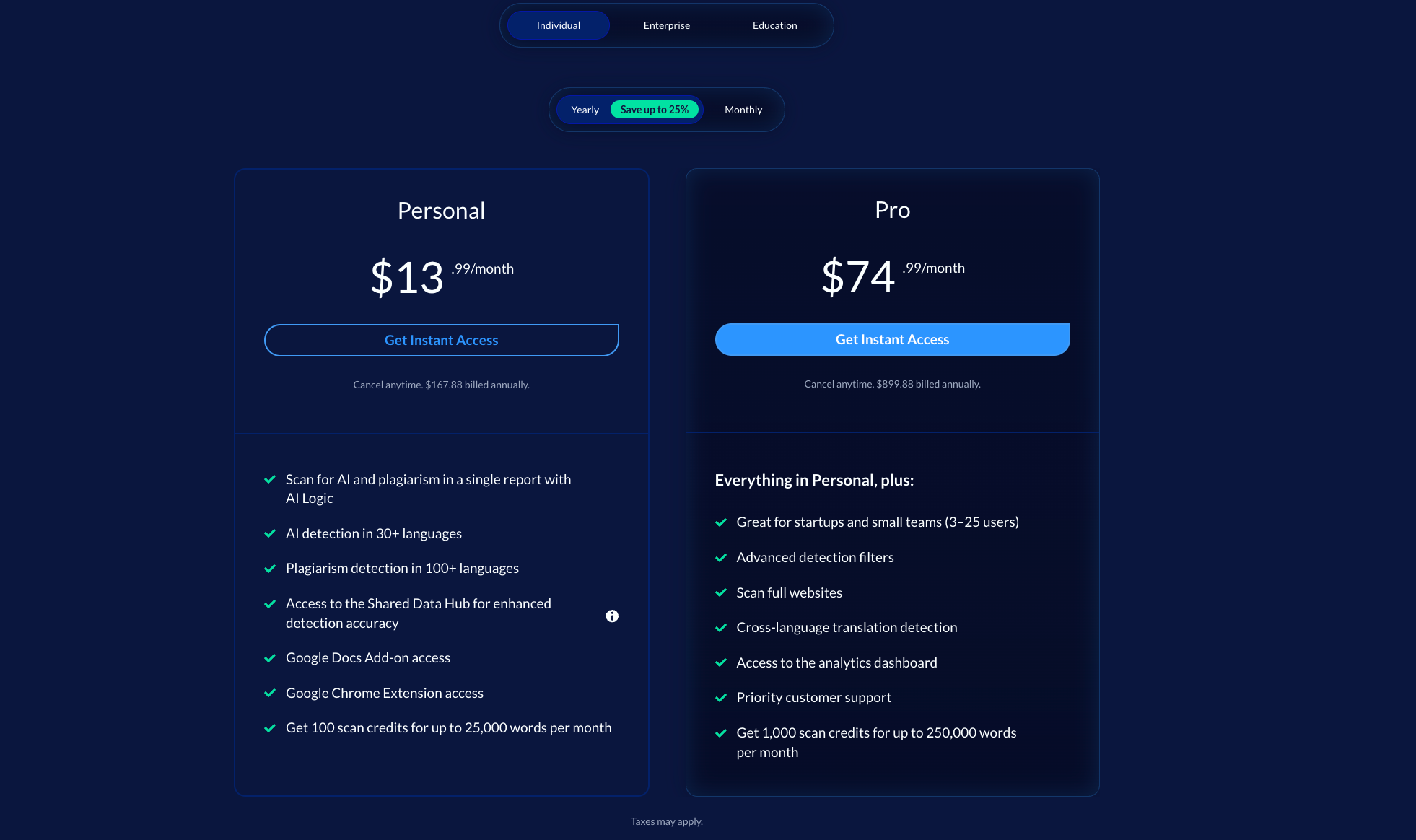
Copyleaks — Pricing
Conclusion
Free AI content detectors can absolutely help you catch obvious AI patterns, identify risky passages, and get a quick snapshot of how “human” your writing appears. But as our comparison shows, no free tool is perfectly accurate, none can guarantee zero false positives, and all of them come with limits—whether it’s strict character caps, reduced model access, or simplified scoring.
The real value comes from knowing how to use these tools. GPTZero gives fast, educational-style checks. Originality.ai leans conservative and evidence-based. Copyleaks brings enterprise-grade scanning and even image/deepfake detection. AISEO and Humanize AI go a step further by combining detection with real humanization—letting you actually fix the issues instead of just viewing a warning.
If your goal is to understand authenticity risk, validate your work, or prepare writing that reads naturally and confidently, free detectors are a great starting point. But if you want consistent, actionable, and publish-ready results, pairing detection with rewriting, editing, and humanization tools gives you far more control.
At the end of the day, the safest strategy isn’t chasing perfect “AI scores”—it’s producing writing that sounds genuinely human, flows naturally, and reflects your own thinking. With the right tools and a smarter workflow, you can reduce detection risks, improve clarity, and create content that stands up to both readers and algorithms.
Frequently Asked Questions About Free AI Content Detector Tools
1. Are free AI content detectors accurate enough to rely on?
Free AI content detectors offer basic to moderate accuracy depending on the tool, the model behind it, and the type of text being analyzed. Most free tools rely on lighter versions of their premium models or simplified scoring metrics. This means they can catch obvious AI-generated patterns—such as uniform sentence rhythm, low burstiness, or predictable phrasing—but they often struggle with heavily edited AI text, mixed drafts, or human writing that happens to be simple or structured.
Accuracy also varies across platforms. For example, GPTZero tends to be conservative with academic-style writing, while Originality.ai’s free checker leans risk-averse and sometimes flags creative or polished human writing. AISEO and Humanize AI provide more nuanced scoring because they combine detection with humanization metrics, which helps users identify specific patterns rather than relying on a single verdict.
Free detectors should be treated as signal indicators, not final proof. They are useful for spotting risk, but professional or academic verification should lean on premium models or multi-tool cross-checking.
2. Why do different AI detectors give different results on the same text?
Different detectors use different evaluation methods, training datasets, and model architectures. Some tools analyze perplexity and burstiness (linguistic unpredictability), while others use transformer-based classifiers trained on millions of human vs. AI samples. Tools like Copyleaks layer multiple models—GPT-specific, multi-model, and cross-linguistic detectors—while GPTZero focuses heavily on structural patterns in academic writing.
Because each tool views “AI-likeness” through a different lens, you can get contradictory results. One detector may flag a paragraph as AI because it’s too clean or consistent, while another may classify it as human because the vocabulary distribution resembles organic writing.
This discrepancy is normal. AI detection is probabilistic, not deterministic; no tool can state with certainty how content was produced. The most reliable approach is to use multiple detectors, look for consistency, and apply human editing or humanization to reduce risk.
3. Can AI detectors falsely flag human-written content?
Yes—this is one of the biggest limitations of AI detectors. False positives occur when human writing happens to resemble typical AI patterns. This usually happens when the text is:
- Highly structured
- Grammatically perfect
- Too consistent in tone
- Short and factual
- Lacking personal anecdotes
- Written with simple or instructional language
For example, students writing essays in formal academic style often get flagged by GPTZero or Originality.ai because the tone is clean and predictable. Professional writers, journalists, and content creators may also get flagged because polished text can appear “too organized,” which many detectors associate with models like GPT-4 or Claude.
To reduce false positives, tools like Humanize AI and AISEO adjust rhythm, add lexical variation, and increase transitional nuance—all ways to bring natural human irregularity back into the draft.
4. Can AI detectors be bypassed?
AI detectors can be bypassed, and the ease of bypassing depends on the model's sophistication. Basic detectors are easily fooled by surface-level paraphrasing, while advanced detectors like Copyleaks, Originality.ai, and Turnitin-style systems evaluate deeper structural signals.
Human editing, strategic rewriting, and tonal adjustments can significantly reduce AI-likeness—even when the underlying ideas originate from AI. Tools like Humanize AI and AISEO automate this process by intentionally breaking AI patterns and rebuilding the text with human-like pacing and variation.
It’s important to understand that bypassing detection is not inherently malicious—many writers use AI tools responsibly but need to ensure originality, avoid false positives, or comply with institutional requirements. The safest method is combining human editing with tools specifically designed to improve natural writing flow.
5. Do AI detectors check for plagiarism?
Some AI detectors include plagiarism scanning, but not all. GPTZero and Originality.ai offer integrated plagiarism checks, while Humanize AI and AISEO provide dedicated plagiarism scanning with instant rewrite support. Copyleaks originally built its platform around plagiarism detection, so its plagiarism model is particularly robust.
AI detection and plagiarism detection are separate processes:
- AI detection analyzes writing style and predictability.
- Plagiarism detection checks similarity against databases, websites, and academic sources.
A text can be 100% original yet flagged as AI, or be plagiarized yet appear human-written. Using both tools is essential for academic, professional, and editorial work.
6. Are premium AI detectors worth paying for?
Premium detectors are significantly more reliable than free versions. They use deeper models, larger datasets, do not limit word count, and provide advanced features such as:
- Sentence-level evidence
- Highlight breakdowns
- Batch scanning for files
- Multilingual detection
- Shareable and downloadable reports
- LMS integration for education
- API access for enterprises
- Image and deepfake detection (Copyleaks)
If you write essays, publish content, manage teams, or audit outsourced writing, premium tools save time, increase accuracy, and reduce risk—especially when accountability is required.
7. Which free AI detector is best for students?
GPTZero is the most popular among students and educators because it offers free scans, per-sentence highlights, and straightforward “likely AI/human” verdicts. Its Google Docs integration makes it convenient for real-time checks during writing.
However, Originality.ai’s free checker provides deeper risk indicators, and AISEO/Humanize AI are better for students who want not only detection but also rewriting support to make text more natural.
For academic environments where precision matters, combining multiple detectors is the safest approach.
8. Which AI detector is best for creators and SEO writers?
Creators benefit most from tools that combine detection with rewriting, SEO optimization, and tone control:
- AISEO — For SEO writers who need ranking power + humanized writing
- Humanize AI — For creators who prioritize natural flow and detector safety
- Originality.ai — For client transparency and shareable reports
- Copyleaks — For enterprise-level compliance and multimedia detection
If you're publishing content online, AISEO offers the most comprehensive workflow because it integrates SEO research, content structuring, rewriting, plagiarism checks, and humanization in one ecosystem.
About the Author

Dilyar Buzan is the founder and CEO of AISEO.ai, an AI-native SEO platform. With a background in AI from the University of Amsterdam, Dilyar specializes in Generative Engine Optimization (GEO), Answer Engine Optimization (AEO), and AI-driven content strategy, helping brands earn visibility across ChatGPT, Perplexity, Google AI Overviews, and traditional search. He's also co-founder of Sceneform.ai, an AI content platform for brands and creators.