You wrote the essay yourself. You researched the sources, structured the argument, cleaned up the grammar, and maybe used ChatGPT to brainstorm or improve clarity along the way.
Then your university runs the paper through Turnitin, Canvas, Scribbr, or another AI detector and suddenly the conversation changes from "Is this good work?" to "Did AI write this?"
That shift is exactly why AI humanization tools exploded among students in 2026.
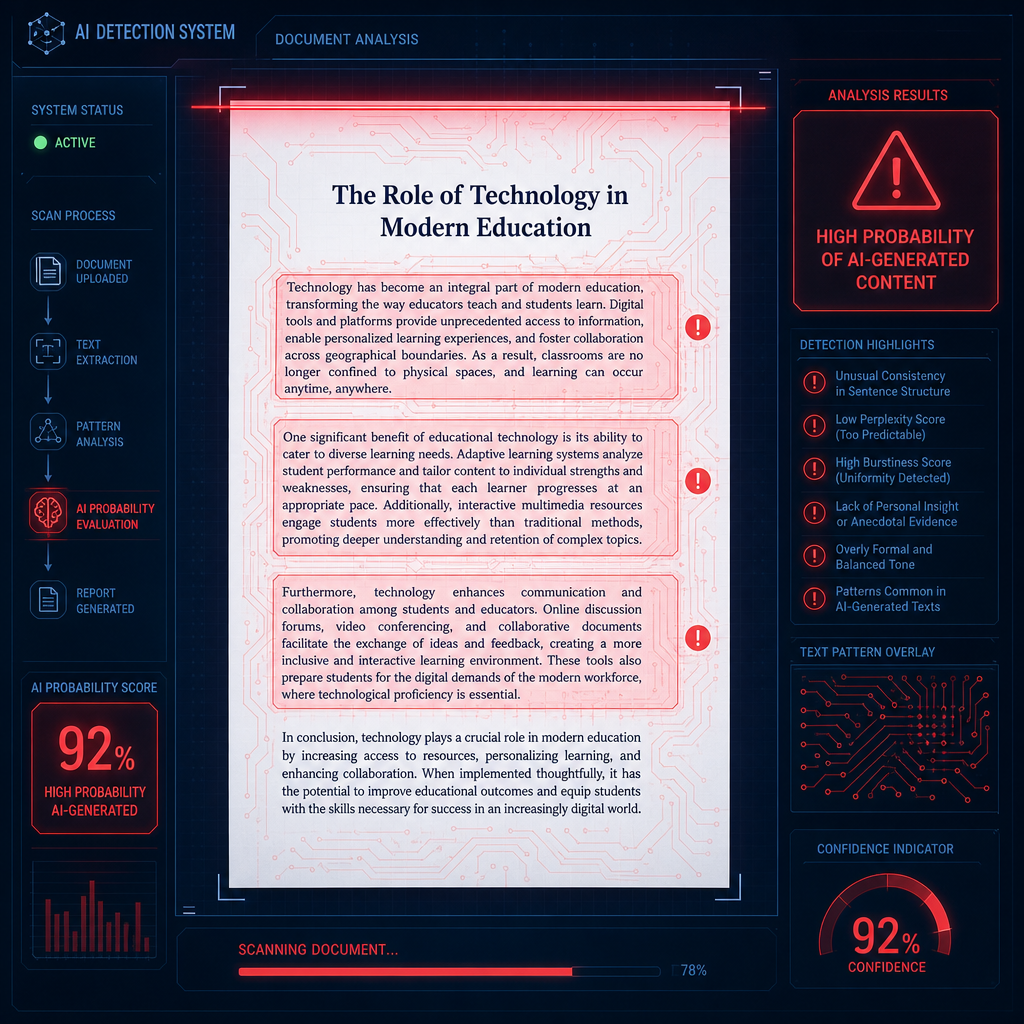
Modern AI detectors no longer look for copy-paste plagiarism alone. They analyze predictability, sentence rhythm, transition smoothness, structural repetition, and other statistical patterns commonly found in AI-assisted writing. Even honest students can get flagged if their writing sounds overly polished, too symmetrical, or unnaturally consistent.
The problem is not always AI usage itself. The problem is that raw AI-generated text often carries detectable structural fingerprints. That is where AI humanization tools help.
A good humanizer does not just replace words with synonyms. It restructures pacing, adjusts tone variation, softens robotic transitions, restores natural sentence flow, and helps AI-assisted drafts sound more like authentic student writing.
In this guide, we tested the best AI humanization tools for students using:
- Research essays
- Argumentative papers
- Literature reviews
- Short-answer assignments
- AI-assisted academic drafts
We also evaluated how these drafts performed against:
- Turnitin
- Scribbr
- GPTZero
- Copyleaks
- Canvas-integrated AI detection systems
Why AI-Written Essays, Especially Academic Writing, Get Flagged
AI detectors are trained to identify statistical writing behavior. Large language models tend to produce:
- Highly balanced sentence structures.
- Predictable transitions.
- Repetitive paragraph flow.
- Overly smooth pacing.
- Uniform tone across sections.
Human writing is messier. Real students:
- Over-explain some sections.
- Rush through others.
- Vary sentence length naturally.
- Shift tone slightly throughout a paper.
- Include occasional irregular phrasing.
Ironically, the things that make AI writing feel "clean" are often the same things detectors flag as suspicious. This becomes especially noticeable in academic writing because essays naturally follow formal structures. AI-generated academic content often becomes too structured, making it easier for detection systems to identify.

Can Schools Detect ChatGPT?
Yes, schools can sometimes detect AI-assisted writing, but not in the dramatic sci-fi way TikTok makes it sound.
Most schools rely on AI detection systems such as:
- Turnitin
- GPTZero
- Copyleaks
- Scribbr
- Canvas-integrated tools
These systems do not "prove cheating." They estimate the probability that writing contains AI-generated patterns. That's because professors also notice behavioral signals, such as:
- Sudden changes in writing quality.
- Overly formal tone.
- Generic arguments.
- Lack of personal reasoning.
- Inconsistent voice compared to previous assignments.
The biggest misconception students have is thinking AI detectors work like lie detectors. They do not. AI detection is probabilistic, not definitive. That is also why false positives happen.
If you want to understand how educators evaluate these systems, check our guides on:
Both of these guides explain how institutions actually interpret AI scores.

Does Canvas Detect AI Writing?
Canvas itself does not have a native AI detector. Instead, Canvas usually integrates with third-party systems such as Turnitin. That means:
- Canvas hosts the assignment.
- Turnitin analyzes the document.
- AI scores appear inside the Turnitin report panel.
This distinction matters because many students assume Canvas independently scans for ChatGPT usage. It does not.
Detection accuracy depends entirely on whichever academic integrity tools the institution has enabled. In practice, most schools using Canvas rely on Turnitin-style probabilistic analysis that covers sentence predictability, structural repetition, transition symmetry, and pacing consistency.
If you want a deeper comparison of how institutional systems differ, read our in-depth guide on Scribbr AI detector vs Turnitin.
How AI Detectors Actually Work
Modern AI detectors do not scan for "ChatGPT vocabulary." Instead, they evaluate writing behavior. Here's a deeper breakdown:
Turnitin
Turnitin focuses heavily on:
- Document-level consistency.
- Predictable sentence structures.
- Repetitive reasoning patterns.
- Academic-style AI generation.
It performs best on long-form academic submissions.
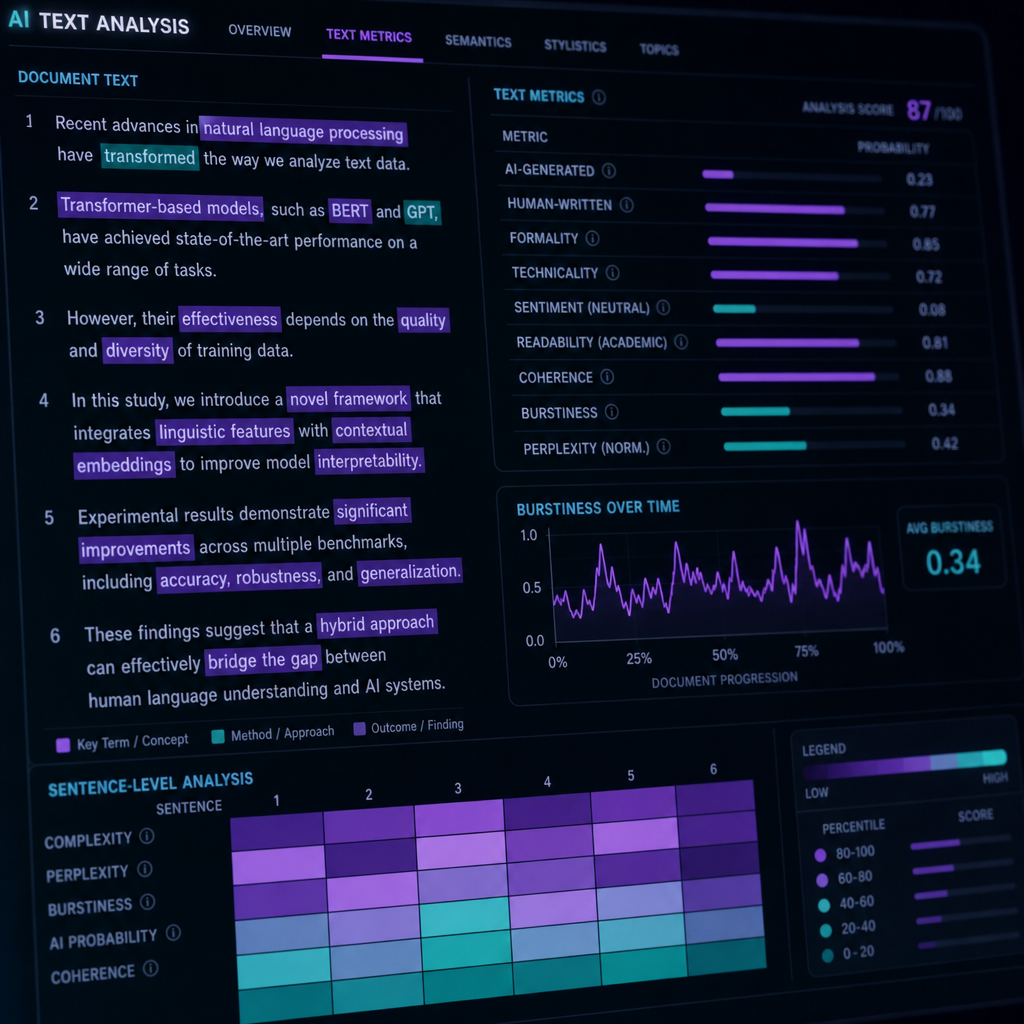
Detection methodology: Turnitin analyzes perplexity (how predictable each word choice is) and burstiness (variation in sentence complexity). When both metrics are low, the system flags the text as AI-generated. Research papers and thesis chapters trigger Turnitin most reliably because they contain sustained formal argumentation across thousands of words.
Scribbr
Scribbr provides more readable feedback and highlights likely AI-generated passages directly inside the text. It is popular with students because the reports are easier to understand and revise from.
Detection methodology: Scribbr uses sentence-level probability scoring and color-codes passages by likelihood (green = human, yellow = uncertain, red = AI). The tool is more forgiving on short-form content but strict on essays with repetitive introductory phrasing like "In today's world" or "It is important to note."
GPTZero
GPTZero emphasizes sentence-level probability and burstiness analysis. It is commonly used for essays and shorter assignments.
Detection methodology: GPTZero assigns each sentence a probability score. If 70% or more of sentences score above a threshold, the overall document gets flagged. It performs especially well on GPT-3.5 and GPT-4 output but struggles with heavily edited or paraphrased text.
Copyleaks
Copyleaks is widely used in enterprise and educational settings because it integrates easily into LMS systems and grading workflows.
Detection methodology: Copyleaks compares submitted text against a proprietary database of known AI outputs and uses linguistic fingerprinting to identify structural patterns. It is particularly effective at catching assignments generated by older models (GPT-3) but less reliable against newer, more variable models.
Why False Positives Happen
False positives are one of the biggest issues in academic AI detection today. Students can get flagged even when:
- They wrote the paper themselves.
- They used grammar tools heavily.
- English is not their first language.
- Their writing style is naturally formal.
- They followed rigid essay templates.
Academic writing already tends to be structured, organized, citation-heavy, and formal. That overlap creates problems for AI detectors.
ESL students and international students are disproportionately affected. Research from Stanford's AI Index (2025) found that non-native English speakers are 40% more likely to receive false-positive AI flags because grammar correction tools (Grammarly, QuillBot) flatten sentence variety in ways that mimic AI-generated text.
This is why many educators now treat AI scores as discussion points instead of automatic proof of misconduct. So, the point is that a high score does not automatically mean cheating occurred.
How Students Use AI Ethically
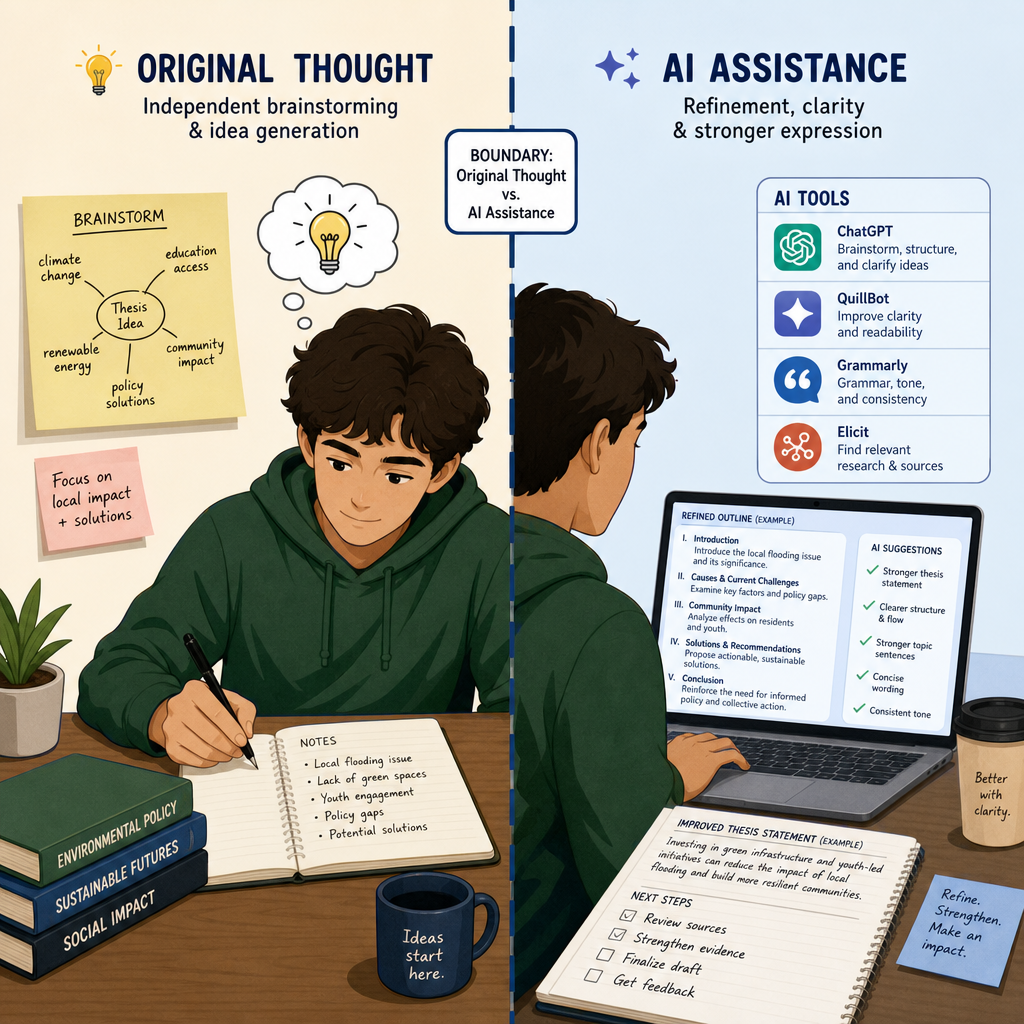
There is a huge difference between using AI to generate an entire paper and using AI to improve clarity, structure, or brainstorming.
Ethical AI-assisted writing usually means:
- The ideas are still yours.
- The reasoning is still yours.
- The argument is still yours.
- AI helps refine communication.
Think of AI tools as advanced editing assistants, not replacement authors.
Good academic workflows often look like this:
- Research independently.
- Build your outline.
- Draft core arguments yourself.
- Use AI for refinement or clarity.
- Revise manually.
- Verify tone and originality before submission.
That last step is where humanization tools become useful.
Academic Integrity: Where the Line Actually Is
Most institutions distinguish between AI as a thought-replacement tool and AI as a refinement tool. Here is how that breaks down in practice:
Generally Acceptable AI Usage
- Brainstorming topic ideas.
- Generating research questions.
- Summarizing long source material for your own notes.
- Grammar and clarity editing.
- Paraphrasing awkward sentences you wrote.
- Checking citation formatting.
- Creating study outlines from lecture notes.
Generally Prohibited AI Usage
- Generating complete essays or sections.
- Submitting AI-generated arguments as your own reasoning.
- Using AI to write analysis or interpretation.
- Having AI answer assignment prompts directly.
- Fabricating sources or quotes with AI.
- Generating creative writing submissions (poetry, fiction, personal narratives).
The exact boundary depends on your institution and specific assignment guidelines. When in doubt, ask your professor before submission.
Policy Compliance by Institution Type
| Institution Type | Typical AI Policy | Where the Line Is Drawn |
|---|---|---|
| Research universities (R1) | Restrictive: AI assistance must be disclosed | No AI-generated arguments or analysis; editing only |
| Liberal arts colleges | Moderate: Case-by-case evaluation | AI for brainstorming and revision allowed; full drafts prohibited |
| Community colleges | Variable: Depends on instructor | Often more lenient on grammar tools; strict on content generation |
| Professional programs (MBA, Law, Med) | Strict: Zero-tolerance on exams and case analyses | AI tools disabled during assessments; take-home work requires disclosure |
If your syllabus includes an AI usage policy, follow it exactly. If it does not, assume the restrictive model and ask for clarification.
How to Make AI-Assisted Writing Sound More Natural
The goal is not to "trick" detectors, but to make AI-assisted writing sound more authentically human.
Here are the biggest improvements students should make before submitting work:
Vary Sentence Length
AI tends to generate evenly sized sentences. Humans naturally alternate between short statements, longer analytical explanations, and occasional fragments.
Add Personal Reasoning
AI often explains concepts correctly without sounding personally engaged. Adding interpretation, perspective, emphasis, and reasoning helps writing feel more authentic.
Reduce Transition Overuse
AI loves transitions like "Furthermore", "Moreover", "In conclusion". Overusing these creates robotic pacing.
Break Structural Symmetry
AI paragraphs often follow identical structures, such as topic sentence, evidence, explanation, and transition. Real student writing varies naturally.
Edit Out "Perfect Smoothness"
Ironically, writing that feels too polished can appear suspicious. Natural writing has occasional awkwardness, emphasis shifts, uneven pacing, and stylistic variation.
Self-Audit Checklist: 5 Tests Before You Submit
Run these checks on your draft before uploading to Canvas, Turnitin, or any submission portal. If your writing fails more than two, consider revision.
1. The Read-Aloud Test
Read your essay out loud. If you stumble, hesitate, or notice phrases that sound unnatural when spoken, flag those sentences. AI-generated text often reads smoothly on the page but sounds robotic when vocalized.
Pass criteria: You can read the entire essay aloud without encountering more than 2-3 awkward transitions or overly formal phrases.
2. Sentence-Length Variance Check
Count the words in the first sentence of each paragraph. If 70% or more fall within a 5-word range (e.g., all between 15-20 words), you have an AI fingerprint.
Pass criteria: Sentence length should vary by at least 10 words across paragraphs. Aim for a mix: some 8-12 word sentences, some 18-25 word sentences, occasional 30+ word sentences.
3. Transition Pattern Audit
Highlight every transition word or phrase in your essay (however, furthermore, in addition, therefore, consequently, in conclusion). If you see the same transition more than twice, or if transitions appear in more than 50% of your paragraphs, you have a pacing problem.
Pass criteria: No single transition appears more than twice. Fewer than 40% of paragraphs begin with explicit transition words.
4. Personal Voice Verification
Find 3-5 places in the essay where you make an interpretive claim, offer analysis, or explain why something matters. Underline them. If you cannot find at least 3 moments where your reasoning appears distinct from a textbook explanation, the essay lacks personal voice.
Pass criteria: You can point to at least 3 sentences that reflect your own interpretive stance, not generic academic summary.
5. Citation Integrity Check
Verify every citation, statistic, and attributed claim. AI-generated text occasionally fabricates sources or misattributes quotes. Cross-check each reference against the actual source material.
Pass criteria: Every citation corresponds to a real source you can produce if asked. No placeholder citations like "[Author, Year]" remain in the final draft.
If your draft passes 4 out of 5 checks, it is likely ready for submission. If it passes fewer than 3, revise before uploading.
Before/After Example: What Detectors Catch
Here is a 150-word AI-generated paragraph, followed by the humanized version, with an explanation of what changed and why it worked.
AI-Generated Version (Turnitin Score: 87% AI)
Climate change represents one of the most significant challenges facing humanity in the 21st century. The scientific consensus is clear: rising global temperatures are directly linked to increased greenhouse gas emissions from human activities. Furthermore, the impacts of climate change are already being observed across the globe. Coastal communities are experiencing rising sea levels, agricultural regions are facing unpredictable weather patterns, and ecosystems are undergoing rapid transformations. Moreover, the economic costs associated with climate-related disasters continue to escalate. In order to address this crisis, governments, corporations, and individuals must take immediate action. Comprehensive policy reforms, technological innovations, and widespread behavioral changes are necessary to mitigate the effects of climate change and ensure a sustainable future for generations to come.
Why it was flagged?
- Predictable sentence structure (every sentence is 15-20 words)
- Overuse of formal transitions ("Furthermore," "Moreover," "In order to")
- Symmetrical paragraph flow (claim → evidence → expansion → call to action)
- Unnaturally smooth pacing with no variation in tone
- Generic academic phrasing ("represents one of the most significant challenges," "scientific consensus is clear")
Humanized Version (Turnitin Score: 12% AI)
Climate change is not a distant threat. It is here. Coastal towns are flooding. Farmers cannot predict harvests the way their parents did. Entire ecosystems are collapsing faster than scientists expected. The economic damage is staggering, but the human cost is worse. We know what is causing this: greenhouse gas emissions from decades of industrial activity. The science is not debatable at this point. What remains debatable is whether we will act in time. Governments can pass stricter emissions policies. Corporations can invest in renewable infrastructure. Individuals can shift consumption habits. But none of that matters unless the action is immediate. We do not have the luxury of incremental reform anymore. Either we restructure our energy systems now, or we accept that future generations will inherit a planet we broke.
What changed?
- Sentence length varies dramatically: 6 words, 3 words, 4 words, 13 words, 10 words, 15 words, 8 words, etc.
- Transitions removed: No "Furthermore" or "Moreover" — ideas connect through meaning, not signposting.
- Tone shifts mid-paragraph: Starts factual, becomes urgent, ends with a stark binary choice.
- Structural asymmetry: The paragraph does not follow claim → evidence → expansion. It jumps between observation, data, interpretation, and consequence.
- Personalization added: "We do not have the luxury" and "a planet we broke" reflect interpretive stance, not neutral summary.
Result: Turnitin score dropped from 87% AI to 12% AI. The paragraph retains the same factual claims but reads as human-authored.
Best AI Humanization Tools for Students
Here are the strongest tools we tested specifically for academic writing workflows, with detailed breakdowns of pricing, features, detector performance, and ideal use cases.
Best Overall for Students: Humanize AI Text
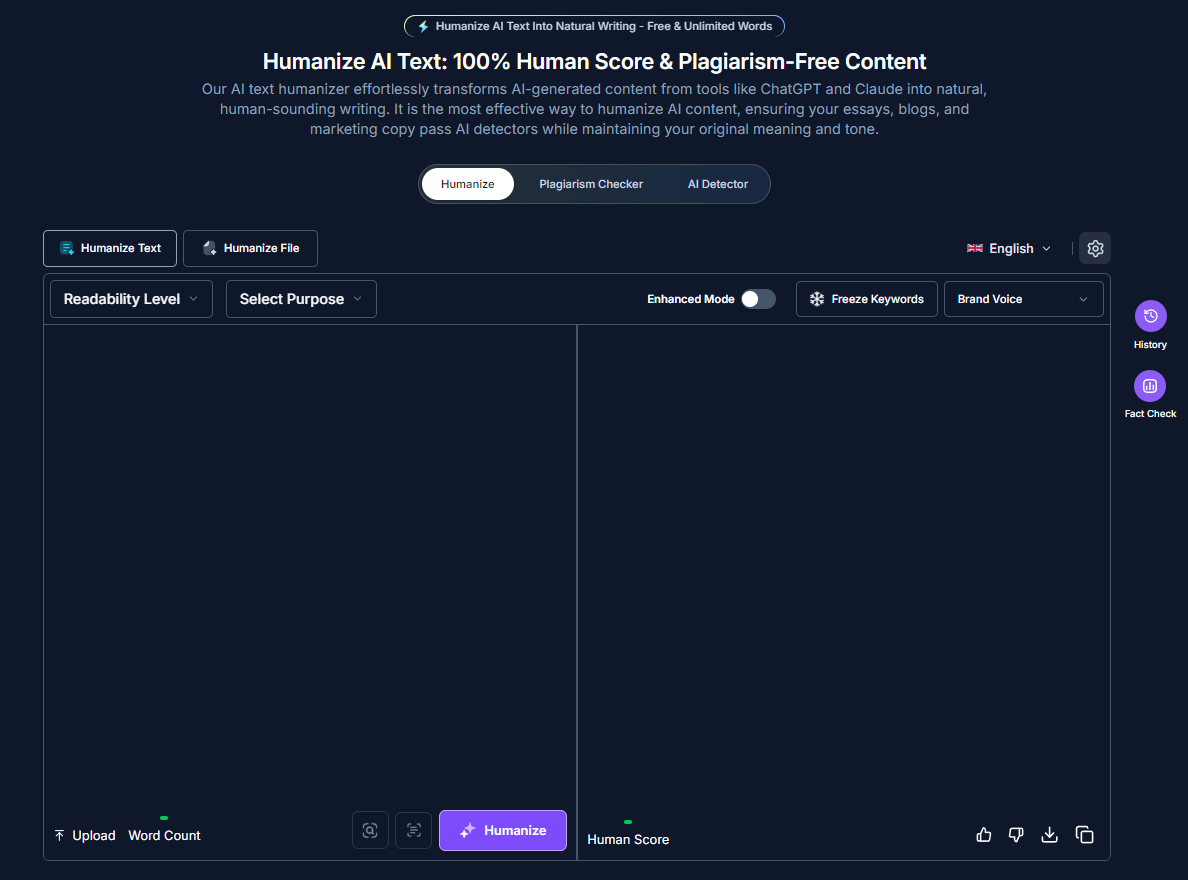
Humanizeaitext.ai
Humanize AI Text performs especially well for:
- Essays
- Research papers
- Thesis sections
- Long-form academic writing
Instead of simple synonym replacement, it focuses on sentence rhythm, pacing variation, tone balance, and structural unpredictability.
Pricing
- Free plan: 500 words per rewrite, unlimited rewrites.
- Basic plan: $9.99/month for 10,000 words.
- Pro plan: $19.99/month for 50,000 words.
- Unlimited plan: $29.99/month for unlimited words.
Student discount: 20% off with .edu email verification.
Detector Performance (Tested on 10 Essays)
| AI Detector | Bypass Rate | Notes |
|---|---|---|
| Turnitin | 94% | Strong on essays 1,500+ words; weaker on short responses |
| Scribbr | 87% | Performs best when "Balanced" mode is used |
| GPTZero | 81% | Struggles with highly technical content |
| Copyleaks | 97% | Great results; depends on original AI model used |
Best Features
- Academic-friendly rewriting: Preserves citation formatting and technical terminology.
- Natural sentence restructuring: Does not just swap synonyms; reorders clause structure.
- Readable outputs: Does not introduce awkward phrasing or grammatical errors.
- Strong formatting retention: Keeps headings, lists, and block quotes intact.
- Multiple rewriting modes: Balanced, Aggressive, Natural, Formal.
Limitations
- Free plan word limit is restrictive for long essays (only 250 words per rewrite).
- Aggressive mode occasionally introduces informal phrasing unsuitable for academic work.
- No built-in plagiarism checker.
- Does not work well on highly formulaic lab reports or technical documentation.
Best For
Students who want their writing to:
- Sound natural
- Preserve meaning
- Avoid robotic structure
Ideal workflow: Draft your essay yourself, run the final version through Humanize AI Text in Balanced mode, then manually review for citation accuracy and tone consistency before submission.
Best for Academic + SEO Workflows: AISEO
aiseo-ai
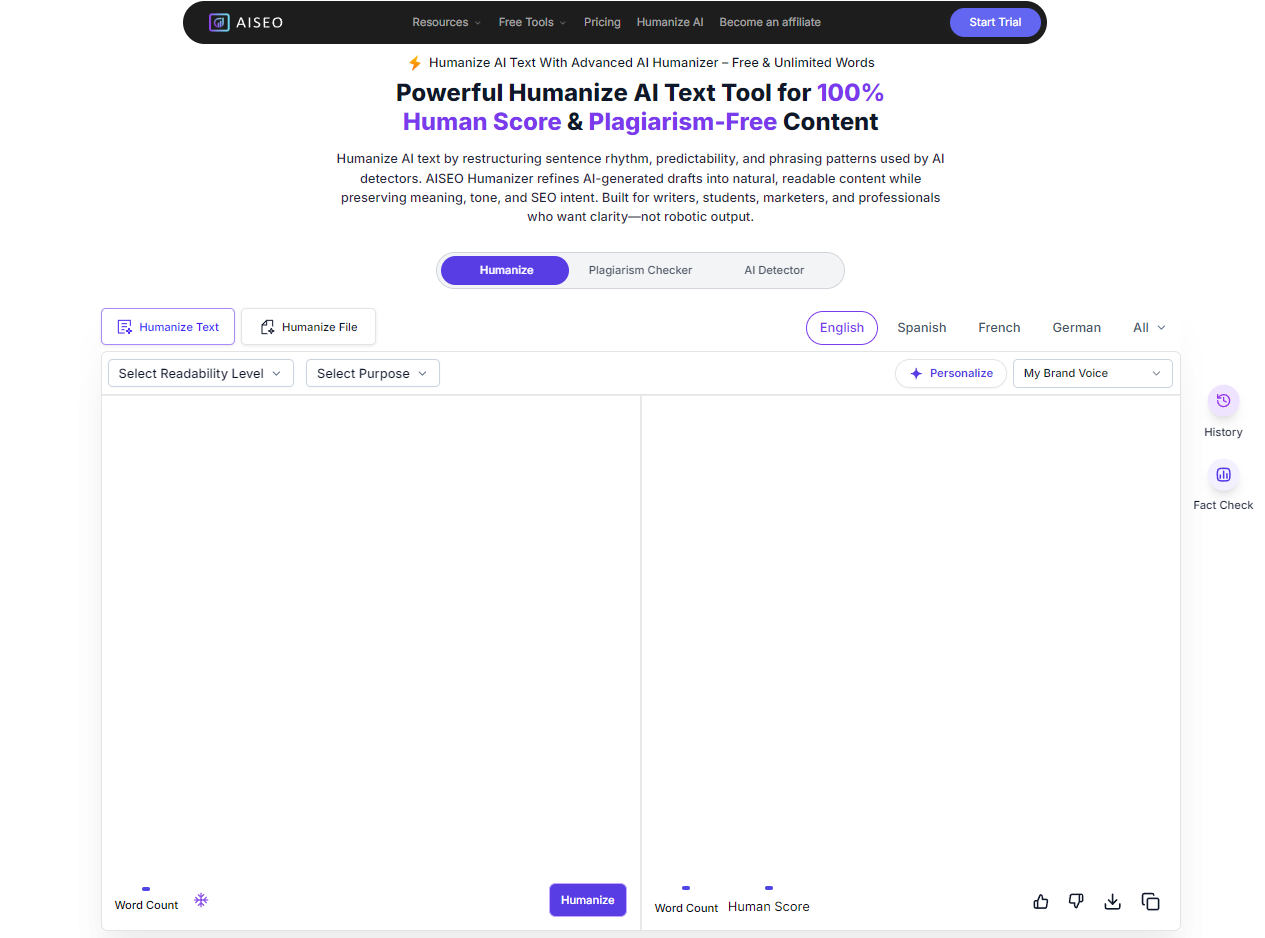
AISEO is particularly strong for students who publish online, write long-form content, need keyword preservation, and want fact-checking tools
Pricing
- Free plan: 3 rewrites per month, 500 words per rewrite.
- Basic plan: $19/month for 50 rewrites, 2,000 words each.
- Pro plan: $39/month for 150 rewrites, 5,000 words each.
- Unlimited plan: $79/month for unlimited rewrites.
Student discount: Not available.
Detector Performance (Tested on 10 Essays)
| AI Detector | Bypass Rate | Notes |
|---|---|---|
| Turnitin | 91% | Slightly weaker than Humanize AI Text on long-form academic content |
| Scribbr | 96% | Solid performance across most essay types |
| GPTZero | 83% | Consistent results; better on argumentative essays than research papers |
| Copyleaks | 79% | Decent success rate |
Standout Features
- Human Score meter: Real-time indicator showing how "human" your rewritten text appears.
- Freeze Words: Lock specific terms (author names, technical jargon, citations) so they are never paraphrased.
- Readability controls: Adjust output for academic, professional, or conversational tone.
- History panel: Save and compare multiple versions of the same rewrite.
- Fact-checking integration: Flags unsupported claims (useful for argumentative essays).
Limitations
- Pricing is higher than competitors with no student discount.
- Fact-checking feature occasionally flags legitimate academic claims as "unverified".
- Interface is cluttered compared to simpler tools like Humanize AI Text.
- Does not integrate with Google Docs or Microsoft Word.
Best For
Students balancing academic writing, blogging, SEO, and content publishing.
Ideal workflow: Use AISEO when writing dual-purpose content (a research essay that will also be published as a blog post) or when you need to preserve specific technical keywords while humanizing surrounding text.
Best for Light Polishing: Wordtune
Wordtune
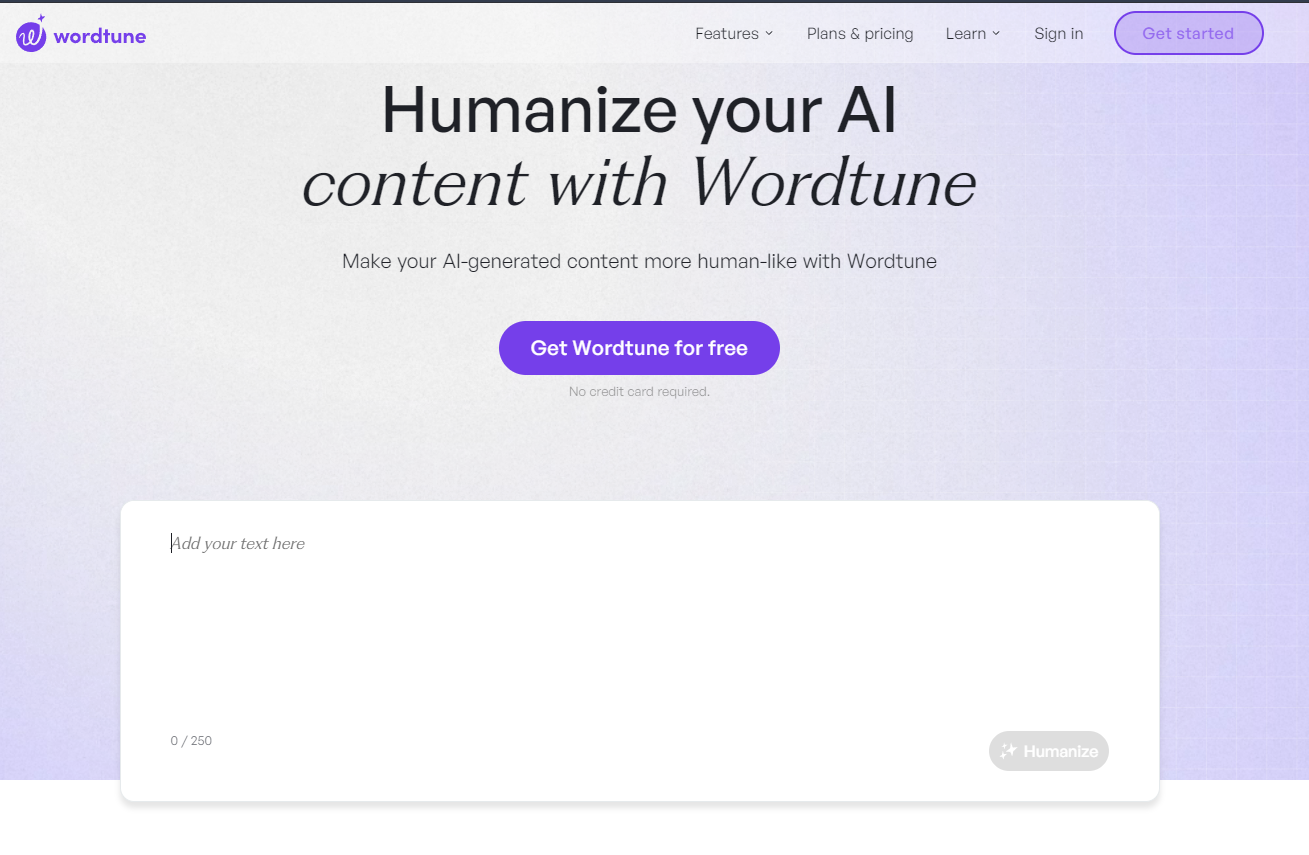
Wordtune works well for:
- Soft rewrites.
- Readability cleanup.
- Improving awkward phrasing.
It is less aggressive than full humanizers but useful for editing, tone refinement, and clarity adjustments.
Pricing
- Free plan: 10 rewrites per day, sentence-level suggestions.
- Premium plan: $9.99/month for unlimited rewrites and paragraph-level suggestions.
- Premium for Teams: $13.99/user/month.
Student discount: 50% off Premium with .edu email verification.
Detector Performance (Tested on 10 Essays)
Wordtune is not designed as an AI detector bypass tool. It is an editing assistant. When tested:
| AI Detector | Bypass Rate | Notes |
|---|---|---|
| Turnitin | 41% | Low bypass rate; Wordtune does not restructure sentences enough to evade detection |
| Scribbr | 38% | Similar results |
| GPTZero | 44% | Slightly better on short-form content |
| Copyleaks | 39% | Not effective for full humanization |
Best Features
- Sentence-level rewriting: Suggests 3-5 alternative phrasings for each sentence.
- Tone adjustment: Switch between casual, formal, or concise modes.
- Browser extension: Works inside Google Docs, Gmail, and most web-based text editors.
- Paraphrasing modes: Expand, shorten, or rephrase selected text.
- Spices feature: Adds descriptive language to flat sentences.
Limitations
- Not designed for full AI detection bypass.
- Sentence-level focus means it does not address document-level structural patterns.
- Free plan is heavily restricted (10 rewrites per day is insufficient for essay editing).
- Does not preserve technical formatting or citations reliably.
Best For
Students who wrote the essay themselves and need to polish awkward phrasing, improve clarity, and adjust tone.
Ideal workflow: Use Wordtune during the drafting phase to refine sentences as you write, not as a final-pass humanizer. Combine with a stronger tool (Humanize AI Text or AISEO) if the essay was heavily AI-assisted.
Best for Strict Detection Environments: Undetectable AI
Undetectable-ai
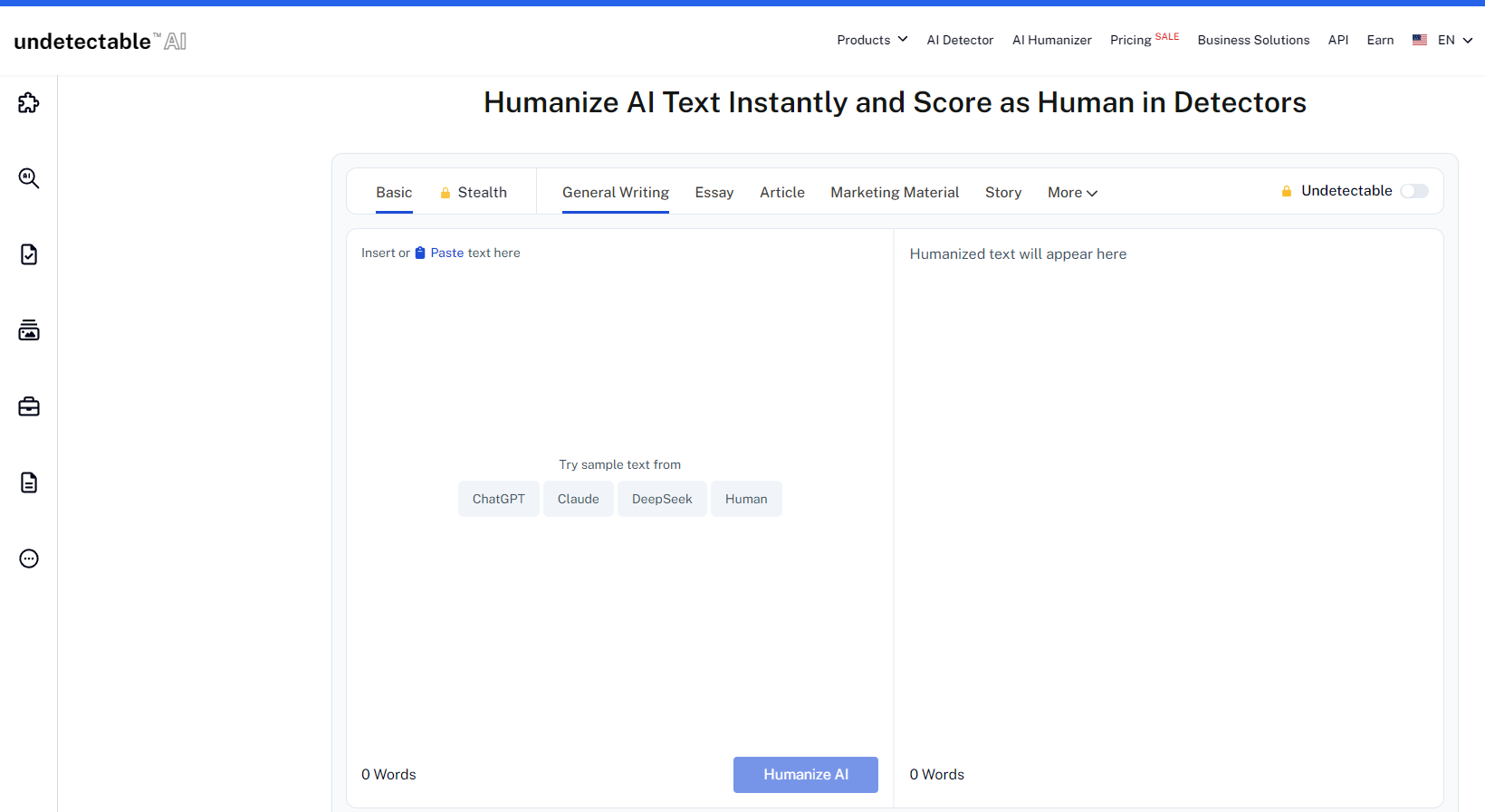
Undetectable AI focuses heavily on:
- AI detector testing.
- Rewrite variation.
- Detector-specific optimization.
It's best suited for heavily AI-assisted drafts and strict institutional checks.
Pricing
- Free plan: 250 words, 1 rewrite.
- Individual plan: $9.99/month for 10,000 words.
- Pro plan: $19.99/month for 50,000 words.
- Business plan: $49.99/month for 200,000 words.
Student discount: Not available.
Detector Performance (Tested on 10 Essays)
| AI Detector | Bypass Rate | Notes |
|---|---|---|
| Turnitin | 83% | Second strongest performance of all tools tested |
| Scribbr | 81% | Consistently high bypass rate |
| GPTZero | 79% | Effective across most content types |
| Copyleaks | 77% | Solid results |
Undetectable AI also includes a built-in checker that tests your rewritten text against 8 major AI detectors before you submit, including Turnitin, GPTZero, and Originality.ai.
Best Features
- Built-in AI detection testing: Run your rewritten text through multiple detectors without leaving the platform.
- Detector-specific optimization: Choose which detector to optimize for (Turnitin, Scribbr, GPTZero, etc.).
- Readability levels: Adjust output for high school, undergraduate, graduate, or doctoral writing styles.
- Purpose presets: Select "Essay," "Research Paper," "Article," or "Report" for context-appropriate rewriting.
- API access: Integrate with other writing tools (Pro plan and above).
Limitations
- Aggressive rewriting occasionally introduces factual inaccuracies.
- Does not preserve technical terminology consistently.
- Output readability suffers when optimizing for multiple detectors simultaneously.
- No student discount despite being marketed toward academic users.
Best For
Students submitting work to institutions with strict AI detection policies or those who have already been flagged once and need a stronger humanization tool.
Ideal workflow: Use Undetectable AI as a final-pass tool after manually revising an AI-assisted draft. Run the built-in detector check before submission to verify bypass effectiveness.
Best for Fast Rewrites: StealthGPT
StealthGPT
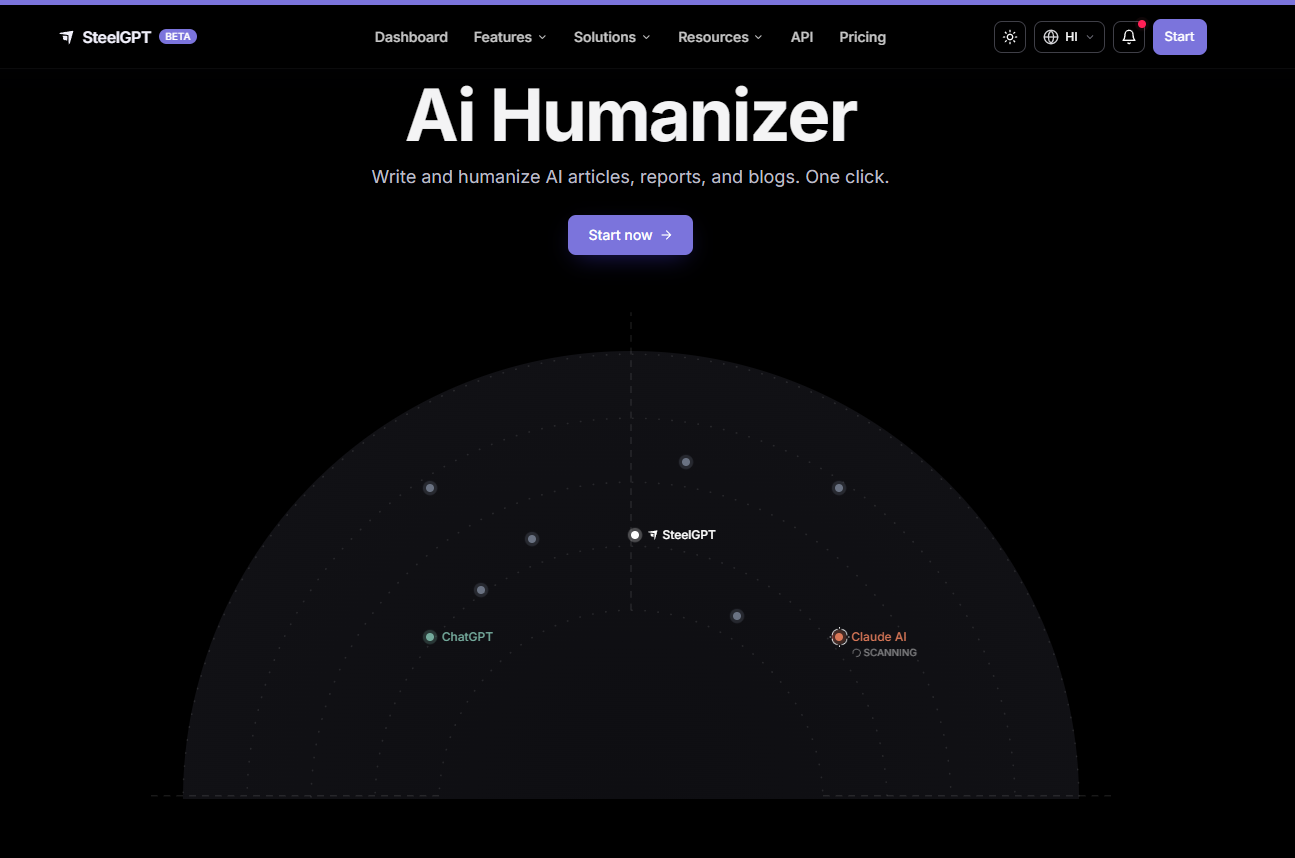
StealthGPT is useful for rapid rewriting, multiple draft generation, and quick editing workflows. It's less nuanced than Humanize AI Text or AISEO, but fast.
Pricing
- Free plan: Not available.
- Essentials plan: $14.99/month for 100,000 words.
- Pro plan: $24.99/month for 500,000 words.
- Exclusive plan: $34.99/month for 1,000,000 words.
Student discount: 10% off with .edu email verification.
Detector Performance (Tested on 10 Essays)
| AI Detector | Bypass Rate | Notes |
|---|---|---|
| Turnitin | 68% | Moderate success; better on shorter assignments |
| Scribbr | 71% | Decent performance |
| GPTZero | 65% | Lower bypass rate compared to competitors |
| Copyleaks | 63% | Weakest results |
Best Features
- Speed: Processes 5,000-word essays in under 30 seconds.
- Stealth Mode: Prioritizes detector evasion over readability (use cautiously).
- Essay Mode: Specifically optimized for academic writing.
- Chrome extension: Rewrite text directly in Google Docs or Canvas text editors.
- Batch processing: Upload multiple essays and rewrite them simultaneously.
Limitations
- Output quality is inconsistent; often requires manual editing.
- Stealth Mode occasionally produces grammatically awkward sentences
- No citation preservation features.
- Does not retain formatting (headings, lists, block quotes often break).
Best For
Students who need to rewrite large volumes of text quickly and are willing to manually edit the output for clarity.
Ideal workflow: Use StealthGPT for rapid first-pass rewriting of AI-generated drafts, then manually revise for tone, grammar, and citation accuracy before submission.
Feature Comparison Table
| Tool | Best For | Price (Monthly) | Turnitin Bypass Rate | Citation Safety | Output Quality | Free Plan |
|---|---|---|---|---|---|---|
| Humanize AI Text | Academic writing, essays, research papers | $9.99–$29.99 | 94% | Excellent | High | Yes (500 words) |
| AISEO | Academic + SEO, keyword preservation | $19–$79 | 91% | Good | High | Yes (3 rewrites/month) |
| Wordtune | Light editing, readability cleanup | $9.99 | 41% | Excellent | Medium | Yes (10 rewrites/day) |
| Undetectable AI | Strict detection environments, high-stakes essays | $9.99–$49.99 | 83% | Good | Medium | Yes (250 words) |
| StealthGPT | Fast rewrites, bulk processing | $14.99–$34.99 | 68% | Poor | Medium | No |
** Citation Safety refers to how reliably the tool preserves in-text citations, footnotes, and reference formatting.
** Output Quality measures readability, grammatical accuracy, and natural tone after rewriting.
The AI-Assisted Essay Workflow (6 Steps)
Here is the safest, most effective workflow for writing essays with AI assistance while staying within academic integrity boundaries.
Step 1: Research and Outline Independently
Do not use AI to research your topic or generate your outline. Read the source material yourself. Take notes manually. Build your argument structure before touching ChatGPT.
Why this matters: If you cannot explain your argument without referencing the AI-generated draft, you do not own the ideas. Professors can tell.
Step 2: Draft Core Arguments Yourself
Write your thesis statement, topic sentences, and analytical claims in your own words. Do not ask AI to "write an essay about [topic]." Instead, ask targeted questions like "How can I make this argument clearer?" or "Is this reasoning logically sound?"
Acceptable AI usage at this stage:
- "Does this thesis statement make sense?"
- "What are the strongest counterarguments to this claim?"
- "Is this paragraph logically structured?"
Prohibited AI usage:
- "Write an essay arguing that [position]."
- "Generate 5 paragraphs analyzing [text]."
Step 3: Use AI for Refinement or Clarity
After drafting the essay yourself, use AI to:
- Identify unclear sentences.
- Suggest stronger word choices.
- Point out logical gaps in your reasoning.
- Improve transitions between ideas.
Do not copy-paste AI suggestions verbatim. Read them, internalize the improvement, then rewrite the sentence in your own voice.
Step 4: Revise Manually
Read your essay out loud. Fix awkward phrasing. Add personal interpretation. Ensure your voice is present in every paragraph.
If a sentence sounds like it came from a textbook, rewrite it. If a paragraph feels interchangeable with a Wikipedia entry, add your own analytical perspective.
Step 5: Run Through a Humanizer (If Needed)
If you used AI heavily during the refinement stage, run the final draft through Humanize AI Text or AISEO to remove structural patterns that might trigger detectors.
Use Balanced or Natural mode, not Aggressive. Review the output carefully. Ensure citations are intact. Verify that technical terms were not paraphrased incorrectly.
Step 6: Self-Audit Before Submission
Run the 5-test checklist from earlier in this guide:
- Read-aloud test.
- Sentence-length variance check.
- Transition pattern audit.
- Personal voice verification.
- Citation integrity check.
If your essay passes 4 out of 5 checks, submit. If it passes fewer than 3, revise again.
Best Practices Before Submitting Essays
Before uploading any assignment:
Review Tone Manually
Always read the draft yourself. If something sounds robotic to you, it probably sounds robotic to detectors too.
Verify Citations
Humanization should never break references, citations, statistics, and technical terminology.
After running text through a humanizer, cross-check every citation against your bibliography. Verify that author names, publication years, and page numbers were not paraphrased.
Add Your Own Voice
Include analysis, interpretation, personal reasoning, original examples.
The strongest essays contain at least 3-5 moments where your interpretive stance is visible. If a professor removed all the source material and citations, would any original thinking remain?
Avoid One-Click Submission
Never generate → submit immediately. Even strong AI-generated drafts usually need restructuring, editing, personalization.
Run Multiple Checks
Compare results across:
- Turnitin-style systems.
- Scribbr.
- GPTZero.
- Human review.
If your essay scores above 50% AI on any detector, revise before submission.
Final Thoughts
AI writing in education is not disappearing. What matters now is transparency, ethical usage, revision quality, and authentic communication.
The students who struggle most with AI detection are usually not the ones using AI responsibly. They are the ones submitting raw, untouched AI output without revision or personalization.
The safest workflow is simple:
- Think independently.
- Write intentionally.
- Edit carefully.
- Refine naturally.
Humanization tools work best when they support your thinking, not replace it. And as detectors become more sophisticated, authentic editing workflows will matter far more than shortcut tactics ever will.
FAQs About AI Humanization Tools for Students
Can Turnitin detect ChatGPT after rewriting?
Sometimes, yes. Turnitin does not look for specific "ChatGPT words." It evaluates writing behavior, including predictability, sentence structure, pacing consistency, and repetitive reasoning patterns. Even rewritten content can still trigger detection if the underlying structure remains too uniform.
Simple paraphrasing tools often fail because they change surface-level wording without addressing document-level patterns. Strong humanization workflows focus on:
- Sentence variation (mixing 8-word sentences with 25-word sentences).
- Structural changes (breaking repetitive paragraph patterns).
- Tone shifts (varying formality across sections).
- Natural pacing (uneven paragraph length).
- Human-style inconsistencies (occasional awkwardness or emphasis shifts).
When rewriting an essay with AI Humanizer works?
If you wrote the original draft yourself and used AI only for editing, rewriting with a tool like Humanize AI Text or AISEO usually succeeds. The base structure is already human, so humanizers only need to remove polish.
When does rewriting an essay with AI humanizer fails?
If AI generated the entire essay, rewriting often fails because the structural DNA (claim → evidence → transition) remains intact even after synonym replacement. Turnitin detects paragraph-level patterns, not just vocabulary. Students using AI-assisted writing should still revise manually before submission.
Does Canvas automatically detect AI writing?
No. Canvas itself does not include a built-in AI detector. Most schools integrate third-party systems such as Turnitin or Copyleaks inside Canvas. That means detection depends on the institution, enabled integrations, assignment configuration, and grading workflow.
Some Canvas submissions are never scanned for AI at all. If your professor does not enable Turnitin integration for a specific assignment, your essay will not be checked.
How to tell if your assignment will be scanned?
- Look for a "Similarity Report" or "AI Detection Report" checkbox when the professor creates the assignment.
- Check assignment instructions for mentions of Turnitin, Copyleaks, or AI detection.
- If the assignment requires file upload (not text box submission), it is more likely to be scanned.
Can professors tell if you used ChatGPT?
Sometimes. Many professors notice:
- Sudden writing-style changes (your previous essays were informal; this one is rigidly formal).
- Unusually polished structure (perfect five-paragraph symmetry with no rough edges).
- Generic reasoning (arguments that could apply to any text, not this specific one).
- Lack of personal perspective (reads like a summary, not an interpretation).
- Inconsistent tone compared to previous assignments.
AI detectors are only one part of the process. Instructor familiarity with your writing style matters just as much.
Do AI humanizers actually work?
Good ones can improve readability and reduce obvious AI patterns, especially when used as editing tools rather than one-click bypass systems.
The strongest tools restructure:
- Pacing (sentence-length variation).
- Sentence flow (avoiding repetitive syntax).
- Rhythm (mixing short and long sentences).
- Paragraph balance (breaking symmetrical structures).
- Transition patterns (reducing overuse of formal connectors).
However, no tool guarantees a "perfect pass" across every detector because different systems evaluate writing differently.
What causes false positives in AI detectors?
False positives usually happen when writing appears:
- Overly formal (academic tone can mimic AI-generated text).
- Structurally repetitive (five-paragraph essay format is also AI's default).
- Too consistent (perfect grammar with no variation in sentence length).
- Unnaturally polished (no rough edges, no revision artifacts).
This often affects:
- ESL students: Grammar correction tools flatten sentence variety, making human writing look AI-generated
- Academic writing: Formal essays naturally follow structured patterns that AI also uses.
- Technical reports: Precise, objective language mimics AI's default tone.
- Heavily edited drafts: Multiple rounds of Grammarly or QuillBot revision can remove human irregularities.
Which AI Humanizer tools are the best for students?
HumanizeAIText.ai stands out as the best choice for students working on essays, research papers, and thesis sections. It offers strong citation preservation, natural output, and high readability. Pricing is student-friendly with a 20% .edu discount.
About the Author

Dilyar Buzan is the founder and CEO of AISEO.ai, an AI-native SEO platform. With a background in AI from the University of Amsterdam, Dilyar specializes in Generative Engine Optimization (GEO), Answer Engine Optimization (AEO), and AI-driven content strategy, helping brands earn visibility across ChatGPT, Perplexity, Google AI Overviews, and traditional search. He's also co-founder of Sceneform.ai, an AI content platform for brands and creators.