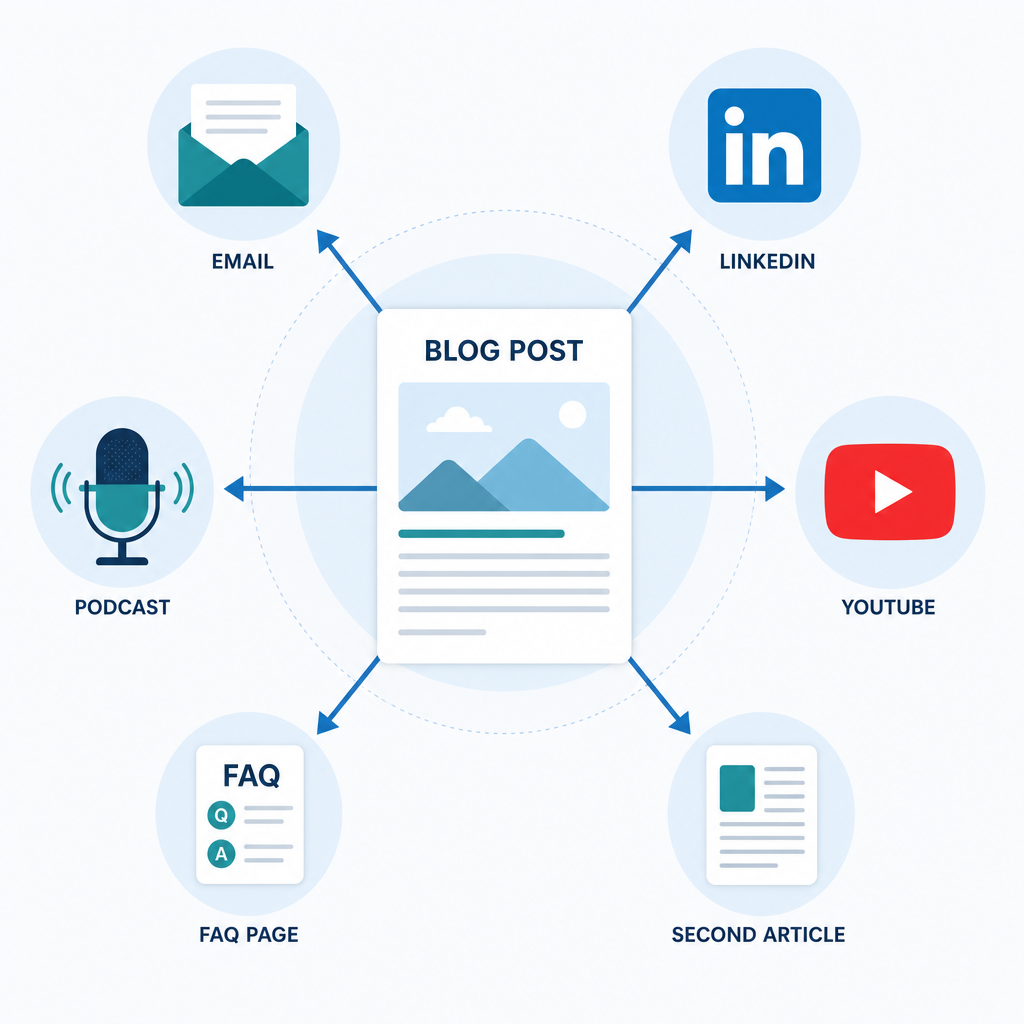
Publishing a blog post and moving on is the most expensive habit in content marketing. You spent hours on research, structure, and editing… and then extracted exactly one asset from it.
Repurposing is a distribution strategy. A 1,500-word cleaned blog post contains enough material for a 5-email newsletter sequence, two LinkedIn threads, a YouTube script, an FAQ page, and a second article targeting a related keyword. The research is already done. The AI does the transformation.
This guide walks through the exact workflow for getting maximum output from a post you've already cleaned and published. If you want a deeper dive, make sure to check out my in-depth breakdown of the AI stack for bloggers. It covers every stage from drafting through publishing, and even repurposing and outreach.
Why Repurpose After Cleanup, Not Before
The order matters more than most guides acknowledge. If you repurpose a raw AI draft before cleaning it, you distribute the same invisible characters, em dash overuse, and robotic phrasing across every format. You've now multiplied the problem.
Clean the post first. Then repurpose. The cleaned version is the source of truth for every downstream asset.
If you haven't cleaned your draft yet, the cleanup workflow guide covers that step-by-step before you come back here.
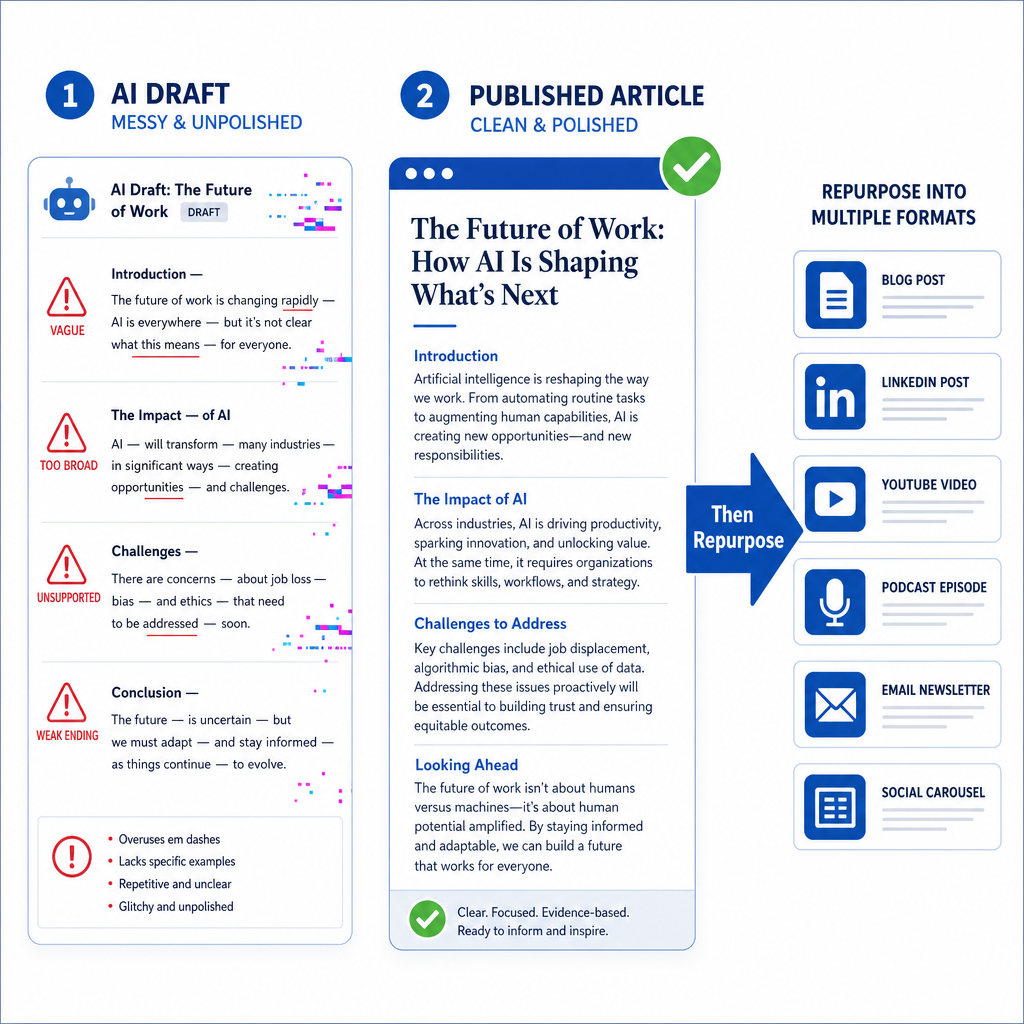
Step 1: Extract the Core Email and Social Assets
Start with the two highest-distribution formats: email newsletter and social media posts. These reach your existing audience and are fast to produce.
For email, the goal is a 200-300 word newsletter version that summarizes the post's core argument, teases the depth available in the full article, and links back. Not a transcript. Not a bullet list of headings. An actual argument in email form.
For social, LinkedIn threads and X threads work differently. Threads expand on one point from the post rather than summarizing the whole thing. Pick the most counterintuitive or specific insight from the article and build the thread from there.
- AI Text Converter: Paste your cleaned blog post and specify the target format, such as email newsletter, LinkedIn post, Twitter/X thread. The converter applies format-specific structural logic rather than just shortening the text.
- AI Sentence Generator: Generates strong hooks for social posts and email subject lines. Feed it the core argument of your article and use the output as the opening line of your thread or newsletter.

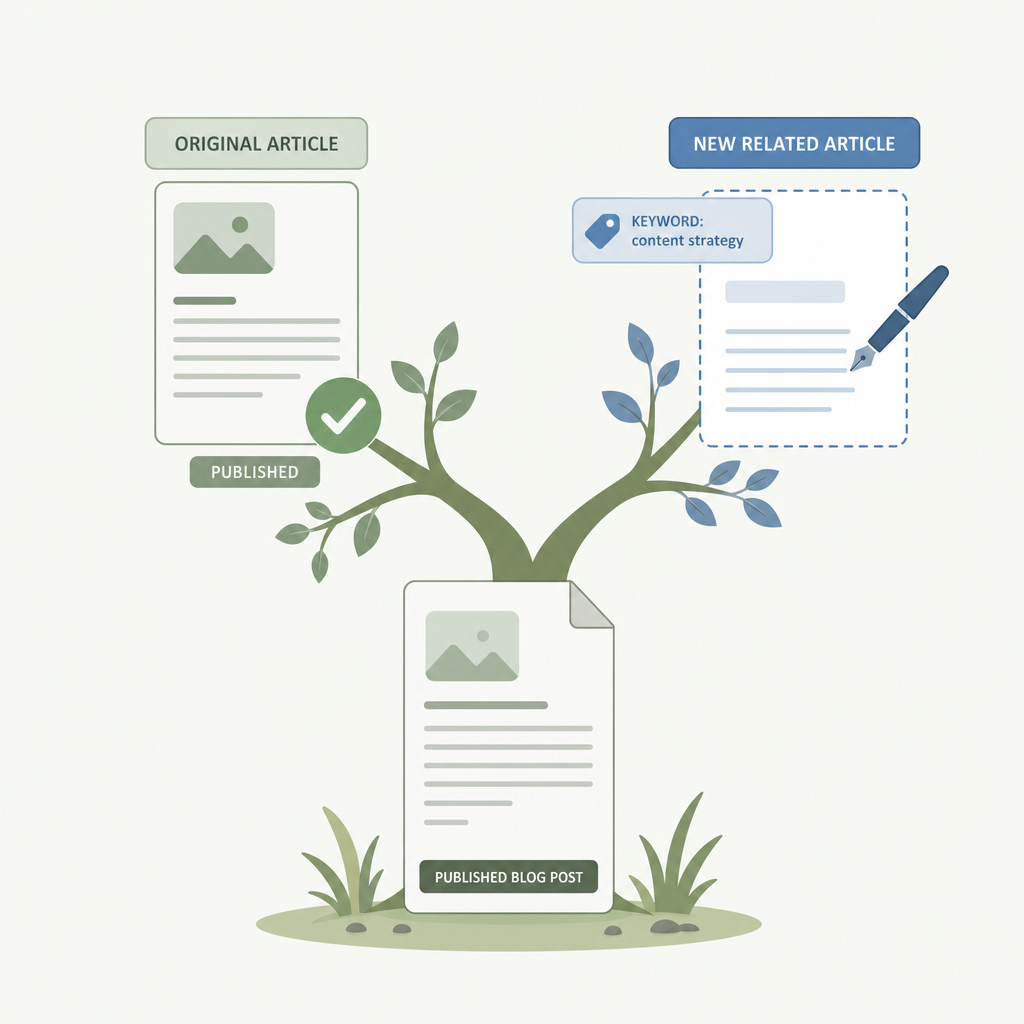
Step 2: Build a Second Article From the Same Research
Your blog post contains research, examples, and structural thinking that supports at least one more article, usually on a related keyword you didn't target in the original.
This isn't spinning the same content. It's extracting a sub-argument that deserved more space than your original post gave it, and building a proper article around it.
For example: a post on 'how to clean up AI content before publishing' contains enough material on AI detection to support a separate article specifically on 'how AI detectors work and why they flag clean writing.' Different keyword, different angle, same underlying research.
- Article Generator: Feed it the core angle and the supporting points from your existing post. Use it to build the structure and first draft of the related article, then edit for originality and voice.
- Paraphrase Generator: Produces distinct variations of key sections for the second article so it doesn't read as a near-duplicate of the source post. Essential if you're targeting a related keyword with overlapping content.
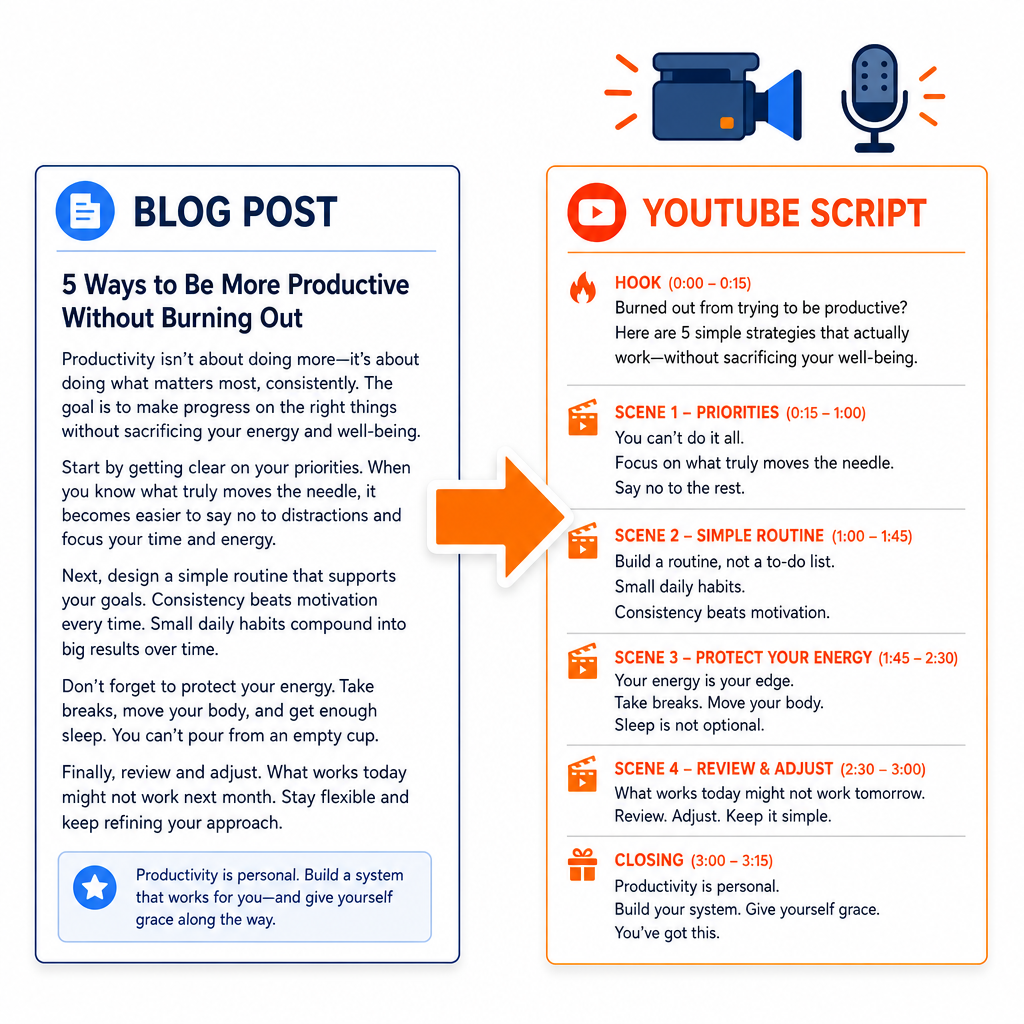
Step 3: Create a YouTube or Podcast Script
Video and audio formats need a different structure than blog posts. A blog post front-loads information. A YouTube script builds toward it, with hook first, context second, payoff third.
The AI Text Converter handles this transformation, but the script will need editing. Watch for two common problems: scripts that read like blog posts read aloud, and scripts that lose the argument's thread because the AI prioritized conversational tone over logical flow.
A 1,500-word blog post typically produces a usable 5-7 minute video script. For a 10-minute video, combine material from two related posts.
- AI Text Converter: Specify 'YouTube script' or 'podcast outline' as the target format. The converter restructures the content for audio consumption featuring shorter sentences, verbal transitions, and a hook-first opening.
If you want to add more variety in the content, I recommend running it through the HumanizeAIText.ai tool. It can clean out any AI telltale signs while also making your content more engaging.
Step 4: Build an FAQ Page From Your Post’s Questions
Every blog post answers questions. Pull those questions out and you have the skeleton of an FAQ page targeting the same search intent from a different angle.
FAQ pages have a structural advantage: they get cited by AI search engines more often than standard articles because their format matches the question-answer pattern that AI Overviews extract. A well-built FAQ page on a related keyword can pull traffic from queries your main article doesn't rank for.
- Paraphrase Generator: Rewrites the answers from your blog post into standalone FAQ-format answers. Each answer needs to work without the surrounding context of the original article.
- AI Originality Checker: Checks whether your FAQ answers are distinct enough from the source post to avoid duplicate content signals. Run this before publishing any repurposed page on the same domain.
Step 5: Check Originality Across All Repurposed Assets
Repurposed content shares source material with the original post. If the paraphrasing isn't strong enough, search engines treat the repurposed asset as a near-duplicate — which hurts both the original and the new piece.
Run an originality check on any repurposed content going to the same domain. Social posts and email newsletters don't need this as they live off-domain. But second articles, FAQ pages, and any other indexable content does.
- Plagiarism Checker: Cross-references repurposed content against the source post and published web content. Catches near-duplicate passages before they create crawling or indexing problems.
If you’re looking for more control over your repurposed content, make sure to check out my blog that teaches you how to clean up AI-generated content in under 15 minutes.
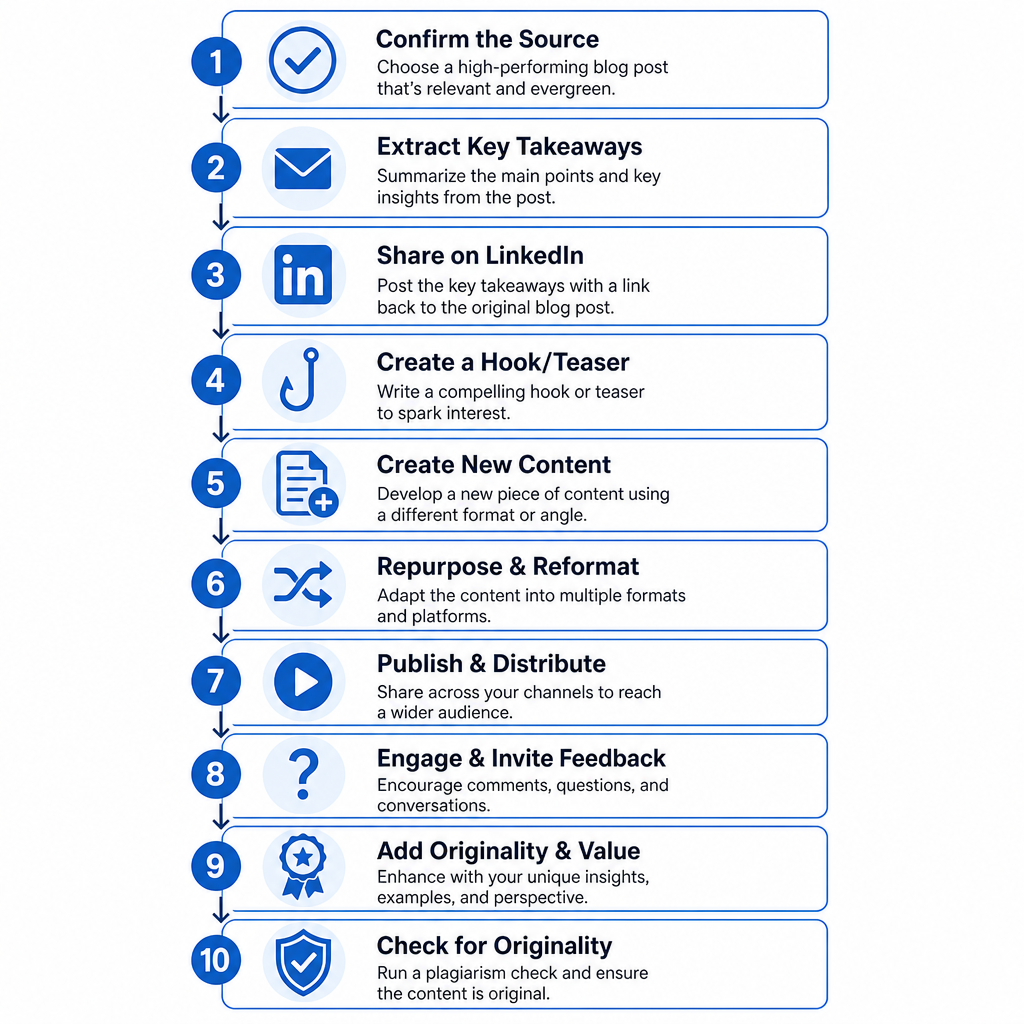
The Full Repurposing Workflow at a Glance
- Confirm the source post is cleaned and published
- AI Text Converter → email newsletter (200-300 words)
- AI Text Converter → LinkedIn/X thread (pick one specific insight)
- AI Sentence Generator → email subject line and social hook
- Article Generator → second article on related keyword
- Paraphrase Generator → differentiate second article from source
- AI Text Converter → YouTube script (5-7 min)
- Paraphrase Generator → FAQ answers from post questions
- AI Originality Checker → check all indexable repurposed content
- Plagiarism Checker → final uniqueness check before publishing
One cleaned blog post can allow you to generate at least ten distinct distribution assets. The research investment stays fixed. The reach multiplies.
Once these repurposed pieces are published and distributed, the next step is making sure the original post and its derivatives are fully optimized for search before the next round of content goes live. To do that, check out my blog on how to optimize AI content for SEO.
Frequently Asked Questions
What does it mean to repurpose a blog post?
Repurposing a blog post means extracting the research, arguments, and structure from an existing article and transforming them into different formats like email newsletters, social threads, video scripts, FAQ pages, or related articles without starting from scratch. The goal is to extend the reach of content you've already invested time producing.
Can I repurpose AI-generated content without duplicate content issues?
Yes, if you use paraphrasing tools to differentiate the repurposed versions and run originality checks before publishing. Near-duplicate content on the same domain can cause indexing problems, but properly paraphrased repurposed content targeting different formats or keywords doesn't trigger those issues.
What is the best AI tool for repurposing blog content?
The AI Text Converter GPT handles format transformation most effectively. Both allow you to restructure content for specific formats rather than just shortening it. For variation and originality on related articles, pair it with the Paraphrase Generator and run output through the AI Originality Checker before publishing.
How many assets can I get from one blog post?
A standard 1,500-word cleaned blog post reliably produces 6-8 distinct assets: an email newsletter, a LinkedIn thread, an X thread, a YouTube script, a second article on a related keyword, and an FAQ page. Longer or more research-dense posts can yield more.
Should I repurpose before or after the post is published?
After. Repurpose from the cleaned, edited, published version; not the raw draft. Publishing first gives you the internal link to reference in repurposed content, and ensures you're distributing your best version of the material, not an unedited draft.
About the Author

Bishal is a senior SEO strategist, content researcher, and AI automation expert. He builds technical SEO strategies and custom n8n workflows for AI-native agencies. He also focuses on Generative Engine Optimization (GEO) to help brands adapt and dominate in today's AI-driven search landscape.